
We may earn a commission for purchases using our links. Learn more.
TL; DR - The Short Version
- Primary Verdict: XREAL One Pro glasses are simple for anyone to use right out of the box
- Key Strength The on-device controls make using and customizing these glasses easy
- Major Trade-off External dock required for gaming on Nintendo Switch/Switch 2
- Fav Feture The built in "3Dof" works incredibly well
In the past month, I have managed to beat Saros, play 90 minutes of the unreleased Rayman Legends Retold game, and log countless hours on the tracks of Mario Kart.
In the old days, fitting in that much gaming would be no big deal. But with my current lifestyle as a broadcaster, the guy running this tech website, and a dad to twin four-year-olds, my "perfect" basement gaming setup sits unused most nights. By the time the kids go to bed, I'm just too tired.
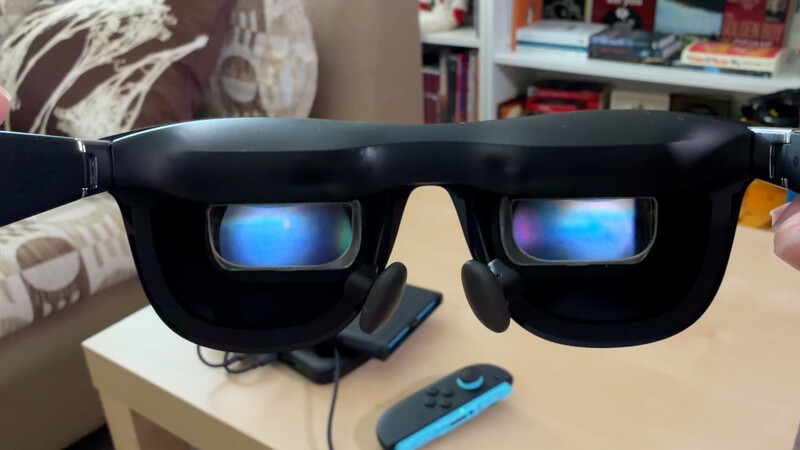
Enter the XREAL One Pro. These are the most premium smart glasses XREAL makes, and they've helped me reclaim at least some of my favorite hobby.
I've been testing them for two weeks at home, at work, and while traveling. Here is why they might be the smart glasses you'll want to buy for gaming, movies, and getting things done.
Pros
- Built-In Smarts No apps required! Controls are on-device.
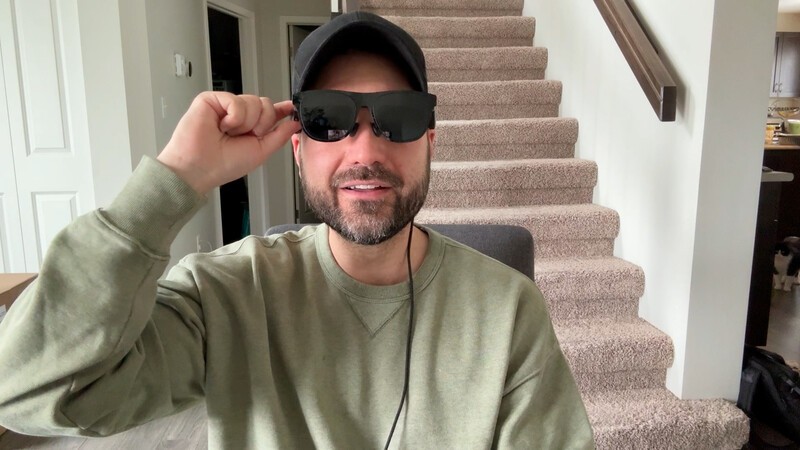
- Premium Look: These could almost be mistaken for sunglasses.
- Clear Visuals Gaming and on-screen text is crisp.
Cons
- Periphery Blurring: Extreme edges of view are lightly blurred.
- No Multi-Screen: You can't get two virtual displays, just one giant display.
- Proprietary Cable FYI if you lose the included cable, you can't use a regular USBC cable to replace.
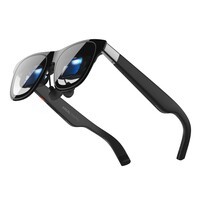
XREAL One Pro
For a plug-and-plaly smartglasses solution that requires no messing around, the XREAL One Pro glasses are near perfection. They're premium, but pricey ($649 USD). For a limited time, using the link below unlocks a 5% discount on these glasses.
The Specs That Matter
Since I started keeping the XREAL One Pro glasses within reach throughout my day, I basically have a "perfect" gaming setup wherever I go. Let's look at what is under the hood:
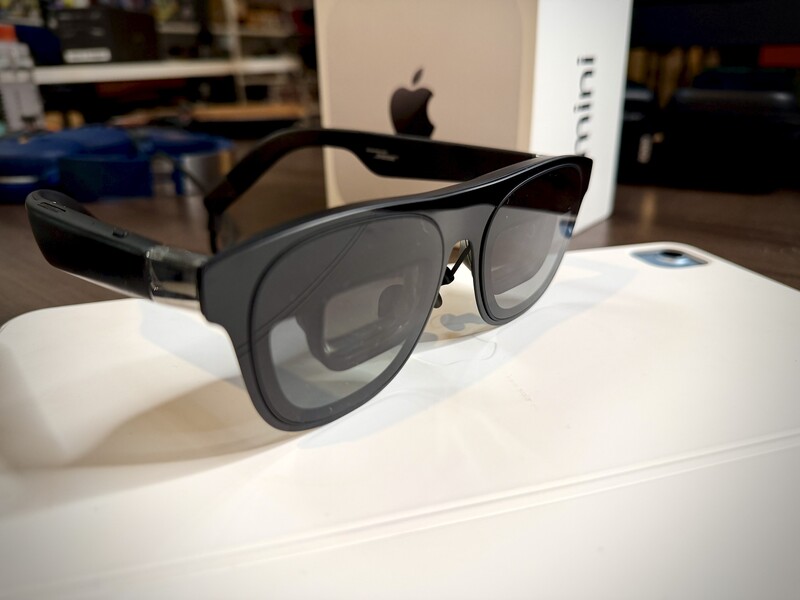
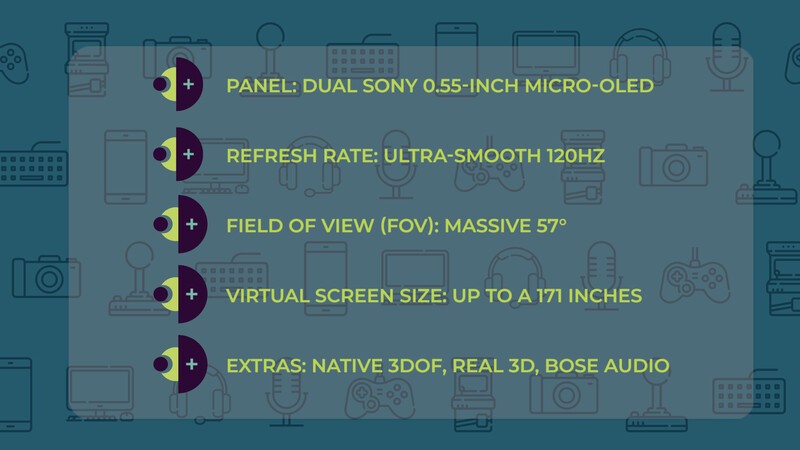
- Display Panel: Dual Sony 0.55-inch Micro-OLED Displays.
- Refresh Rate: Ultra-smooth 120Hz.
- Field of View (FOV): Immersive 57°.
- Virtual Screen Size: Simulated up to a massive 171 inches.
- Spatial Processor: Custom, self-developed X1 Spatial Coprocessor.
- Weight: Ultra-lightweight at 87 grams.
- Audio: Custom acoustic system tuned by Bose.
- Dimming: 3-step Electrochromic Dimming built into the frame.
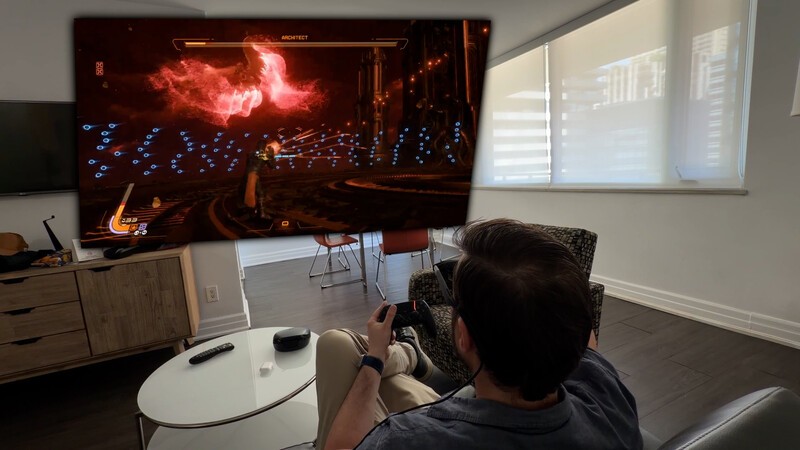
The big takeaway here is that massive 171-inch virtual display running at a 120Hz refresh rate. But a giant screen doesn't matter if it doesn't look good, which brings me to an often-overlooked spec.
Why Field of View (FOV) is a Big Deal
If you are comparing smart glasses, do not just look at the virtual screen size. Pay attention to the Field of View.
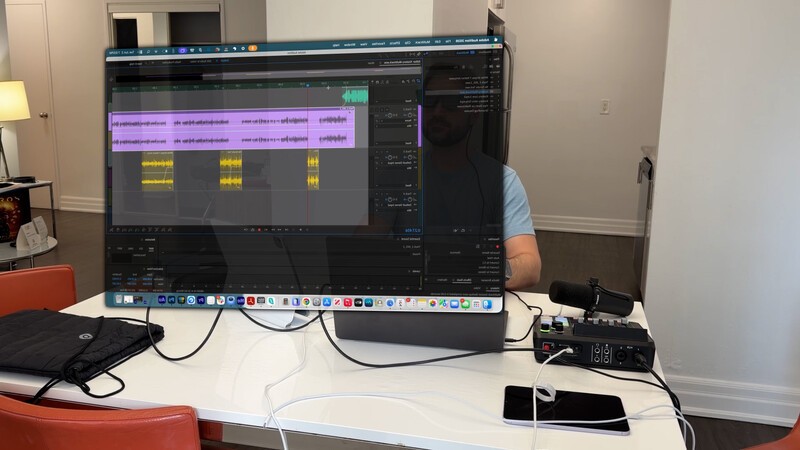
With a 57-degree FOV, the XREAL One Pro gives you a theatre-scale immersive display. Narrower, entry-level glasses (around 40 degrees) make the screen feel more like an average TV sitting across the room. If you don't have a large FOV, you get a letterboxing effect where you actually have to crane your neck just to take in the full virtual display.
Paired with those dual Sony Micro-OLED panels, the screen is super clear. This clarity is a major differentiator between "Pro" and entry-level glasses, making a huge difference when reading video game subtitles or hooking them up to a laptop to be productive.
Customizing Your View
There is a lot you can do to tweak these glasses to your liking.
- Physical Adjustments: When you order, there are two sizes based on your interpupillary distance (IPD). You can also do a digital IPD adjustment right in the glasses' software, and swap between three sizes of nose bridges to find the perfect viewing angle.
- Electrochromic Dimming: You can actually change the level of tint on the lenses so more or less light from the outside world comes through.
- Digital Tweaks: Because these glasses have a custom X1 Spatial Coprocessor built right in, you don't need a phone app to set them up, they are plug-and-play. Using the buttons on the frames, you can shrink the screen size, adjust the virtual viewing distance, or toggle on 3D mode.
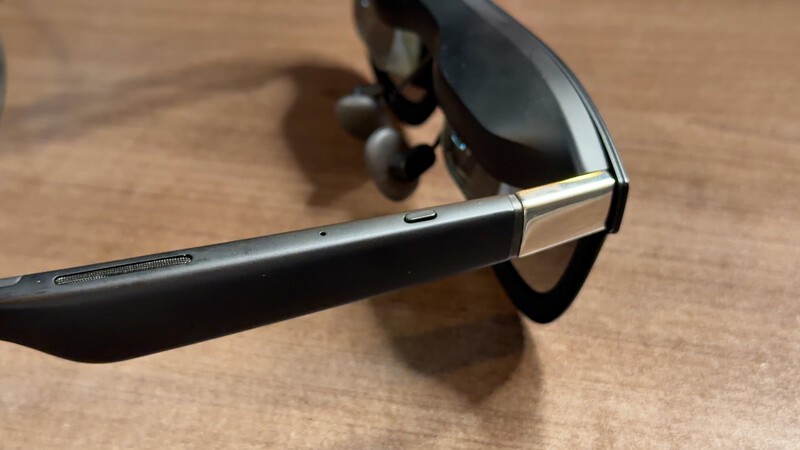
A standout feature on these glasses is the Quick Button on top of the frames. I mapped mine so a single click triggers the massive 32:9 Ultrawide Mode, a long press activates 3D mode, and a double click turns on transparency mode so I can see what is happening around me.
What is 3DoF?
Another feature that makes these feel truly "Pro" is the 3 Degrees of Freedom (3DoF).
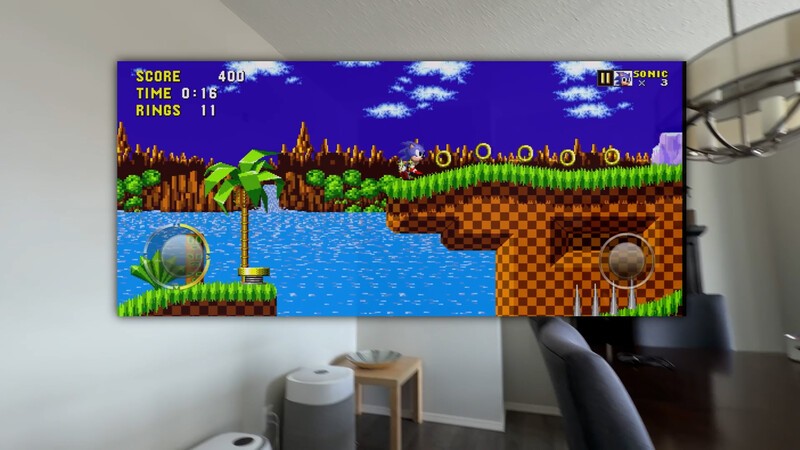
On basic smart glasses, the screen is locked to your face in "Follow" mode. You look down at your snack bowl, and your virtual screen moves down and covers up your chips.
With the XREAL Pro, you can "Anchor" the screen in virtual space.
The built-in 3Dof on XREAL pro means you have the option to control how the virtual screen reacts to your motions. When you move your head, the display can stay pinned right where you left it. Because of their industry-leading 3 millisecond motion-to-photon latency, there is zero tracking lag, no jarring visual trails, and absolutely no motion sickness, even on a bumpy plane ride.
The fact that the X1 chip handles this right on the device without the glasses getting incredibly warm is mind-blowing.
Real-World Testing: Work and Play
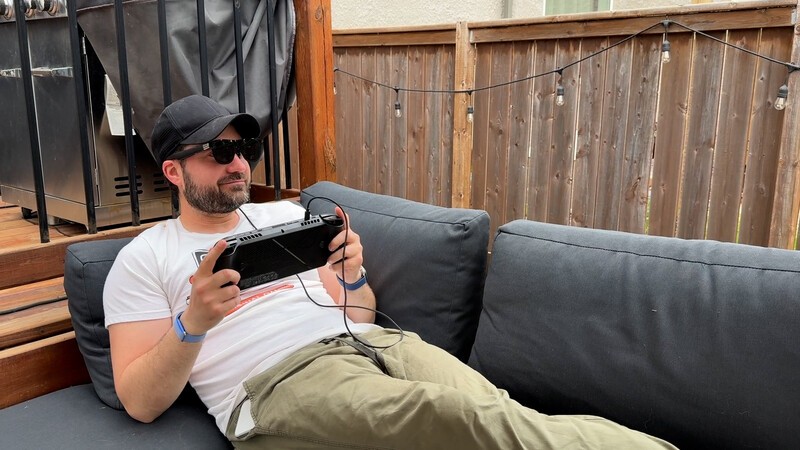
I took these everywhere, from bumpy plane rides to backyard hangs.
While I'd love to say I only gamed on them, I actually used them for work a ton. When I host my daily radio show on the road, I usually lose all my studio monitors. With the XREAL One Pro, I was able to build a comfortable, multi-screen makeshift studio right at a kitchen table. Switching between my Mac, iPad, iPhone, and Android phone was seamlessly plug-and-play.
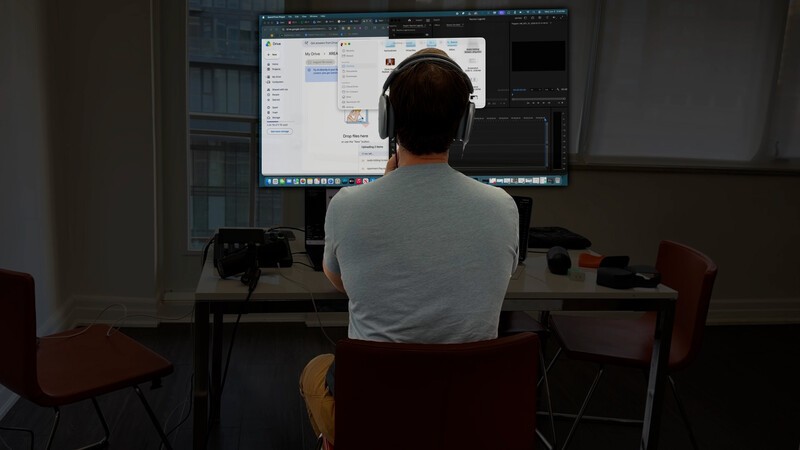
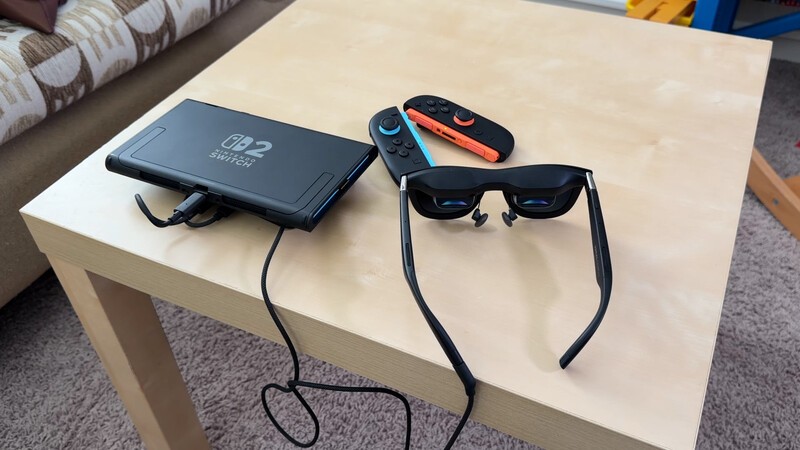
When I finally got to game, using the ROG Ally X or my phone was instantly impressive. Playing the Nintendo Switch 2 took a little experimenting with docks and adapters to get the video signal to work, but once it did, it was a fantastic experience.
The Bottom Line
Smart glasses are getting increasingly popular. The technology has caught up to the dream and now there are so many brands that have "good" smart glasses. But the XREAL Pro model specifically I would say are "great."
Geeking Out Shop
XREAL One Pro
Smart Glasses For Everything
After testing these glasses on a daily basis for two weeks I can verify they're great and I wouldn't hesitate to recommend them to anyone looking to dive into the world of smart glasses. The OLED panels are clear enough to read small text, meaning their great for working on a laptop in addition to using as an accessory for gaming anywhere on a massive 171-inch virtual screen. For a limited time, using the link below unlocks a 5% discount on these glasses, which saves you a lot on the retail price ($649 USD).
After testing so many pairs of smart glasses, I now have a strict list of features I refuse to go without: built-in 3DoF, on-device controls, and a wide field of view.
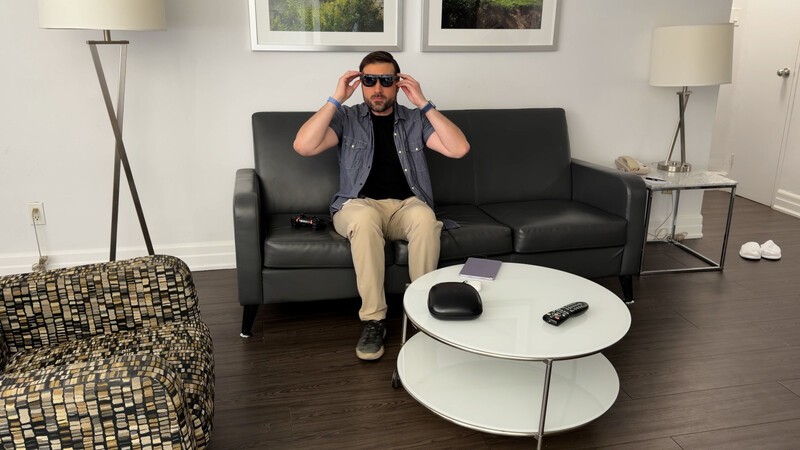
The XREAL One Pro checks all these boxes. Keeping them in my bag meant I could find an extra 15 to 20 minutes of high-quality gaming on my lunch break without fighting the kids for TV time.
For anyone who has many different devices they could potentially game on (Home consoles, portable ones, phones, or tablets) the XREAL One Pro allow you to plug in and be instantly jumping into your favourite games on a vast, virtual display.
Frequently Asked Questions: XREAL One Pro
What devices work with the XREAL One Pro smart glasses? They are fully plug-and-play with a wide variety of devices, including Mac, iPad, iPhone, Android phones, and the ROG Ally X. If you want to use them with the Nintendo Switch 2, you can absolutely do that, though it requires a little bit of experimenting with different docks or adapters to handle the video signal properly.
Do I need to download a special app to use them? Nope! Unlike many other smart glasses that force you to plug into a phone or laptop and use dedicated software to get set up, the XREAL One Pro has a custom X1 Spatial Coprocessor built right in. You just plug them into your device and they instantly mirror your screen. All your display controls are handled right on the frames.
Can you make the virtual screen smaller? Yes, you definitely can. Using the built-in Spatial Screen menu, you can actually shrink the massive 171-inch screen down if it feels too big for the room you are in. You can also adjust the virtual distance to make the screen sit closer or further away from your eyes.
Will using smart glasses give me motion sickness? The XREAL One Pro eliminates motion sickness by achieving an incredibly fast 3 millisecond motion-to-photon latency. This means the virtual display updates near-instantaneously when you move your head, resulting in zero tracking lag and no jarring visual trails, even if you are using them on a bumpy airplane ride.
How do I make sure the glasses fit my eyes properly? The glasses come in two physical sizes based on your Interpupillary Distance (IPD) which is the space between your pupils. Once you have the right physical size, you can further fine-tune the view with a digital IPD adjustment right inside the glasses' software. They also come with three sizes of nose bridges so you can find the perfect resting angle for your specific nose shape.
Read more
Top 10 Gaming Finds at CES 2026
Whether you're gaming on mobile, consoles, or your PC, here are our picks for the best gaming gadgets at CES 2026!

Bluey's Happy Snaps Is Pre-Schooler Friendly
Bluey's Happy Snaps is a great family-friendly title for any fan of the TV show. But it's worth paying the extra for the Deluxe version for one key feature.

The HyperX Origins 2 1800 Skips the Gimmicks for Pure Gaming Speed
The HyperX Origins 2 1800 pairs an ultra-fast 8,000Hz polling rate with a space-saving compact layout and hot-swappable switches, prioritizing pure gaming performance over flashy gimmicks.

HyperX Pulsefire Haste 2 Pro: Everything You Need
The HyperX Pulsefire Haste 2 Pro packs a 61g featherweight frame, 4KHz wireless polling, and a 26K sensor into an ultra-responsive, no-nonsense gaming mouse.