
We may earn a commission for purchases using our links. Learn more.
TL; DR - The Short Version
- Is iPhone Air worth it in 2026 Yes, but only for people who prioritize portability as the most important phone feature.
- Durability The titanium frame is incredibly strong despite how thin it is.
- Display It's worthwhile to add even a thin bumper case to protect the screen from damage
- Camera Camera is fine for almost everything, but having better zoom is missed at concerts.
- Battery Generally fine battery life, but when travelling carry an external battery pack
- Pet Peeve No video output support through USB connection (you can't use smart glasses)
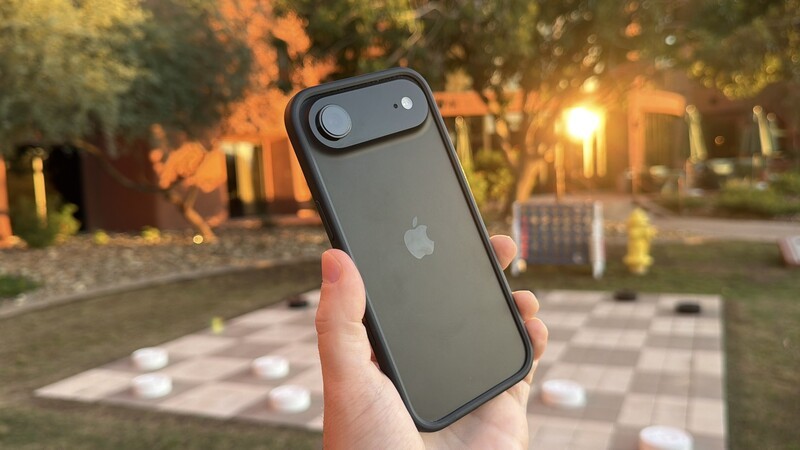
Every few years, a piece of tech comes along that makes you feel like you're actually holding a prop from a sci-fi movie set in 2050. And last year's iPhone Air is a great example of this.
While smartphone manufacturers have been bragging about "thin and light" for a decade, Apple finally went all-in on the concept, delivering a phone that nearly disappears in your hand or pocket.
The big question with this model is: did Apple shave off too much to make it work?
It's now been nearly half a year that I've been using the iPhone Air off and on for weeks at a time as my daily driver.
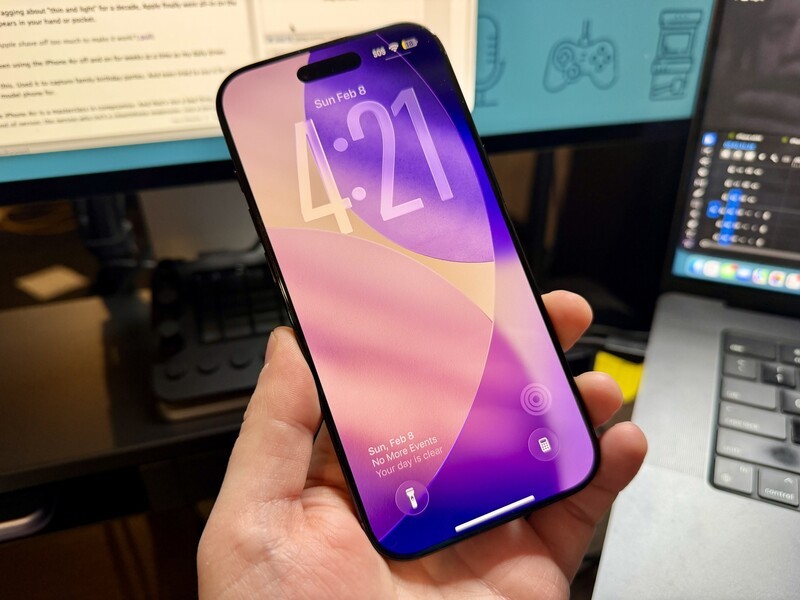
I've travelled across North America with this. Used it to capture family birthday parties. And even tried to use it for many tasks that I'd normally rely on a a "Pro" model phone for.
At the end of the day, I've realized the iPhone Air is a masterclass in compromise. And that's not a bad thing. It's a specialized tool for a very specific kind of person: the person who isn't a smartphone poweruser, just a person who wants something that works "well enough" for everything with the upside of being easier to carry in a pocket or purse.
iPhone Air: One Paragraph Review
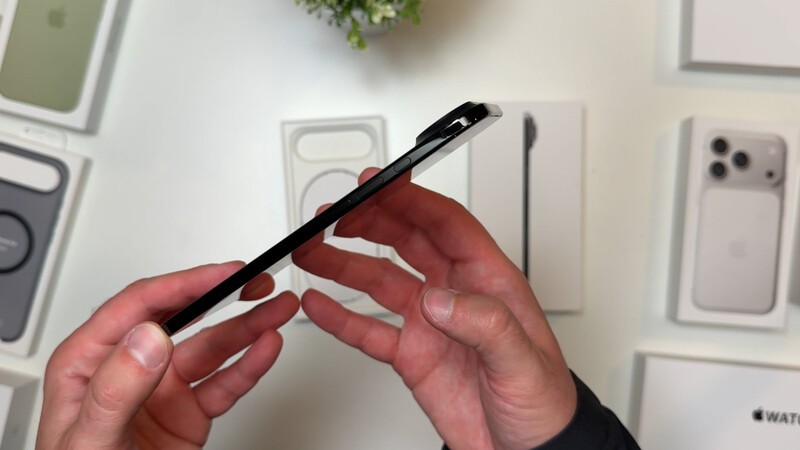
The iPhone Air's shockingly slender 5.6 mm frame is a delight to use everyday, especially when one-handed typing. While its grade 5 titanium frame and new Ceramic Shield 2 make it durable despite its thinness I was surprised at how scratched the screen got once I ditched a case. There are clear trade-offs for power users, so this phone isn't for them. The camera system, while capable for day-to-day shots, feels basic compared to the Pro models, and the lack of USB-C video output is a major bummer if you're like me and love using smart glasses to watch movies on a long flight.
Pros
- Incredibly thin design (at just 5.6 mm)
- Featherweight portability (165 grams is a dream for your pockets)
- Square selfie sensor (innovative 1:1 sensor means no more phone rotating)
- One-handed typing feels great
Cons
- No USB-C video out (a huge letdown for smart glasses users)
- Basic camera setup (missing high-end optical zoom)
- The "case dilemma" (a case ruins the slimness; no case leads to scratches)
- Battery limitations (requires a battery pack for heavy travel days)
iPhone Air
The iPhone Air brings Apple's thinnest and lightest design yet, without compromising everyday performance. With its sleek build, comfortable one-hand use, and refined Apple experience, it is designed for users who value style, portability, and simplicity.
What makes iPhone Air Special?
The headline with iPhone Air is how skinny it is. To get the phone this slender, Apple had to invent a new "plateau" design. Usually, phone internals are layered like a sandwich; here, the main logic board (the thing controlling all the stuff your phone can do) and the A19 Pro chip sit at the top of the device, leaving the rest of the space for a dense, high-capacity battery.
The result of all of this is a phone that feels impossibly light and thin. Like a movie prop. Not a working device.
- Grade 5 Titanium Frame: This is aerospace-grade stuff. It gives the phone a high strength-to-weight ratio, ensuring it exceeds Apple's bending tests despite being so thin. In my testing, even after dropping it several times without a case, the frame still looks great, even half a year later.
- Ceramic Shield 2: The front glass is now 3x more scratch-resistant than previous versions. Even better, for the first time, the back is also protected by Ceramic Shield, making it 4x more resistant to cracks.
- 3D-Printed Titanium Port: The phone is so thin that Apple had to 3D-print a custom USB-C port to make it thinner and stronger than a traditional one. It's a tiny detail, but it shows the level of effort put into the "Air" branding.
- 1:1 Square Selfie Sensor: This is a game-changer. The front camera uses a square sensor, which means you can take landscape-style wide shots without ever having to turn your phone sideways.
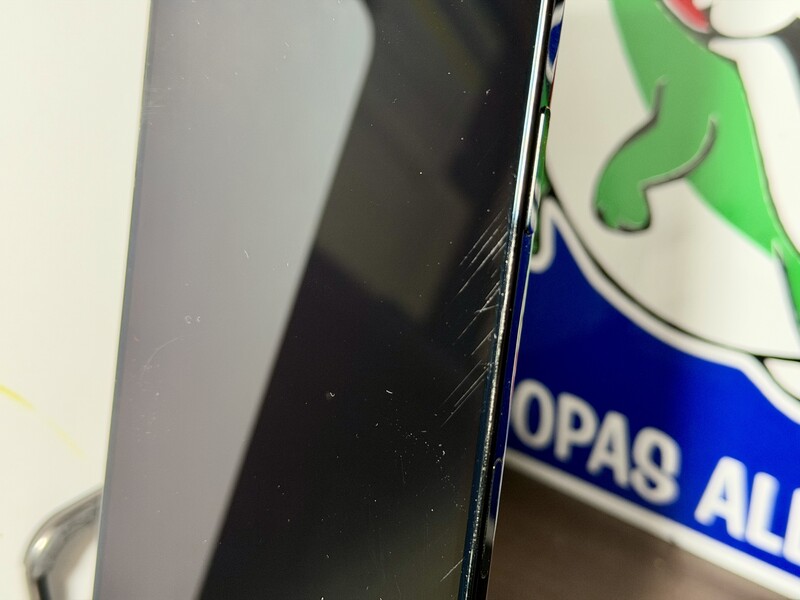
In my real-world use I was neither aggressive/rough with the phone or babying it. I just used it like I would any other phone. And the titanium frame is so legit (phone always feels solid) but the Ceramic Shield 2 didn't protect my display from some very deep scratches.
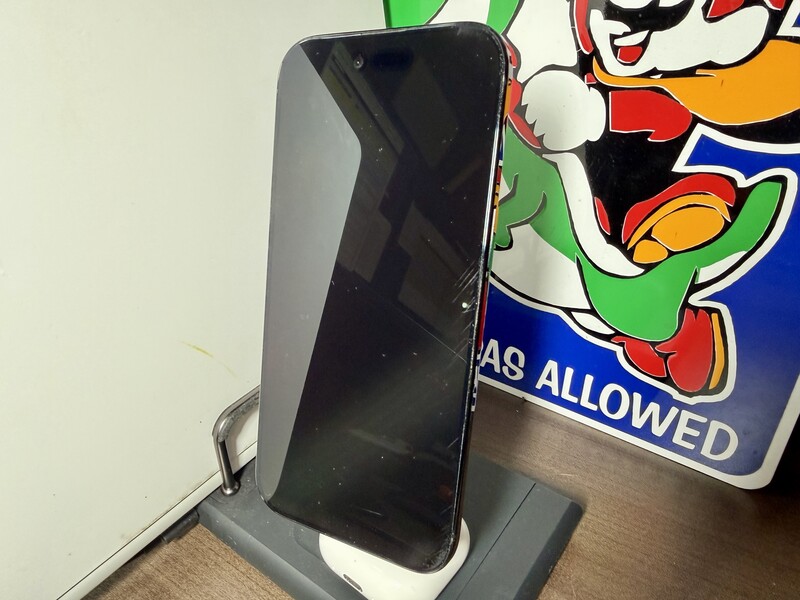
I was genuinely shocked how scratched my display got compared to literally every other iPhone I've ever used. So much so that I thought I had confused the display specs and misremembered that this was supposed to be more strong than my previous generations of iPhone, not less.
I will also say this issue didn't emerge until I caved to peer pressure and removed the thin bumper case I put on the phone as soon as I got it. So, I am a believer that the phone is super thin, but keep even a minimalist case on there. It doesn't add much thickness but sure made a difference in protecting the screen.
iPhone eSIM in Canada 6 Months Later, No Issues
One other feature that might be new to you (espeically if you're Canadian) is that the iPhone Air does not have a physical SIM card slot. In other parts of the world this is no big deal. But up until now, iPhone models have had physical SIM cards and the option to add an eSIM.
Now it's no longer optional. Fortunately the process is relatively easy and nothing to fear. Check out the video below I made when I set up the eSIM on this phone:
I'm on Rogers and had no issues transferring my phsical SIM to an eSIM for iPhone Air. I didn't have to phone Rogers, or get a QR code, or even log into my Rogers account.
With Telus, I had a friend recently upgrade and they were prompted to get a QR code (which they couldn't generate) so they went in store and an employee got them setup on an eSIM in minutes.
I switch phones a lot. And in the early days, I had slight anxiety that something would "go wrong" as I was switching e-SIM from one phone to another. But a dozen switches later, it's now a no-brainer. Having an eSIM-only phone is a non-issue.
iPhone Air At-A-Glance Specs
| Feature | Specification |
|---|---|
| Thickness | 5.6 mm |
| Weight | 165 grams |
| Display | 6.5-inch Super Retina XDR (120Hz ProMotion) |
| Chip | A19 Pro with Neural Accelerators |
| Modem | C1X Apple Modem (Wi-Fi 7, Bluetooth 6) |
| Main Camera | 48MP Fusion Camera System |
| Front Camera | 18MP Center Stage (1:1 square sensor) |
Screen
The 6.5-inch Super Retina XDR display is gorgeous and hits an incredible 3000 nits of peak outdoor brightness. To put that in plain English: you can read your emails in the middle of a Canadian summer heatwave without squinting. It also features ProMotion, which means the screen refreshes 120 times per second, making scrolling look butter-smooth. So if you want to slide this into a mobile smartphone controller, the gaming experience on here is gonna look good (as long as the title's specs aren't too power hungry).
Apple also improved the anti-reflection coating by 33 percent, which actually makes a massive difference when you're trying to use the phone near a window or outdoors.
Battery Life
Apple claims "remarkable all-day battery life," which is rated at 27 hours of video playback.
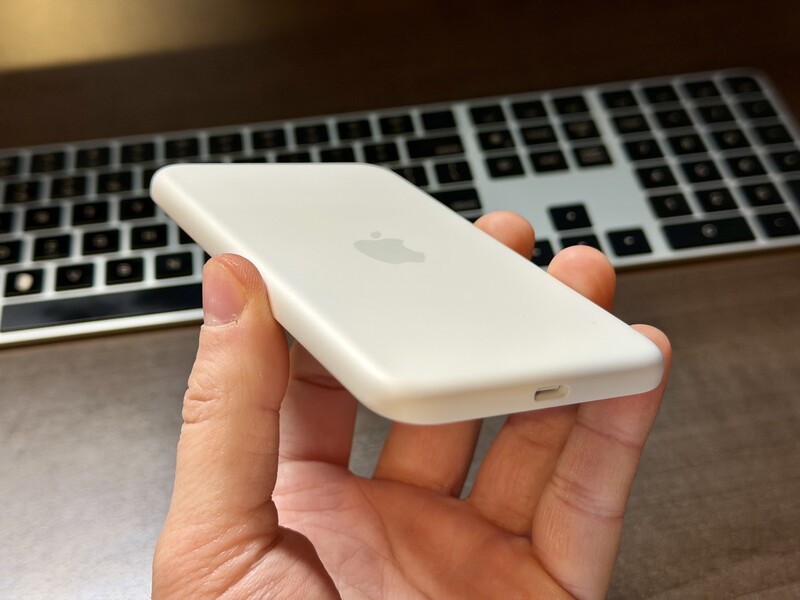
While that sounds great on paper, my real-world testing tells a more nuanced story. When I was travelling, I found that having a battery pack was an absolute must. Apple sells a really nice MagSafe battery pack that's compatible with the Air (and the new Pixel 10 lineup!), but there's an instant trade off. As soon as you snap it on, the phone loses its slender advantage. It goes from feeling like a futuristic slate to feeling like a chunky brick again.
Cameras
The 48MP Fusion camera system is a solid all-rounder, but it's definitely "basic" by modern flagship standards. You'll get by with most photo and video scenarios you encounter in everyday life, but the camera isn't anyything overly fancy.
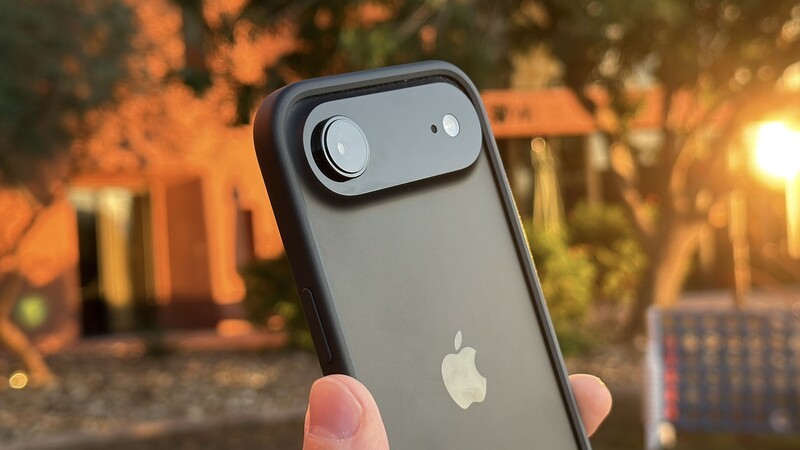
You get a great 1x main lens and a 2x telephoto that uses the middle of the sensor for "optical-quality" zoom.
When I was taking photos of my kids playing or snapping wide shots of the city, I didn't feel like the cameras were bad. However, as soon as I switched to the iPhone 17 or 17 Pro, I realized what a huge difference it makes to have dedicated lenses. If you want to zoom in deep or get fancy with focus, that's when the Air's cameras feel limited.

Other Features
The iPhone Air includes Apple Intelligence, which helps with summarizing emails or searching through photos using natural language. It also keeps the Action button and the new Camera Control for quickly snapping photos. Apple Intelligence is still evolving, but if you're upgrading from an iPhone 14 or older, then this feature will feel quite new and futuristic.

One major disappointment for me was the USB-C port. I tried to use the Air with my smart glasses on an airplane, only to find they don't support video through USB-C output. This is probably a niche feature, but for someone who has grown to consider smart glasses an absolute travel essential for productivity and entertainment (read more here) it was a letdown.
Is the iPhone Air Worth it?
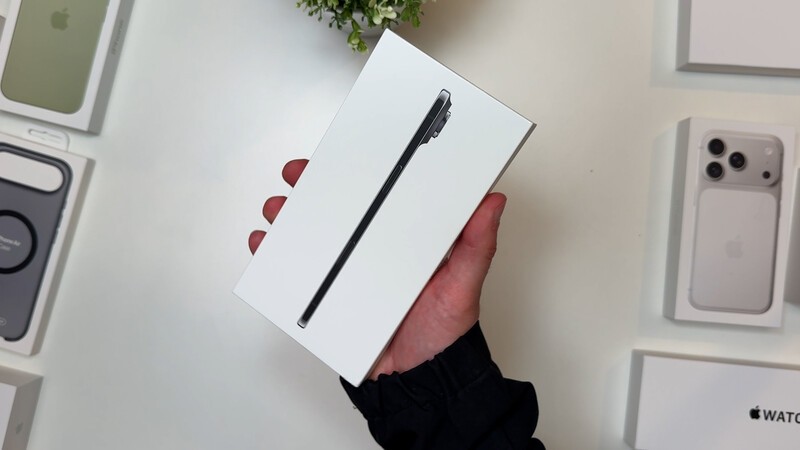
Yes, the iPhone Air is worth it, but only if you are willing to embrace its "less is more" philosophy.
First, I love that Apple did something different. They've got a solid base between iPhone and iPhone Pro (never mind factoring in Plus and Max), so there wasn't really any real reason for them to take a risk and try a new form factor. I'm glad they did it because this phone does have a place in the lineup.
This is a great device for anyone who isn't trying to be a pro photographer. Or anyone who isn't a tech aficionado and says something like "I just want a phone that works." The price is certainly higher than a base model iPhone or the iPhone 16e (which arguably would also be fine choices for anyone who "just wants a phone that works.")
Geeking Out Shop
iPhone Air
Ultra-thin Smartphone
The iPhone Air stands out for its incredibly thin and lightweight design, making it one of the most comfortable smartphones to carry and use daily. Its square 1:1 selfie sensor removes the need to rotate your phone for social content, while one-handed typing feels surprisingly natural. While it skips advanced camera hardware and USB-C video out, it's a great choice for users who value portability, clean design, and everyday performance.
But for those people who don't care about advanced functions, they may be absolutely delighted that this thing they don't consider an essential beyond communication and some essentials like browsing, emails, etc. can be created in a way that is more pocketable.
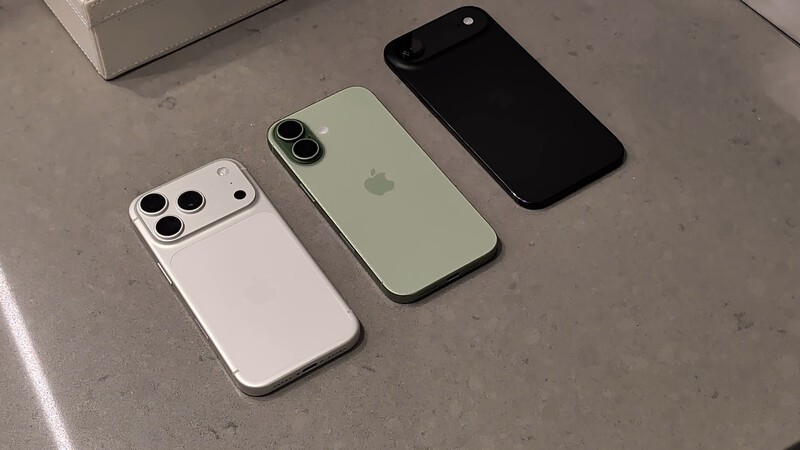
However, you have to accept the trade-offs. I was very disappointed to find it doesn't support video through USB-C output, which killed my plan to use it with my smart glasses on a flight. But I am absolutely using this phone differently than 99 percent of other people so I recognize my hurdle is not going to matter for most people (though I am telling you smart glasses are gonna be as common as smartphones sooner than you think).
If you're a power user who needs that niche connectivity or 10x optical zoom, stick with a recent gen Pro model of iPhone. If that doesn't sound like you, the iPhone Air suddenly gives you a new option to consider.
Be prepared to navigate the case dilemma. You just bought a super thin phone, are you gonna "bulk it up" with a case? After the deep gouges on my screen that happened shortly after I removed the case after keeping it on for three weeks I say "YES" to a thin/minimalist case. It's not about durability for the phone, it's about protecting that screen.
Even as a power user, I was incredibly impressed with the iPhone Air and in general I didn't feel limited at all, or even realize I was making compromises until I switched back to my Pro Model iPhone. If you're due for a phone upgrade and have an itch to try something different, as long as you're not taking pro photos or videos for work, I say let the iPhone Air scratch that itch and try something different.
iPhone Air in Canada FAQ
- Is the iPhone Air durable enough to use without a case? While the Grade 5 Titanium frame is incredibly strong and resistant to bends or drops, the Ceramic Shield 2 display is surprisingly prone to deep scratches. After six months of testing, I highly recommend using at least a minimalist bumper case to protect the screen from everyday micro-abrasions.
- Does the Canadian iPhone Air have a physical SIM card slot? No. Starting with the iPhone Air, Apple has transitioned to an eSIM-only model in Canada. While this may cause "SIM anxiety," the transition process on major carriers like Rogers and Telus is now seamless and can often be done without a trip to the store or a phone call.
- Can the iPhone Air output video to smart glasses via USB-C? Surprisingly, no. One of the major trade-offs of the ultra-thin design is that the USB-C port does not support video output. If you use AR glasses like the Viture Pro or Xreal for travel productivity, the iPhone Air will not work as a source device.
- How does the iPhone Air camera compare to the Pro models? The 48MP Fusion camera is an excellent "everyday" shooter, but it lacks the dedicated optical zoom lenses found on the iPhone 17 Pro. If you frequently take photos at concerts or need professional-grade depth-of-field, the Air's camera system will feel limited.
- Is the iPhone Air battery life good for travel? The iPhone Air is rated for "all-day" use, but heavy travelers and power users will likely struggle. In real-world testing, the thin profile necessitates a MagSafe battery pack for long flight days or heavy GPS usage, which temporarily negates the phone's "thin and light" advantage.
Read more
iPhone 17e Review: Pro Power Finally Hits the Entry Level
iPhone 17e improves in almost every way on last year's 16e. It adds MagSafe, increases storage, and even adds a new colour option. In this review we'll highlight the reasons to consider an upgrade to iPhone 17e.
Apple's budget friendly(ish) iPhone 17e comes to Canada March 11
Today, Apple revaled they'll be keeping their new "e" series lineup introduced last spring after showing off the brand new iPhone 17e If you've got an "old" iPhone and are starting to feel like you're missing features, or been dealing with a cracked screen too long, this phone may be just the nudge you need to get better features at a relatively low price. Generally the "Pro" models...
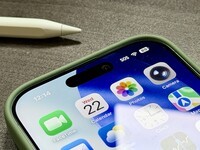
iPhone 17 Review: For those who love selfies and screen time
The iPhone 17 brings it's biggest changes to the display and selfie camera and is an overall solid pick for anyone due to upgrade their iPhone.
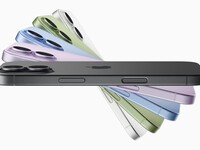
Every New Product Apple Announced (And How It Impacts Canadians)
The iPhone 17 models, including the new Air have been revealed alongside several new Apple accessories.