
We may earn a commission for purchases using our links. Learn more.
Every generation of smartphone brings serious power upgrades. Screens are sharper, chips are faster, and the line between what you can play on a home console versus what's running on your phone shrinks.
Unfortunatley the size of mobile gaming controllers hasn't shrunk in the same way.
Touchscreen controls are fine for casual mobile games. But for "real" gaming, putting your thumbs on glass just isn't anywhere near as good as the precision of a physical D-Pad or button.
Razer has been rockin' the mobile gaming world with great go-to options with the Kishi V3 lineup. The only gripe about these excellent mobile controllers, is the "mobile" refers to your mobile phone and less so the ease of taking the controller with you. These premium controllers give you premium controls but also take up premium space in your bag.
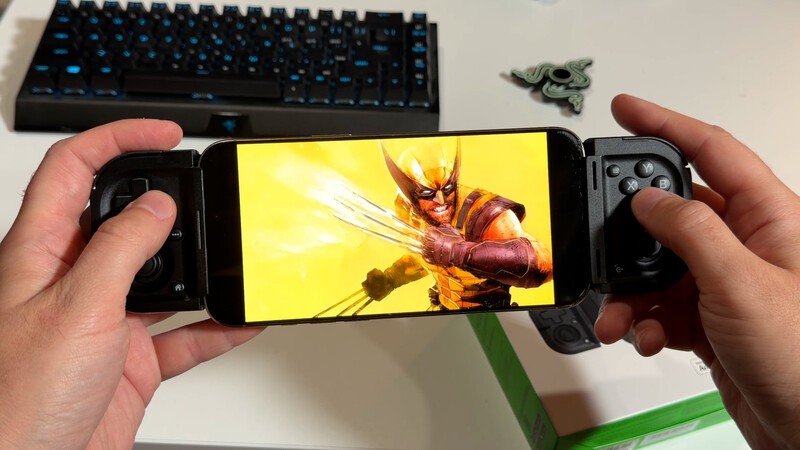
The brand new Razer Prio fixes the worst thing about mobile game controllers: this thing is compact, allowing you to take it with you anywhere.
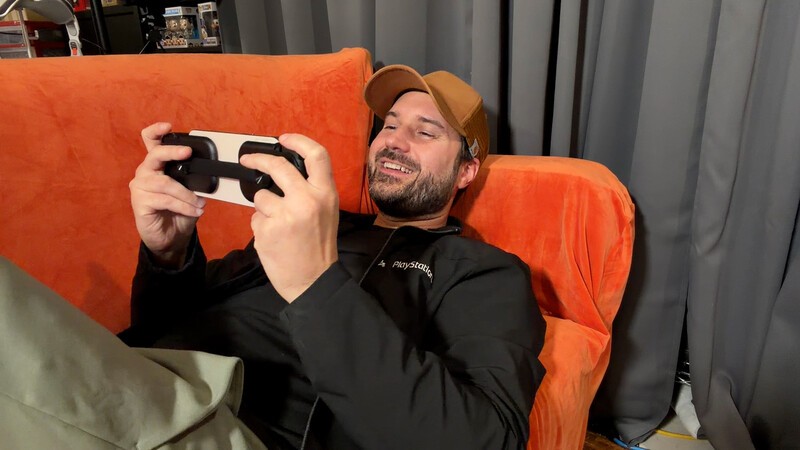
To get this portability, you have to be prepared for a few trade-offs. After using this controller for about two weeks at home and while travelling, I think that, unless you're a total game snob, you'll apprecaite having the Prio in your pocket.
Pros
- Genuinely pocketable
- Direct USB-C connection means zero input lag
- Silent tactile face buttons
- Works with slim-to-medium phone cases
Cons
- Low-profile thumbsticks lack full console travel
- No USB-C passthrough charging
- Tough value comparison against larger mobile grips
Razer Prio: It's Actually Pocket-Sized!
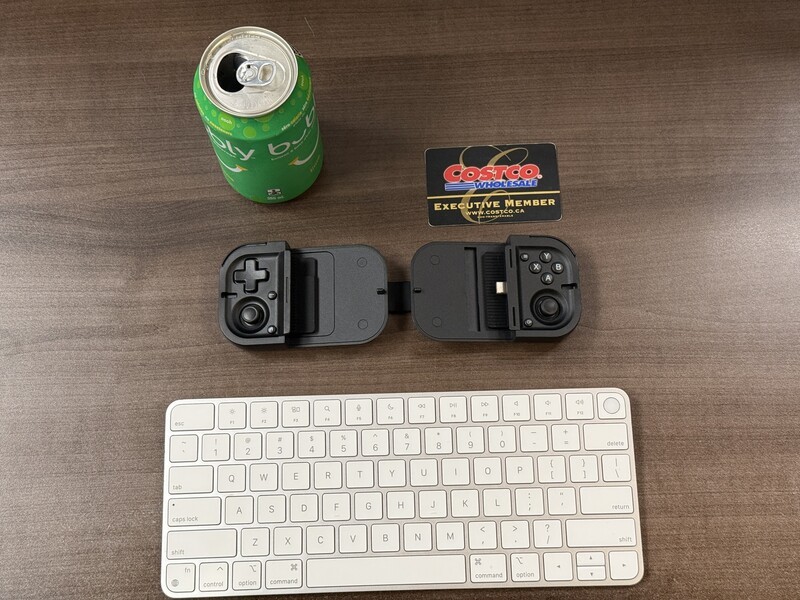
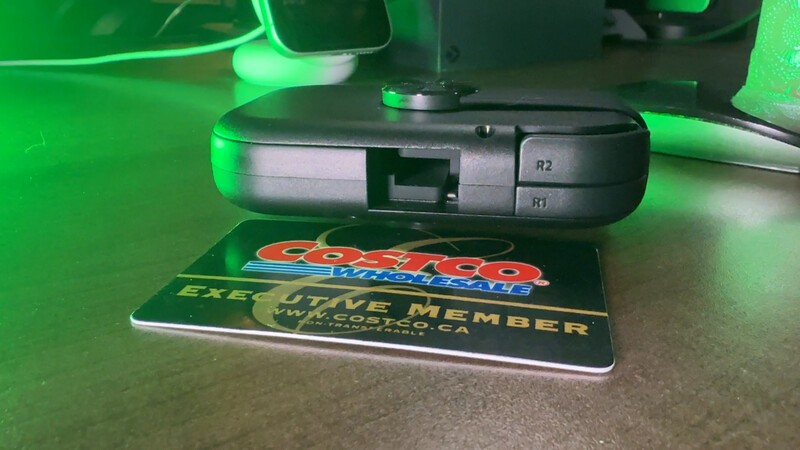
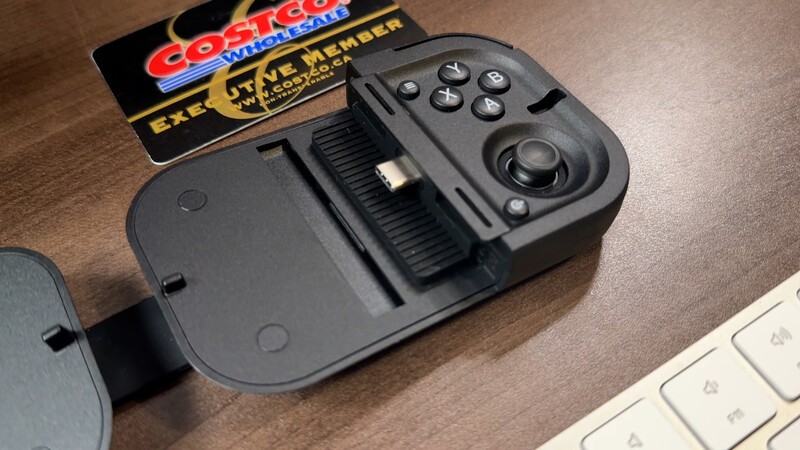
The headlining feature of the Razer Prio is its interlocking, foldable design, which actually fits in your pocket.
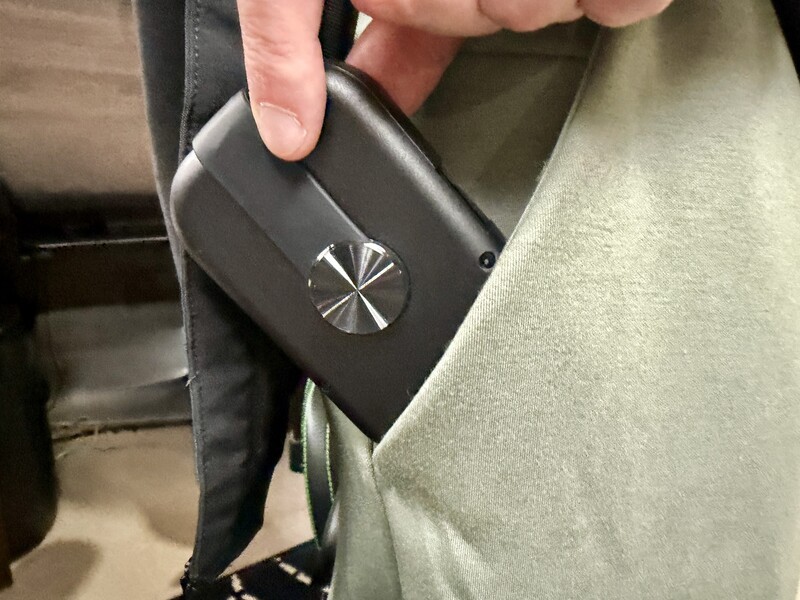
When collapsed, it measures 101 mm by 67 mm with a 32 mm profile. Razer points out in much of their marketing that this is about the size of a credit card, though it's much thicker (about the height of a single patty McDonald's Cheseburger).
At 101 grams, it's lighter than a regular deck of cards (which is about ten grams heaveir than a McDonalds' cheeseburger...my reference point for all things as I type this while hungry for lunch).
It takes about 10 openings and closings to get the hang of how to pull this apart and put it back together again, but once you do, it's super slick.
Using the Razer Prio with a Smartphone
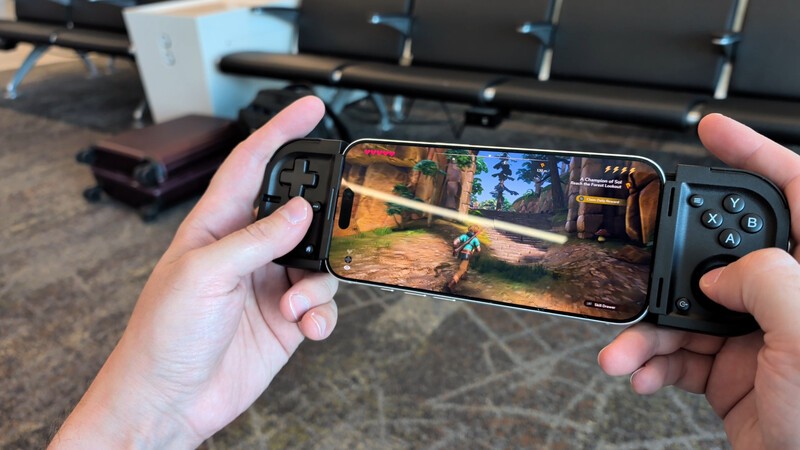
The whole point of this controller is to use it with your smartphone, so there are some design choices, mostly good, to make that happen.
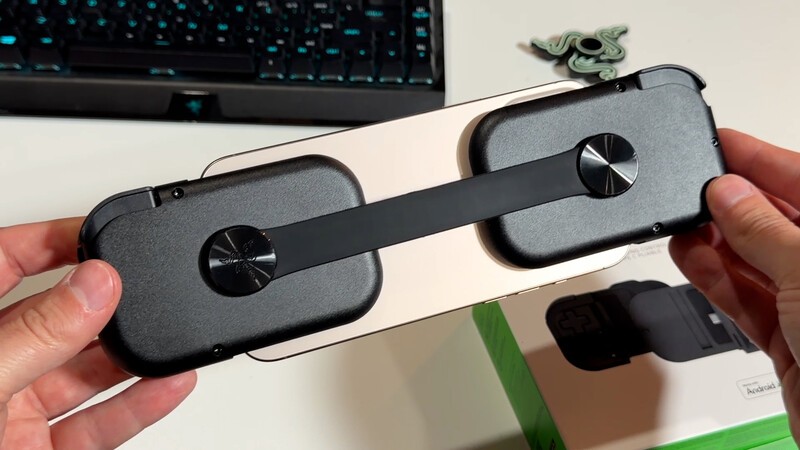
Direct USB-C Link: Unlike Bluetooth gamepads that can drop connections, require constant charging, or introduce latency, the Prio connects directly via USB-C. It draws tiny sips of power straight from your phone, meaning no pairing menus and no internal controller battery to recharge.
Uses Your Phone's Battery: The downside of not having an internal battery means this device sucks battery power from your phone. However, this thing is clearly meant for a better gaming experience when you have little pockets of time in 20-30 minute chunks while waiting for a flight to board, on your lunch break, etc. so the battery drain during one of these gaming spurts is minimal. I was on a two-ish hour flight using this and my battery dipped less than 10% more than it would've without the controller by my estimate.
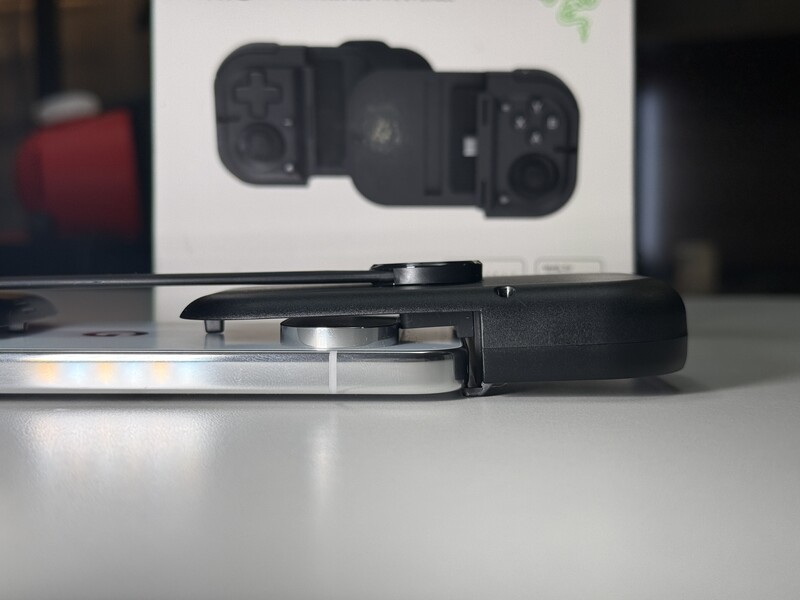
Universal Case Fit: It supports both modern iPhones and Android smartphones with screens up to 7 inches (or 188 mm total phone length). For my iPhone 17 Pro, I had to swap out the standard "bumper" in the case for the included one in the box to get the proper fit. With the Pixel 11 Pro, which has a large and wide camera module the fit didn't look as good as the iPhone (you could see gaps) but I think if I had a case the fit would've been better, but that highlights a good feature about this controller, it's designed to accommodatephone cases up to 15 mm thick, so you can slide your phone in as-is without prying off your case.
No Passthrough Charging: A downside of the design is there's no outside USB input, which means you can't charge your phone while you play. Again, I think this controller is designed for short bursts of gaming between other activities (vs. the Kishi V3 lineup which feels solid for long sessions) so I think the lack of charging isn't an issue. Though, I've grown quite fond of mobile gaming with XR glasses, so the lack of USB C port means you can't plug smart glasses into this mobile controller, either.

The feel of the phone and controller together is overall fair. The Pixel 11 Pro on the lefthand side felt a little less secure than the righthand side. But the iPhone 16 Pro Max felt ROCK solid in that controller (though I had to take the case off that phone because it's massive.
Having tested it with regular, Pro, and plus sized-phones, I feel like the stability of phones overall on the Prio is fine to good for a gaming-on-the-go experience. Not as solid as a more traditional mobile controller. But if portability is the most important factor, then getting something that folds into your pocket is going to come with a trade-off, which is that rock-solid stability holding the controller in your hands.
Controls and Ergonomics: The Rio's Trade-Off for Portability
Fitting a full controller layout onto something this small requires smart compromises.
Razer managed to pack in a four-way D-pad, analog triggers, shoulder bumpers (with excellent travel distance), and four face buttons. The face buttons are "silent tactile" switches. They provide a distinct, responsive click without making any audible noise. If you're playing a run of Dead Cells while seated next to someone on an airplane, or fitting in Prince of Persia while your spouse sleeps next to you, they likely wont' be bothered by the controller's sound because there's no plastic clacking.
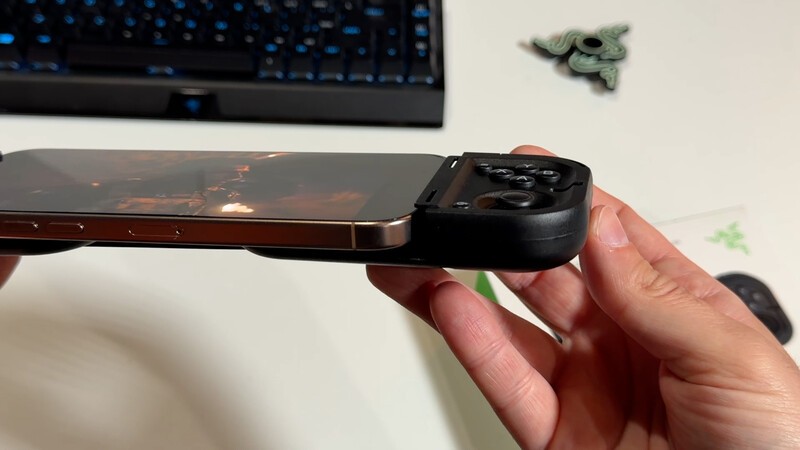
The trade-off comes down to the thumbsticks.
The Prio uses contactless capacitive sensors designed to prevent stick drift, which is an awesome touch for longevity.
However, to keep the folded footprint slim enough to slip into your pockets, the thumbsticks are low-profile nubs rather than full-height analog sticks.
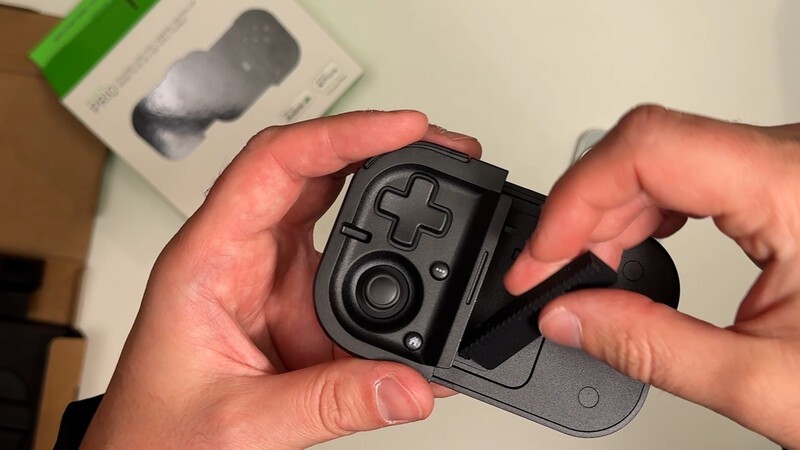
For side-scrolling platformers, retro emulation, and turn-based games, the layout feels great. But if you're diving into fast-paced first-person shooters that demand micro-adjustments, you'd probably be better off waiting to enjoy those titles on your home setup rather than on your smartphone.
The Canadian Pricing Dilemma: Prio vs. Kishi V3
In Canada, the Razer Prio lands at $139 CAD.
That immediately brings up an interesting comparison: Razer's own Kishi V3, which retails for $144.99 CAD.
My comparison of the full Razer Kishi V3 lineup.
When a more traditional, ergonomically complete controller sits just five bucks away, the Prio faces a unique mental hurdle. The Kishi lineup gives you contoured palm grips, full-height thumbsticks, and a feel much closer to holding a traditional home console controller split in half.
For extended gaming sessions on your couch or at a desk, the Kishi V3 is undeniably the more comfortable device.
So why choose the Prio? It comes down to your personal carry habits:
- The Razer Prio is an everyday carry gadget. It's small enough to live inside a jacket pocket, a sling bag, or your everyday carry pouch without you having to plan for it. It turns those random 15-minute pockets of downtime throughout your day into instant game sessions.
- The Kishi V3 is an around-the-house controller. It's a deliberate accessory that claims a noticeable chunk of your backpack or messenger bag if you decide to take it on the road or to work. Which means most people (myself included) are using it for gaming around the house when the TV is occupied by their children or significant other.
There's a mental hurdle here which ties into that trend of "intentional tech" (purpose-built things that are designed with a specific intent rather than being a Swiss Army Knife of everything).
How are you gonna use this? If you want to claim more gaming hours in your day then you shouldn't be thinking about it in terms of a $5 difference in price. It's the device that will actually be in your pocket and help you steal those gaming minutes back where you can find them.
Is the Razer Prio Worth It?
The biggest roadblock to mobile gaming has always been having physical controls on hand when unexpected free time pops up. On-screen controls feel frustrating, and full-sized grips are too bulky to lug around everywhere.
Geeking Out Shop
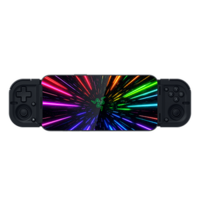
Razer Prio
Foldable Mobile Gaming Controller
The Razer Prio features a twist-to-unlock folding design that collapses down to roughly the size of a wallet for everyday pocket carry. It connects directly over USB-C to eliminate input latency and charging requirements, while anti-drift capacitive analog sticks and tactile face buttons deliver dependable console-style control. The expanding bridge accommodates both iOS and Android handsets up to seven inches, fitting most slim-to-medium phone cases without issue.
I try to avoid comparisons as much as possible when writing reviews, but because there's so much comparison available in the mobile controller space, and specifically within Razer's own product lineup, I do want do think it's worth adressing how this fits beside or instead of the Kishi V3 lineup.
If your priority is maximum comfort for long, three-hour marathons of Death Stranding or remote-playing your home console from a hotel room, spend the extra $5 and pick up the Kishi V3.
However, if you want a sturdy, drift-resistant set of physical controls that easily fits beside your keys and wallet without weighing down your pocket, the Razer Prio hits the mark. It brings tactile gaming to those quiet gaps in your routine without asking you to haul extra gear.
Read more
Stop Using Touch Controls: The Kishi Ultra is the Only Way to Turn Your iPad Mini into a Console
The Razer Kishi Ultra is now getting old, but it's still a top choice for gamers who want to play on their smartphone or small tablet.
For the best gaming experience, slide your iPhone into a controller!
iPhone 15 Pro and Max open up new gaming possibilities on iPhone. But proper gaming needs buttons, and joy sticks and D-Pads! Fortunately, there are some great options to slide your iPhone into a controller grip for a proper gaming session.
Best Android Smartphone Controller 2026
There's no shortage of options when it comes to controllers for Android phones. For the best gaming experience, there's one choice that is a tiny bit better than some of the premium options. Read on to learn more!
Top 10 Gaming Finds at CES 2026
Whether you're gaming on mobile, consoles, or your PC, here are our picks for the best gaming gadgets at CES 2026!