
We may earn a commission for purchases using our links. Learn more.
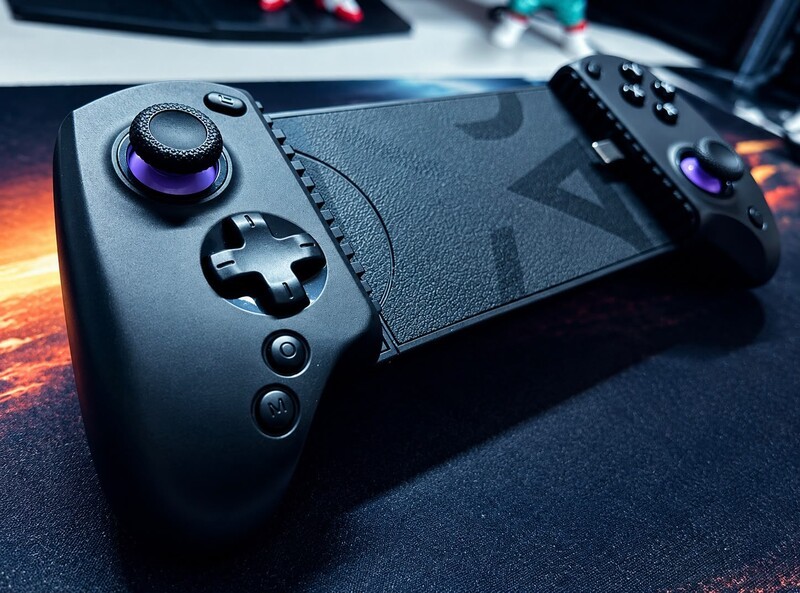
Gaming on the go is not just about portability. Comfort matters, too.
I'll be honest, I've never really been much of a mobile gamer. But after finishing Wolverine on the abxylute S8 Lite, I finally get it. Having proper controls makes playing full games on your phone way more enjoyable, and the fact that you can toss the S8 Lite in your bag means you'll actually have it with you when you want to play. It has a few quirks and compromises, but it definitely changed my opinion of mobile gaming.
Getting Into It
Playing PlayStation games with touchscreen controls? I did that once and once was enough.
Having the right controller for mobile changes everything.
I've taken my tablet and PS5 controller on a few work trips for PS Remote Play. The setup works, but hauling a tablet and full-size controller around isn't exactly convenient. They take up a decent chunk of space in your bag, and once they're buried in a suitcase, good luck getting them out when you suddenly have some time to kill.
The abxylute S8 Lite is just way more convenient when you're on the go. Toss it in your backpack, and when you've got a few minutes to kill, pull it out, plug in your phone, and you're gaming. There's no battery to charge either, since it just pulls power straight from your phone. One less thing to remember before you head out.
Getting It Set Up
I mostly tested the controller with my OnePlus 13R and PS Remote Play. Remote Play itself can be a bit of a pain, though. I had a few issues getting it to connect and occasionally had to restart the app before it would cooperate. That's been my experience with Remote Play in general, so I wouldn't put that one on the controller.
The controller also has its own companion app, and I'd recommend installing it. It puts your games in one place and lets you mess around with things like custom controls, macros and button remapping. It's pretty handy if you're jumping between different games.
For the most part, the controller is basically plug-and-play. The only thing that threw me off was figuring out which mode I needed for different devices and apps. There are a few different settings, and there's no chance you're just going to stumble across the right one by accident. I had to dig through the manual to figure out which mode I needed.
For me, here's the settings I changed that gave me a better experience beyond the defaults:
- Adjusted the joystick sensitivity, I set mine to Instant, but there are several presets to choose from. The app even explains what each setting is best suited for, so it's worth trying a few to see what works for you.
- Set up a macro that lets me trigger a quick combo with a single tap.
- Button Remapping, I didn't need this for Wolverine, but we've all played a game where the controls just feel wrong. Maybe jump is on Triangle when you're used to it being on Circle. With the app, you can quickly swap the buttons around and set them up the way you like.
While you can play with the S8 Lite right out of the box, you're doing yourself a disservice if you don't dig a little deeper to dial in some of the custom settings for your gameplay style.
Gaming Experience
This is actually the first mobile controller I've used, and I'll admit, it's changed my mind about mobile gaming. Sure, I've played my fair share of mindless match 3 or idle sims, but those are basically just ways to kill 10 minutes before you quickly go back to doom scrolling.
Being able to play full-on AAA games right on your phone or tablet, without having to awkwardly mash virtual buttons on the screen, is a different story. Apparently, all I needed was some actual buttons and suddenly I saw the light. A controller makes the whole experience so much more enjoyable.
I spent around 12 hours playing with the S8 Lite, including playing through the latest Wolverine title. And yeah, it has some issues. But jumping around as Wolverine and tearing through enemies? That's undeniably fun.
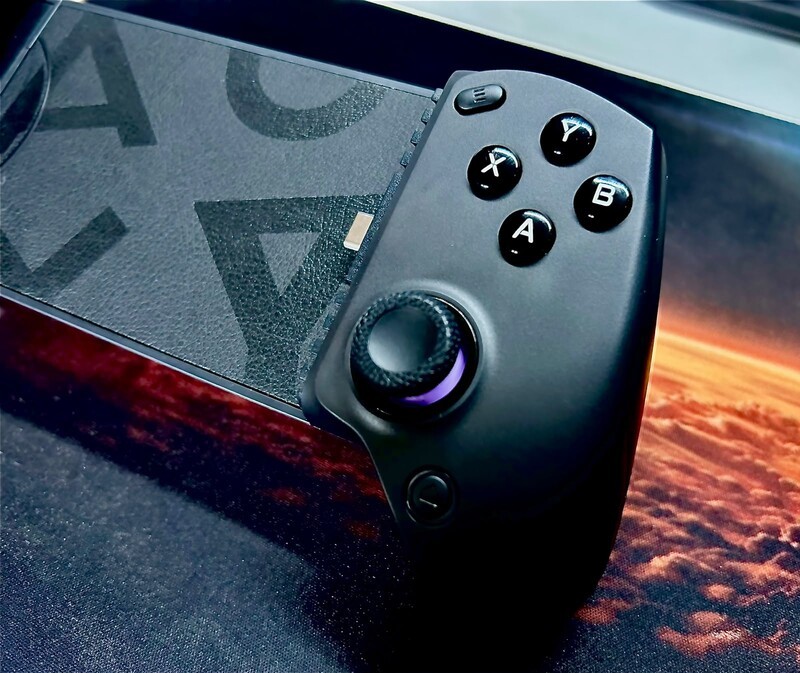
More importantly, the controller made the experience comfortable. The controls felt tight and responsive, the triggers had a satisfying feel, and the full-size grips sat nicely in my hands.
It still cannot match the feel of a proper PS5 controller, but it comes closer than I expected from a mobile accessory.
I didn't notice any stick drift during my testing, although after only 12 hours, I'd be pretty concerned if I did. The S8 Lite uses Hall Effect sticks, which should help keep drift a thing of the past.
Regular controller sticks rely on physical parts rubbing against each other, which can eventually wear out and cause drift. Hall Effect sticks use magnets to detect movement instead, so there's less physical wear and fewer parts to wear out over time.
Lite-Version Limitations
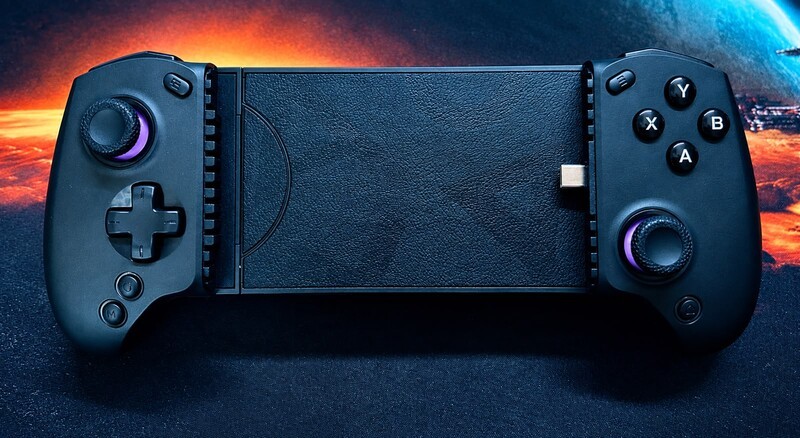
As the name suggests, this is the Lite version, and it comes with some compromises.
- Limited device size: It will not fit tablets larger than 8.5 inches.
- No Switch support: This version is not designed to work with Nintendo Switch.
- No rumble: There is no vibration feedback, and I missed it more than I expected. Rumble adds a lot to the gaming experience.
- No internal battery: The controller draws power from the connected phone instead.
Another thing I disliked was the placement of the charging port. It is useful to have one, but it sits exactly where my fingers naturally rest while holding the controller. That makes charging while playing more awkward than it should be.
Verdict
The abxylute S8 Lite is not bad, but it feels a little like something your grandma would buy for your 11th birthday because she heard you are "a little gamer."
Geeking Out Shop
abxylute S8 Lite Mobile Controller
Mobile Gaming Controller
The abxylute S8 Lite brings drift-free Hall Effect joysticks and linear triggers to a budget-friendly telescopic design. A direct USB-C connection eliminates input latency while expanding to accommodate smartphones and smaller tablets up to 216 mm in length. Two programmable back buttons and USB-C passthrough charging round out an accessible gamepad tailored for native mobile titles, remote play, and emulation.
Joking aside, it is comfortable, portable, responsive, and much better than touchscreen controls. It also made mobile and remote-play gaming feel worthwhile to someone who had never been particularly interested in either.
However, the Lite model's missing rumble and awkward charging-port placement are difficult to ignore. For a few dollars more, I would pick up the S8 Full-Size Wireless Mobile Controller instead. Its vibration support and built-in battery make it the more complete option.
If you want to see what else is out there, Drew has spent the last two years exploring other mobile controller options in his Best Android Smartphone Controller 2026 review.
Read more
Bluey's Happy Snaps Is Pre-Schooler Friendly
Bluey's Happy Snaps is a great family-friendly title for any fan of the TV show. But it's worth paying the extra for the Deluxe version for one key feature.
The HyperX Origins 2 1800 Skips the Gimmicks for Pure Gaming Speed
The HyperX Origins 2 1800 pairs an ultra-fast 8,000Hz polling rate with a space-saving compact layout and hot-swappable switches, prioritizing pure gaming performance over flashy gimmicks.
HyperX Pulsefire Haste 2 Pro: Everything You Need
The HyperX Pulsefire Haste 2 Pro packs a 61g featherweight frame, 4KHz wireless polling, and a 26K sensor into an ultra-responsive, no-nonsense gaming mouse.
HyperX Cloud Stinger 3: Almost Perfect
The HyperX Cloud Stinger 3 Wireless packs impressive ANC, 80-hour battery life, and supreme comfort into a high-value gaming headset with just one small quirk.