
We may earn a commission for purchases using our links. Learn more.
⚡TL;DR - The Short Version
- The Big Win: Outstanding, room-filling sound quality driven by custom display speakers, a down-firing woofer, and dual passive radiators in the base. It genuinely doubles as a serious tabletop speaker.
- Smart Design: The 7-inch square Liquid Retina display looks unconventional on paper, but it excels at glanceable smart home widgets, digital clock faces, and photo albums.
- Hands-Free Communication: 12MP Centre Stage camera makes hands-free FaceTime while prepping dinner or tackling messy chores effortless.
- Skeptic's Check: Do not buy this expecting a miniature movie screen for streaming 16:9 movies or binge-watching shows. The square aspect ratio is excels as a smart home dashboard for quick interactions.
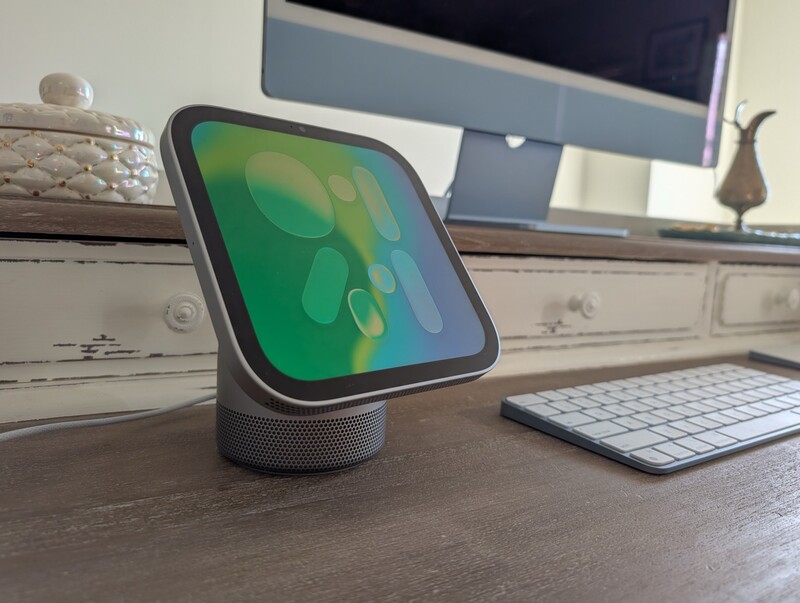
Smart displays for monitoring and controlling connected households have been kicking around for over a decade. We have seen various interpretations line kitchen counters and side tables, but Apple has officially entered the arena with the Apple HomeView.
HomeView is capable of many things but excels as a smart home control centre.
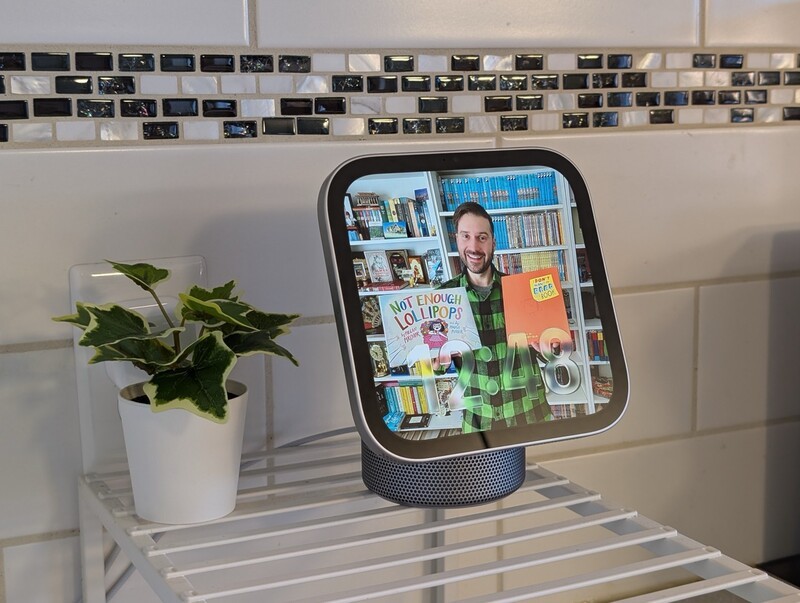
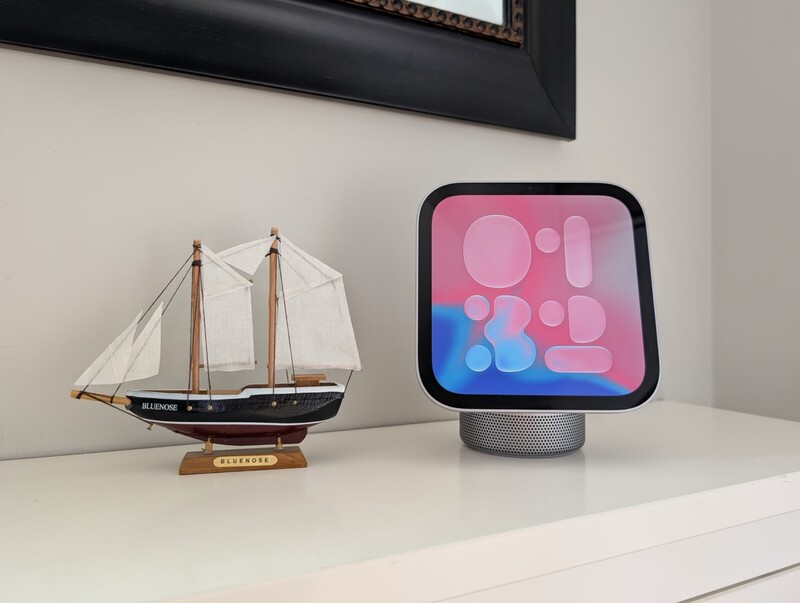
The HomeView is built first and foremost as a dedicated touch and voice command centre for the smart home. I have been testing the HomeView on my kitchen counter, using it to coordinate a few of my smart home gadgets, and most often blast Apple Music while puttering around home.
Setting it up was simple. It looks great on a counter or side table (as long as you can overlook the thick, black bezels surrounding the screen. But Apple has simply enterted the smart display space, not neccesarily innovated in it. Let's dig into what Apple got right, where real-world practicality lands, and whether it deserves a spot in your home.
One Paragraph Review: Apple HomeView
The Apple HomeView is a meticulously crafted smart home hub that combines a versatile 7-inch square Liquid Retina display with surprisingly robust, room-filling acoustic performance. Powered by the A18 chip with Secure Exclaves, it delivers swift multi-user facial recognition, responsive smart home camera livestreams, and seamless hands-free FaceTime with Centre Stage. While the 1:1 display aspect ratio makes traditional widescreen video watching secondary, its effortless setup, custom ambient photo faces, and deep HomeKit integration make it an immediate staple for Apple-centric households.
Pros
- Remarkable audio performance with dedicated woofer and passive radiators
- Effortless setup with simple photo curation for recognized household members
- 12MP Centre Stage camera keeps you framed during calls while moving around
- Responsive, adaptive brightness spanning 500 nits down to an ultra-dim 0.3 nits
Cons
- 1:1 square aspect ratio creates severe letterboxing on widescreen video content
- Requires continuous wired power (no built-in battery for untethered room portability)
- Wall-mounting gear and specialized brackets sold separately
- Advanced Siri AI capabilities require paired Apple Intelligence devices (and Siri AI is still inconsistent in Beta)

Apple HomeView
The Apple HomeView serves as the central nervous system for your smart home, combining an adaptive 7-inch Liquid Retina display, A18 processing power, and rich Spatial Audio. It delivers seamless hands-free communication, intuitive multi-user controls, and instant access to your connected accessories.
Design & Display: Embracing the Square Format
When Apple first revealed the HomeView, I was immediately skeptical about the square format. We are thoroughly conditioned to 16:9 and 19.5:9 widescreen displays on our phones, tablets, and TVs, so looking at an exact 1:1 square (1088 by 1088 pixels at 220 ppi) seemed like a curious design gamble. It works well enough on an Apple Watch, but does this work for a command centre in your home?
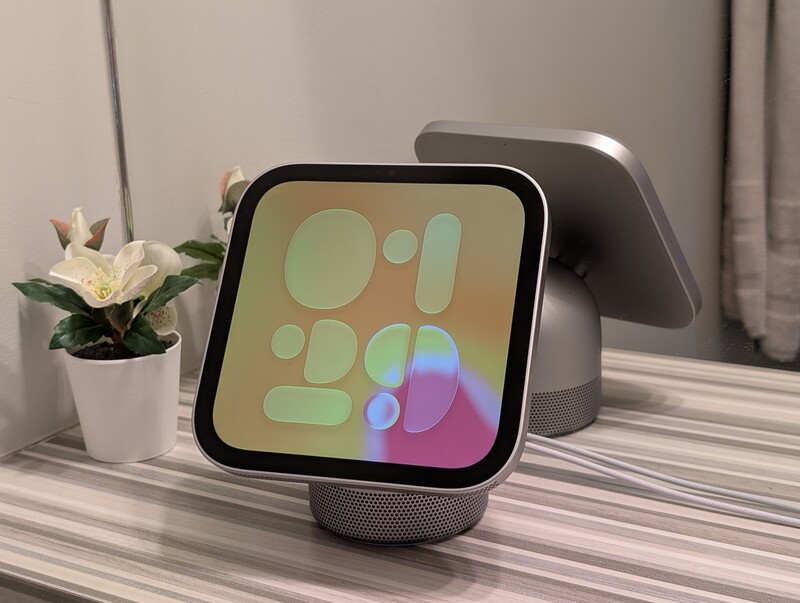
In practice, the square shape makes total sense once you understand what this device is actually for. It is not built for movie and TV shows to be enjoyed for anything more than background noise while you're toiling away in the kitchen. This thing is an interactive smart home control panel for your kitchen island, credenza, or nightstand.
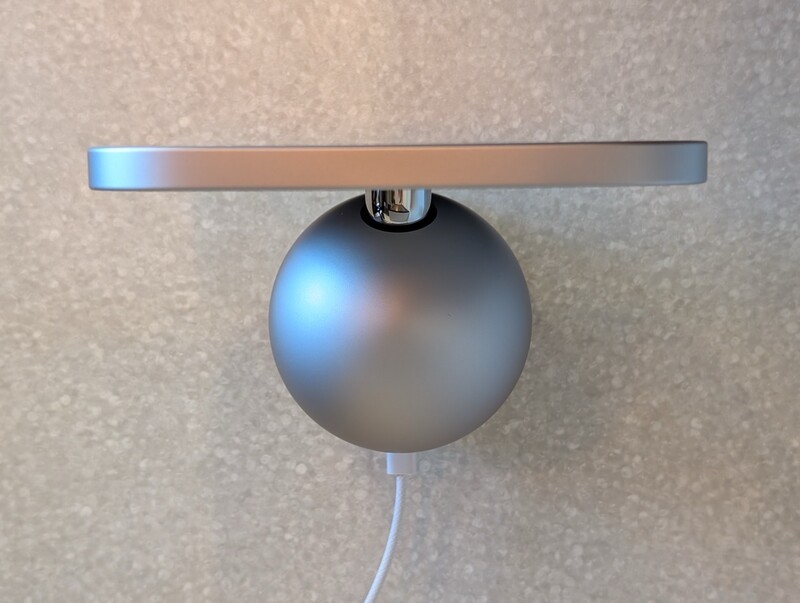
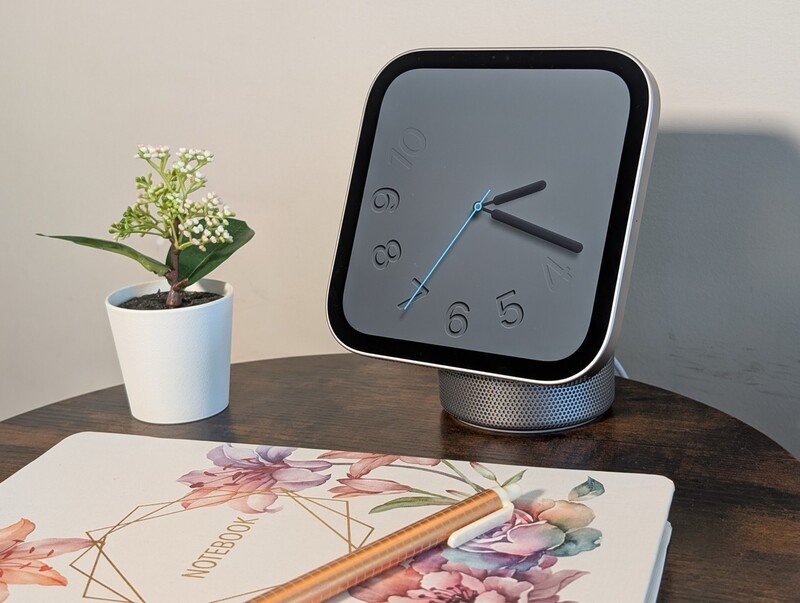
The screen is mounted on an aluminum domed base with a smooth stainless steel hinge, letting you tilt the screen between 5.38 and 6.83 inches tall to hit the sweet spot for your counter height. It comes in four distinct finishes: Silver, Starlight, Rose Pink, and Space Gray, complete with a colour-matched 1.5-metre braided USB-C cable.
Apple didn't elect to go with the fun colour pops we've seen in the iMac lineup, but the current colour selection should blend nicely into many homes.
The display itself is exceptionally smart about environmental lighting. The ambient light sensor pairs with True Tone to calibrate colour temperature dynamically. In direct daytime light on a bright kitchen counter, it punches up to 500 nits to cut through glare.
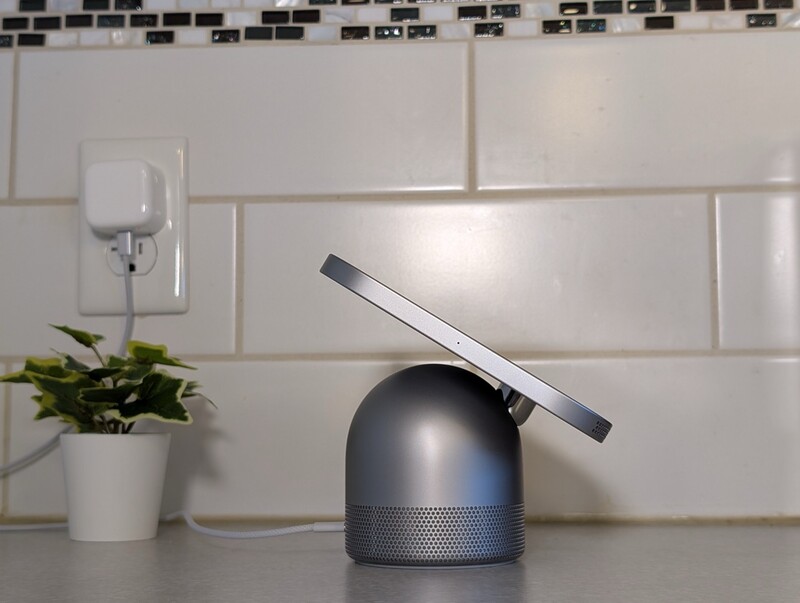
More impressive is the bottom floor: it can drop all the way to 0.3 nits. If you put one on a bedside table, it will not scorch your retinas in the middle of the night.
One cool magic trick, is that the display adjusts so when you're far away you'll see large, glanceable info, but as you move closer, you it adapts and shows more granular information (like a detailed forecast breakdown vs. current conditions).
Acoustics & Entertainment: A Smart Display That Actually Sounds Incredible
The instant thing I noticed after plugging the HomeView in was how amazing the audio sounded. In fact, that remains the continuous highlight I am praising after using this thing for about a week.
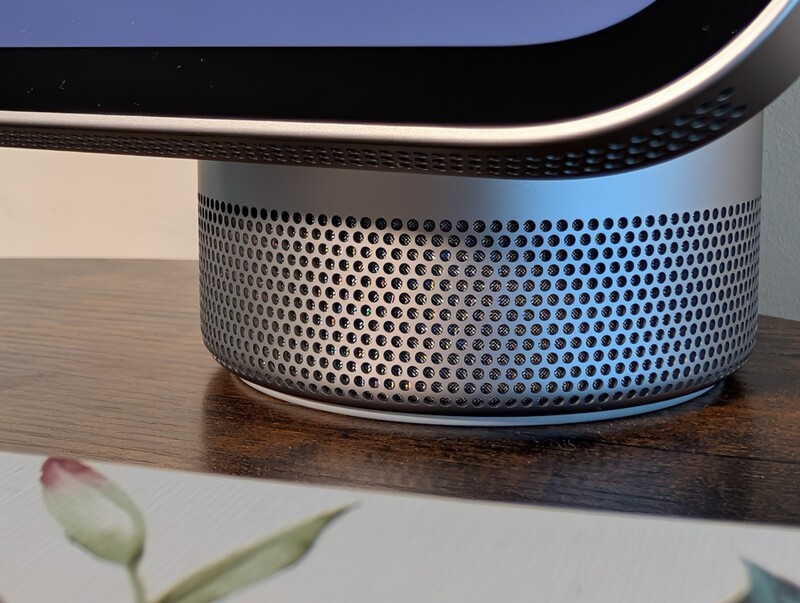
Smart displays have historically treated internal speakers as an afterthought: tinny, hollow transducers meant strictly for hearing virtual assistant responses. Apple clearly took a page from the HomePod engineering playbook here.
The acoustic architecture splits duties intelligently:
- Display Enclosure: Houses two custom full-range drivers directing crisp highs and articulate mid-range dialogue forward into the room.
- Domed Base: Features a dedicated down-firing woofer augmented by dual force-cancelling passive radiators for legitimate low-end bass extension.
- A18 Silicon & Sensors: Onboard accelerometers detect the screen's tilt angle and adjust real-time computational audio profiles to keep frequency response balanced.
Having Apple Music running while working around the house or cleaning up has been an absolute treat. The support for Spatial Audio with Dolby Atmos gives tracks surprising width and presence without distortion, even when you crank the volume up.
If you already own HomePods or AirPlay gear, multiroom sync is effortless, and Handoff works smooth. You just tap your iPhone near the front of the display to pass whatever song or podcast you were listening to straight to the counter. This is a feature that's existed on the most recent HomePod speakers and I totally forgot about it until I started testing out HomeView.
Everyday Kitchen Utility & FaceTime with Center Stage
Where the HomeView earns its permanent residence is right in the culinary hub of the house.
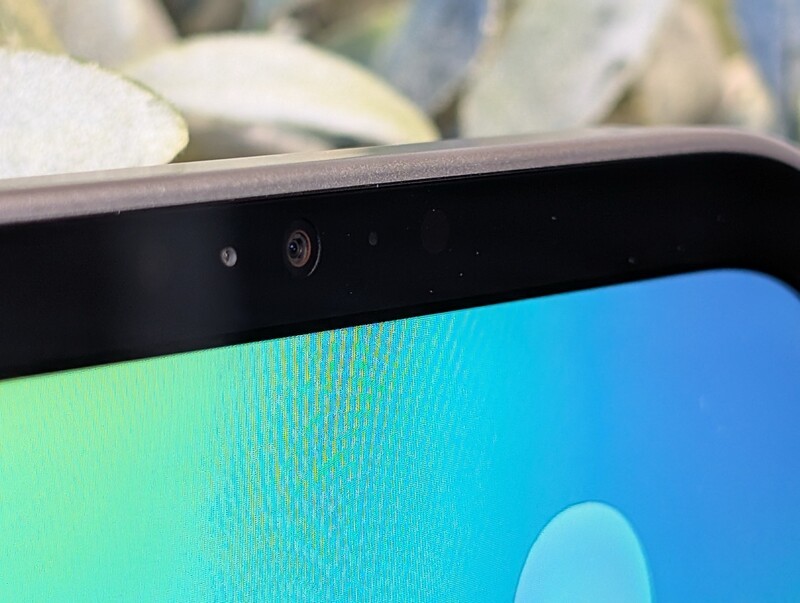
If you are stuck prepping dinner and tackling a tedious task like slicing vegetables, mincing ingredients, or monitoring simmering pans, the HomeView let's you maximize your time by giving you an opportunity for a face-to-face catch up with friends or familiy rather than just making a phone call.
The embedded 12MP camera features Centre Stage, using machine learning to pan and adjust framing automatically.
Whether you are stepping over to the fridge to grab butter or reaching into the spice cabinet, you stay squarely in frame without physically touching or angling the hardware with messy hands.
The native Safari cooking mode is another standout kitchen companion. When you open a recipe website, tapping the cooking icon strips away web clutter and ads, getting you right down to business and providing sequential cards with checklist ingredients and inline one-tap timers. This is why, overalll, I'm thinking the kitchen is the place most people will want this thing to live.
Smart Home Controls, Siri AI & Multi-User Profiles
Setup on the HomeView was as smooth as you'd expect from an Apple device. If you can setup an iPhone by yourself, HomeView is arguably esier to get up and running. Put your iPhone next to it and trigger immediate recognition, transferring network credentials and HomeKit configurations automatically.
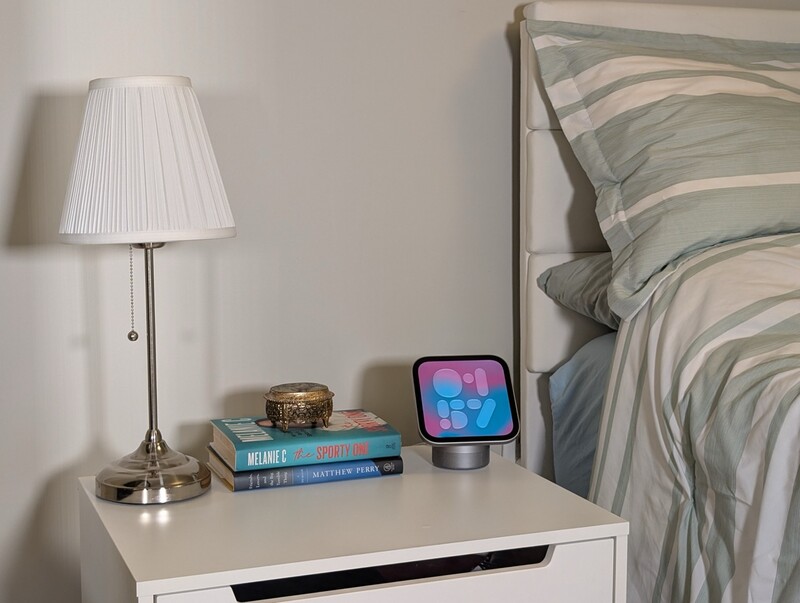
During the initial onboarding, the system lets you designate specific family members and faces from your photo library to cycle on the ambient display when idle. You are not stuck with generic backgrounds; the HomeView offers a wide variety of interactive faces: - Photos & Shared Albums: Cycles portraits of selected family members, pets, or collaborative albums. - Home Modular: Keeps your primary thermostat, lighting groups, and door locks directly accessible. - Home Camera: Livestreams up to nine HomeKit Secure Video feeds simultaneously, perfect for keeping tabs on deliveries or kids in the backyard. - Flow, Fade & Snoopy: Expressive, animated artistic clock designs that adapt to movement and time of day.
Under the hood, the A18 chip houses isolated Secure Exclaves that handle visual and voice recognition entirely on-device. The HomeView recognizes up to six individuals in a household seamlessly.
When you approach the screen, it pulls your personal Calendar, Reminders, and Messages securely from your paired device on the local network without exposing private notifications to everyone else walking through the kitchen.
Spec Table: Apple HomeView
| Feature | Specification |
|---|---|
| Processor | Apple A18 chip with Secure Exclaves & Neural Engine |
| Display | 7.0-inch Liquid Retina display (1:1 square aspect ratio) |
| Resolution | 1088 × 1088 pixels at 220 ppi |
| Brightness Range | Adaptive True Tone from 0.3 nits up to 500 nits |
| Camera | 12MP front camera with Centre Stage auto-framing |
| Audio Hardware | 2× full-range drivers, 1× down-firing woofer, 2× passive radiators |
| Microphones | 4-microphone beamforming array with noise suppression |
| Connectivity | Wi-Fi, Bluetooth, Thread border router, Matter support |
| Integrated Sensors | Ambient light sensor, temperature sensor, humidity sensor, tilt accelerometer |
| Finishes | Silver, Starlight, Rose Pink, Space Gray (Tabletop); Silver, Space Gray (Wall-Mount) |
| Dimensions | 5.73 in (145.5 mm) wide; 5.38 to 6.83 in (136.6 to 173.5 mm) adjustable height |
| Power Supply | Continuous wired power via colour-matched 1.5 m USB-C cable & adapter |
The Verdict: Is the Apple HomeView Worth It?
The Apple HomeView is something many Apple fans have wanted to see, but wondered how the Apple version of a smart home speaker would turn out. Turns out, the software and hardware are solid. And WOW is that audio quality good.
Having said that, this isn't a transformative thing where you're going to throw your Nest Hub or Echo Show in the garbage because now Apple has their own smart home display.
There's a magical element to the way Apple devices work together (controlling your Apple TV volume from your Apple Watch when the remote is out of reach is a beautiful thing), and that Apple "magic" is very much there on HomeView.
But in terms of innovating in the smart display space, Apple has simply entered the arena with an Apple-level quality for user experience and design that you'd expect from them. But they aren't reinventing this product category.
Apple partnered with LG to make some cool smart home accessories (I don't have any myself), but if you have smart home devices that work with Apple Home (previously called HomeKit) then you'll be able to control these same things instantly through HomeView.
Geeking Out Shop
Apple HomeView
The Smart Home Dashboard
The Apple HomeView blends a responsive 7-inch Liquid Retina touch surface with premium multi-driver acoustics and the processing efficiency of Apple's A18 silicon. Featuring seamless hands-free FaceTime calling with Centre Stage, secure on-device facial identification for up to six household members, and instant HomeKit and Matter device control, it serves as an indispensable everyday anchor for connected living spaces.
However, keeping realistic expectations is essential. If you are looking for a portable media tablet that can be carried around the backyard or a dedicated movie-watching station, the square screen geometry and tethered power cord will frustrate you.
Truly, I thought when Apple was going to do a smart home controller it would've been some sort of iPad dock, but HomeView is more purpose-built than this
For everyone else looking for an elegant, great-sounding command centre to orchestrate their connected lights, monitor security cameras, and catch up with family while prepping meals, the HomeView hits every essential note with typical Apple polish.
Apple HomeView FAQ
- Is the Apple HomeView suitable for watching movies and TV shows? While you can stream supported video and news clips, the HomeView's 1:1 square display is optimized for smart home controls, clock faces, and photo albums. Widescreen 16:9 content will have significant letterboxing, making your TV or iPad a much better choice for movies.
- Can the Apple HomeView recognize multiple people in the same house? Yes. Powered by the A18 chip and Secure Exclaves, HomeView can securely recognize up to six different household members by face and voice, automatically presenting their personal calendars, reminders, and tailored widgets without storing private communications on the shared device.
- Does the Apple HomeView have a built-in battery for portable use? No. The HomeView requires constant wired power using the included 1.5-metre colour-matched USB-C cable and power adapter.
- How good is the speaker on the Apple HomeView? The audio performance is exceptional for its size. It incorporates two full-range drivers in the display, along with a dedicated down-firing woofer and dual force-cancelling passive radiators in the base, supporting Spatial Audio and delivering deep, room-filling sound.
- Can I mount the Apple HomeView to a wall? Yes, Apple offers a dedicated HomeView (Wall Mounted) model in Silver and Space Gray that pairs with Schneider Home wall mounts (including AC wired, PoE, and plug-in options).
Read more
ECOVACS DEEBOT X12 OmniCyclone Review: Vacuum Of the Year Contender
Does the ECOVACS DEEBOT X12 OmniCyclone live up to the hype? We tested this premium robot vacuum and mop combo in a chaotic house with kids and cats.

Apple’s First Touch Screen MacBook Pro Arrives Nov 6
In a busy week of product launches Apple has introduced their first MacBook Pro with a touchscreen.
Amazon Brings 3 New Echo Devices To Canada
Canadian homes are getting smarter and sounding better with a new line-up of Echo devices now available.

Apple’s M6 MacBook Pro Comes To Canada Nov 6
Apple’s new MacBook Pro has been revealed. It exclusively has the M6 chip and a 14 inch display. It comes to Canada Nov 6th.