

On my very first night out testing the Google Pixel 11 Pro, I gave it an impromptu torture test that nearly stopped my heart. I was leaping into the air, the phone slipped clean out of my pocket, and it smashed corner-first straight onto bare concrete before landing flat on its display.
I figured it was toast. I braced myself to write this entire review with a web of cracked glass.
Google claimed during its product reveal that this new display coating makes the screen twice as scratch-resistant as the Pixel 10 series. While I didn't intend to test that claim within hours of unboxing, the phone survived the pavement drop without a single mark on the glass.
After carrying the Pixel 11 Pro as my daily driver for a week, here is where things actually stand: if you're rocking a Pixel 9 Pro or Pixel 10 Pro, don't sweat any upgrade FOMO. But, if you're holding onto a Pixel 8 or older, or making the jump from an older Android phone, this phone completely transforms the Pixel experience.
Design: Why "Fog" Deserves a Closer Look
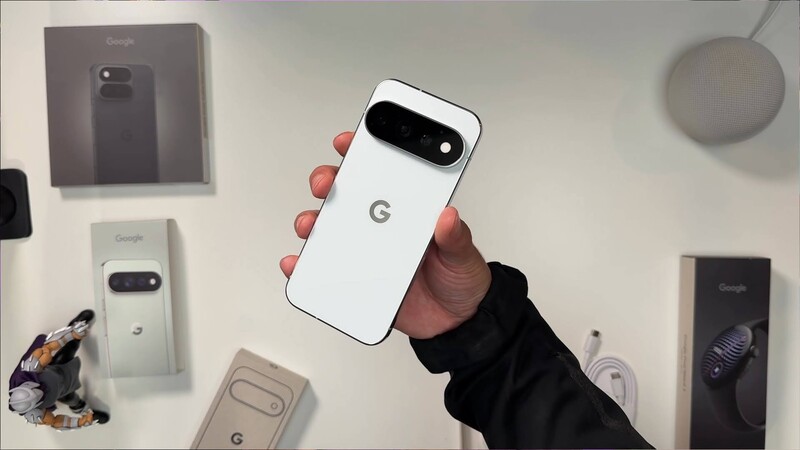
Google overhauled the rear design this year, introducing edge-to-edge glass across the iconic camera bar that blends seamlessly into the polished metal frame.
A quick heads-up: if you use your phone naked without a case, that camera bar visor really sticks out from the back of the device. I'd imagine snapping on an official Pixelsnap case brings everything flush and eliminates table wobble entirely. But I'm going based on the renders and pics from Google because I don't have a case on mine.
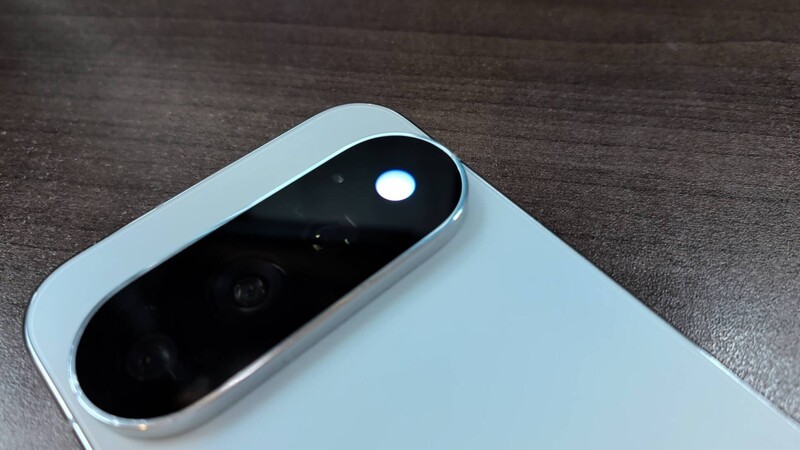
If you are shopping in-person, do not overlook the new Fog finish. While Canyon and Olive get plenty of marketing attention, press photos don't translate just how good Fog looks in the hand. It's a clean, subtle coastal grey paired with a soft-touch matte back that completely resists oily fingerprint smudges.
Magic Capture vs. Outdoor Concert

I took the Pixel 11 Pro to a small town festival with a free outdoor concert (and fireworks show). This gave me the ultimate environment to stress-test Google's new Magic Capture camera feature: unpredictable stage spotlights, moving country musicians, high-contrast crowds, and fireworks set against pitch-black skies.
Normally, capturing stills during a concert means recording video and randomly tapping the shutter button, often resulting in blurry, dark action shots.
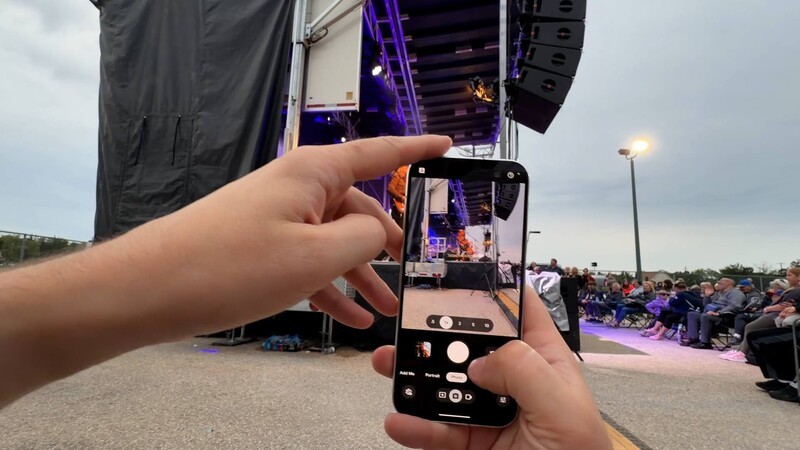
Magic Capture completely flips that workflow:
- How It Works: Tap record, and the Pixel 11 Pro captures a high-resolution video clip while the Tensor G6 chip processes the video frames in the background.
- The Result: It automatically extracts the sharpest possible HDR still image, corrects lighting, and auto-unblurs movement. If you have kids, pets, or shoot dynamic live events, it eliminates the blurred-face dilemma entirely.
- Pro Tip: Dive into Settings and toggle on Video Boost inside Magic Capture, so your background video renders in full 4K, 10-bit HDR quality.
120x Pro Zoom & Exchange District Photo Walk
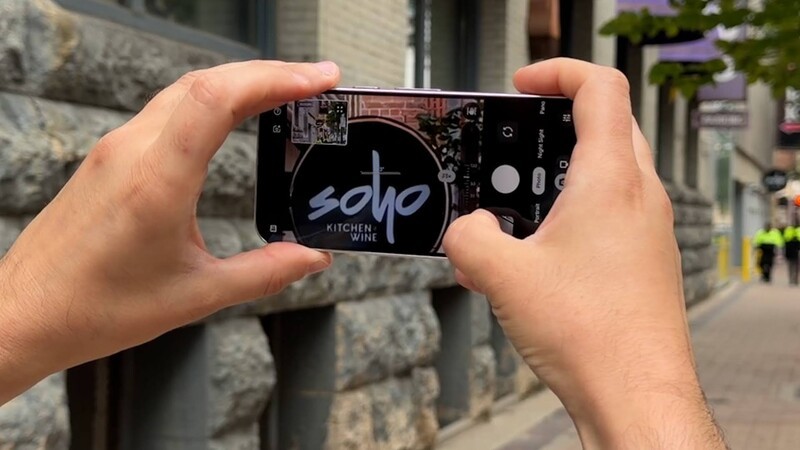
For distant shots from the back of a crowd, Google upgraded the 5x optical telephoto hardware to a 48 MP sensor that pulls in 30% more light than previous generations.
The phone delivers crisp optical-quality images across 0.5x, 1x, 2x, 5x, and 10x, stretching all the way to 30x Super Zoom and 120x Pro Zoom.

When shooting at extreme distances near 120x, tap the on-screen Hand icon. This locks in computational stabilization. While it crops into the frame slightly, it anchors the viewfinder rock-solid, so you can frame handheld shots from incredible distances without severe hand tremor.

I also took the phone on a photo safari through Winnipeg's historic Exchange District. The main 50 MP wide camera features a larger 1/1.3" sensor, capturing rich architectural texture, accurate shadows, and natural depth.
Google Pixel 11 Pro & Pro XL Camera System Specs
| Camera Module | Resolution & Sensor Specs | Aperture & Field of View | Optical & Digital Zoom Capabilities | Key Video & Hardware Capabilities |
|---|---|---|---|---|
| Main (Wide) | 50 MP Octa PD (1/1.3" sensor size) |
ƒ/1.68 aperture 82° Field of View |
1x optical (2x optical quality via sensor crop) |
• Optical + Electronic Image Stabilization (OIS + EIS) • Instant Night Sight (up to 4.5x faster capture) • 8K video recording at 24/30 FPS (Video Boost) • 4K video recording at 24/30/60 FPS / 10-bit HDR |
| Ultrawide | 48 MP Quad PD with Autofocus (1/2.51" sensor size) |
ƒ/1.7 aperture 123° Field of View |
0.5x optical quality | • Macro Focus photography and video • Dual exposure on wide camera • Active, Fused, and Locked Video Stabilization |
| Telephoto | 48 MP Quad PD with OIS (1/1.95" sensor size, pulls 30% more light) |
ƒ/2.8 aperture 23° Field of View |
• 5x Optical Zoom • 10x Optical Quality Zoom • Up to 120x Pro Zoom |
• Optical Image Stabilization (OIS) • Viewfinder Hand-Icon Stabilization Lock • 5x Portrait Mode |
| Front (Selfie) | 42 MP Dual PD with Autofocus | ƒ/2.2 aperture 103° Ultrawide FOV |
Fixed ultrawide | • 4K video recording at 30/60 FPS • Instant Night Sight selfie support • Auto-scrolling Teleprompter integration |
| Sensors & Software Tools | • Multi-zone LDAF (Laser Detect Auto Focus) • Spectral & Flicker Sensor |
— | — | • Magic Capture: Video + HDR+ stills simultaneously • HiLight: Ambient rear LED flash ring • Creator Suite: Live mic level visualizer & Storyboard |
The HiLight Rear LED Ring: Modern Utility Meets BlackBerry Nostalgia
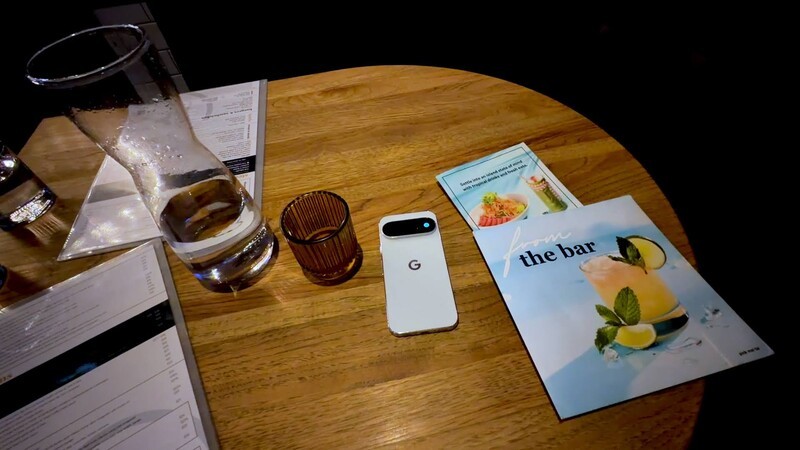
Look closely at the rear camera visor, and you will spot a new ambient LED ring wrapped directly around the flash called HiLight.
For those of us who remember the classic BlackBerry notification LED, this feels like a throwback to a great feature from those phones:
- VIP Contact Cues: When the phone sits face-down in "Flip to Shhh" mode, you can assign custom colours to your favorite contacts in Google Contacts. When your partner, coworker, or kids call or message you, the rear ring pulses in their specific designated colour.
- Gemini Hands-Free Feedback: When you ask Gemini a voice prompt across a room, the ring pulses softly to signal that the AI is listening and processing, saving you from flipping the phone over to check the screen.
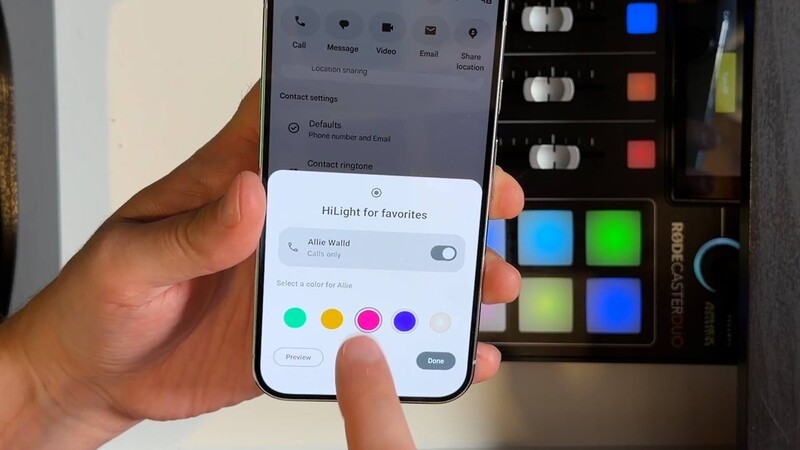
It is a great start for glanceable communication. My only wish list item for a future Pixel Drop is deeper granular customization. Like distinct colour and flash combinations for priority work emails versus regular app pings.
Built-In Creator Suite: Making Video Simple
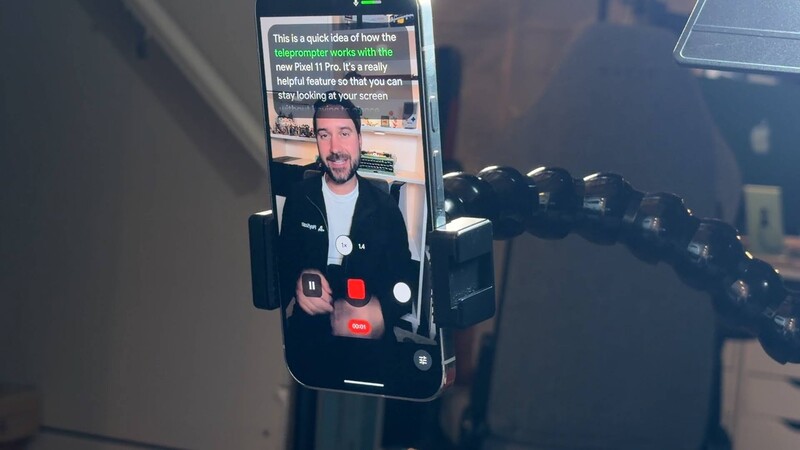
If you create content, film talking-head clips, or record video updates, the Creator Suite tab in the camera settings adds three practical tools:
- Auto-Scrolling Teleprompter: Displays your script on-screen and automatically scrolls to match your natural speaking pace as you talk directly into the lens. While speaking naturally on a prompter takes practice, the voice-tracking sync is remarkably reliable.
- Viewfinder Audio Visualizer: Puts live, real-time microphone level meters right over your video preview. The phone's built-in three-microphone array does a great job isolating speech and cutting background room tone, but seeing visual levels ensures you never record an entire take with dead audio.
- Storyboard Sequencing: Allows you to capture video clips directly into project folders, letting you trim and rearrange a rough cut in Google Photos without third-party editing apps.
While Creator Suite has content creators in mind, I think some features, like the safe title area for social, could be helpful to everyday people who want to improve the final look of an "important" video.
Everyday Performance: Rambler, AirDrop, and Battery Life

A few software and hardware details stood out in day-to-day use:
- Rambler Voice-to-Text: Built into Gboard, Rambler updates traditional voice dictation. Instead of transcribing word-for-word stumbles, it automatically strips out filler words ("ums"), fixes run-on thoughts, and formats lists on the fly, so you can speak stream-of-consciousness.
- Quick Share Meets AirDrop: Wirelessly sending photos, 8K video clips, and files directly to nearby iPhones and Macs works smoothly without third-party web tools. If your household or workplace runs on Apple gear, this removes a daily friction point.
- Battery Life: The 4,850 mAh battery easily powered through over 30 hours of mixed daily use, handling heavy video recording, outdoor navigation, light gaming, and messaging without mid-day charging anxiety.
Canadian Pricing & The Final Verdict
Google's Pixel 11 lineup is available now across Canada with baseline storage starting at 256 GB:
Google Pixel 11 Series: Canadian Pricing & Hardware Specs
| Device Model | Colours Available in Canada | Display Size & Panel | RAM | Storage Tier | Battery Capacity & Runtime | Canadian Price (CAD) |
|---|---|---|---|---|---|---|
| Pixel 11 | Frost, Pistachio, Hibiscus, Obsidian | 6.3" Actua OLED (60–120Hz, up to 3,000 nits peak) | 12 GB | 256 GB 512 GB |
4,985 mAh (30+ hours) |
$1,249.00 $1,419.00 |
| Pixel 11 Pro | Canyon, Olive, Fog, Obsidian (Matte) | 6.3" Super Actua LTPO OLED (1–120Hz, up to 3,600 nits peak) | 12 GB 16 GB 16 GB |
256 GB 512 GB 1 TB (Obsidian only) |
4,850 mAh (30+ hours) |
$1,499.00 $1,669.00 $1,969.00 |
| Pixel 11 Pro XL | Canyon, Olive, Fog, Obsidian (Matte) | 6.8" Super Actua LTPO OLED (1–120Hz, up to 3,600 nits peak) | 12 GB 16 GB 16 GB |
256 GB 512 GB 1 TB (Obsidian only) |
5,115 mAh (30+ hours) |
$1,799.00 $1,969.00 $2,269.00 |
| Pixel 11 Pro Fold | Olive, Obsidian | • Outer: 6.5" Super Actua OLED (1–120Hz, up to 3,600 nits) • Inner: 8.0" Super Actua Flex OLED (1–120Hz, up to 3,600 nits) |
16 GB | 256 GB 512 GB 1 TB (Obsidian only) |
4,806 mAh (24+ hours) |
$2,499.00 $2,669.00 $2,969.00 |
(Purchasing any Pro model also bundles six months of Google AI Pro at no cost, which includes 5 TB of cloud storage and Google Health Premium).
The Pixel 9 series represented a massive, ground-up hardware overhaul across the entire line-up. The Pixel 10 was a modest refinement, and the Pixel 11 Pro follows that same iterative path.
If you upgraded within the last two years, you aren't missing out on critical essentials. But, if you're coming from an older device and want durable hardware, an outdoor display that hits 3,600 nits, practical creator video tools, and intelligent camera processing, the Pixel 11 Pro delivers a polished, reliable flagship experience.
Read more
Pixel 11 Canada: Prices & Release Date
Google just dropped its 2026 hardware lineup. Here is what the Pixel 11, Pro, XL, Fold, and Watch 5 actually cost in CAD, and when you can get your hands on them.
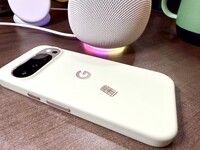
Does the Google Pixel 11 Have a Physical SIM Card Slot in Canada?
What Canadian buyers need to know about SIM card slots, eSIM support, and carrier setup before upgrading.
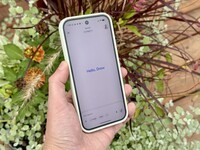
Pixel 11: Free Perks in Canada
From 5 TB of cloud storage to advanced AI tools and health coaching, here is what Google is bundling with its new phones and watches at no extra cost.
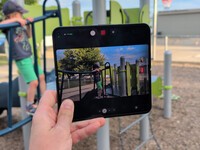
Google Pixel 11 Pro Fold Review: What $2,499 CAD Actually Buys You
I’ve spent the past week testing the Pixel 11 Pro Fold. I've been running it through real-world multitasking workflows, testing camera samples side-by-side with the Pixel 11 Pro, and evaluating whether Google’s $2,500 Canadian flagship foldable is actually worth the investment.