
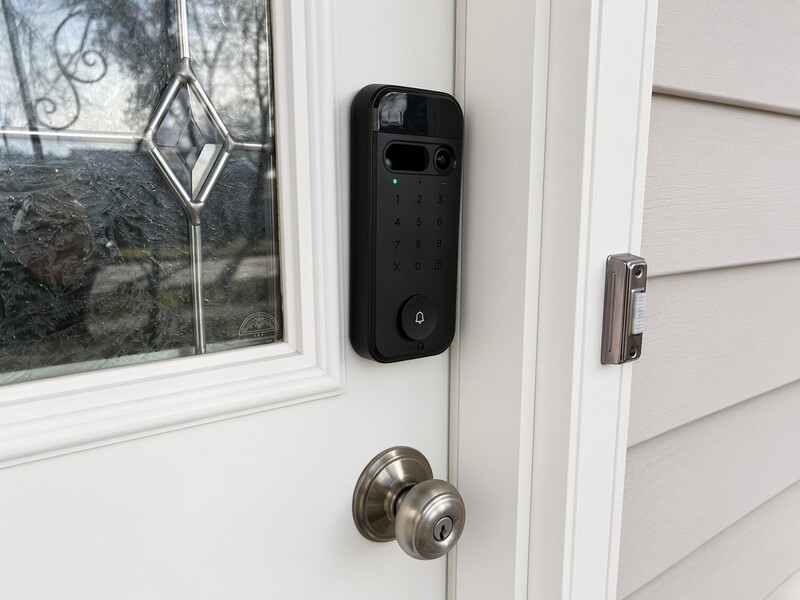
I CAN'T BELIEVE I WENT THIS LONG WITHOUT A SMART LOCK.
I installed the myQ Secure View 3-in-1 Smart Lock about six months ago, and honestly, my life has changed for the better. I went from fumbling around with medieval keys like an idiot to living in Cyberpunk 2077.
Okay, maybe that's a little dramatic for a door lock, but when you get used to not needing keys or worrying about locking yourself out, it's hard to go back. And at under $250 CAD, it's been one of those upgrades I wish I'd made sooner.
Welcome to the Future
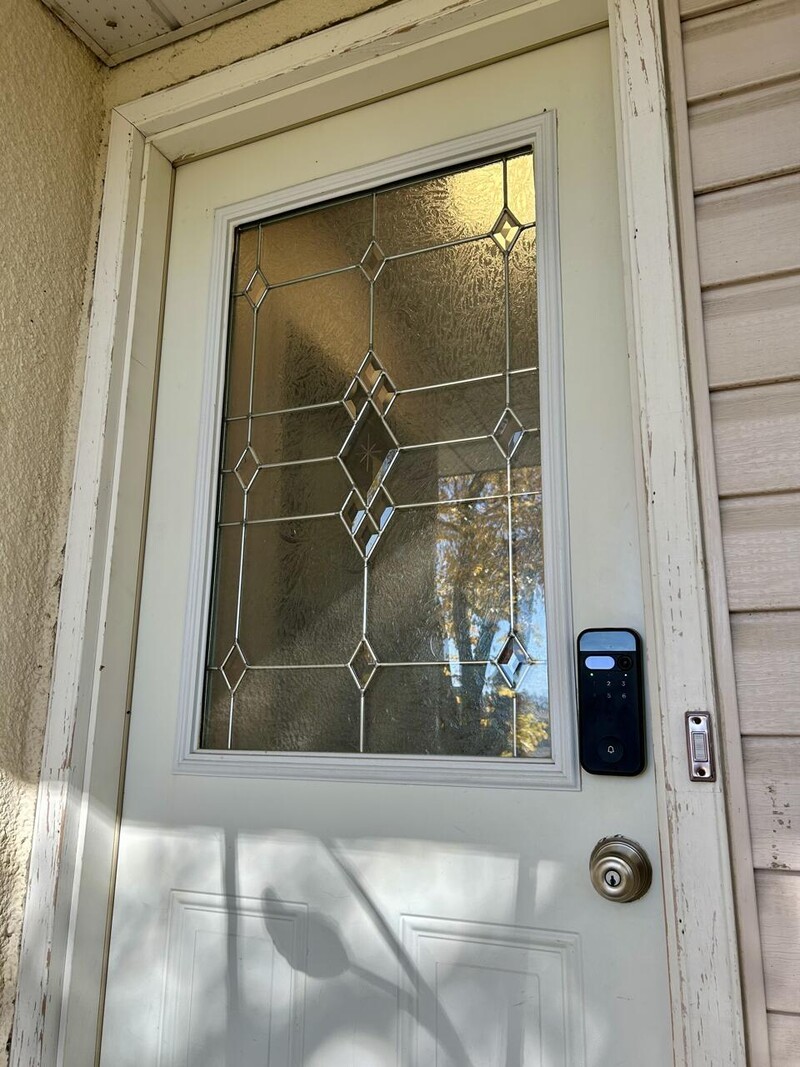
The biggest improvement is how little I have to think about my front door. I walk up, the lock recognizes me, and the door unlocks. No digging through my pockets, no fumbling with keys while carrying groceries.
The Secure View offers several ways to unlock the door, including face recognition, fingerprint, PIN code, your phone, and a physical key. Both the face recognition and fingerprint reader work well, usually. Every now and then, the camera doesn't recognize me when I walk up.
My solution? Turn around and do a quick double take like I'm a runway model making another pass. Usually, that does the trick.
Is it ridiculous? Absolutely. Does it work? Usually. And, it's become a running joke with my wife when she checks the camera.
I love the automatic locking feature. You can set the door to lock itself after a specified amount of time, meaning I no longer have to wonder, "Did I lock the door?" and circle the block to find out. It's a small thing that removes the little anxious voice in your brain.
It also has a built-in microphone and speaker so you can talk to people through the lock. Never used it. I only answer the door for two things: people I'm expecting and Thai food.
Access Granted
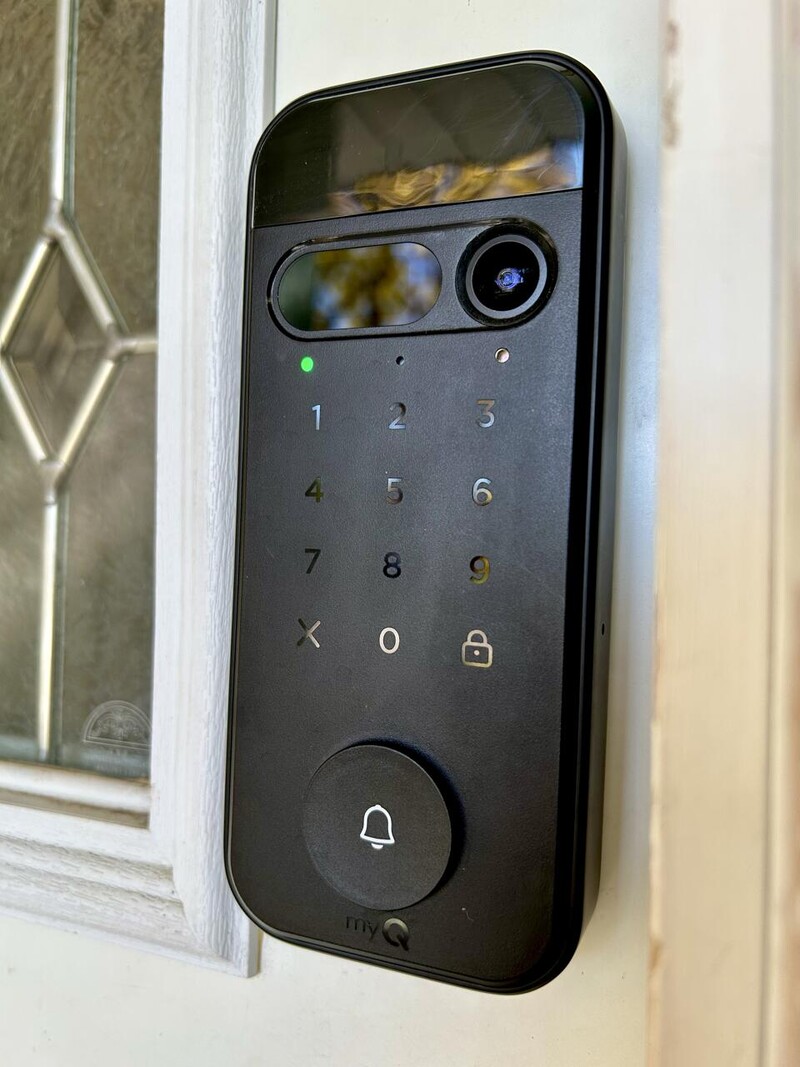
One of my favourite features is the ability to create temporary PIN codes. If a handyman needs to get in or a friend wants to borrow something while I'm out, I can give them access without handing over a physical key or rearranging my day. Sharing access with family members across multiple phones is straightforward, too.
The app is simple to navigate, which is always a bonus for me. Nobody wants to spend an afternoon figuring out how to operate their door lock.
The built-in camera is another big selling point. I can see who's at my door when I'm away, check when packages arrive, and get motion notifications on my phone. The camera quality is good, and my alerts have been reliable.
The lock also looks great on the door. It has a modern, premium appearance that fits the smart-home experience rather than looking like some clunky gadget bolted onto the front of the house.
The app also offers a premium subscription, which I tried during the free trial. I can definitely see the appeal, especially if you're constantly getting Amazon deliveries or live in a neighbourhood that's a little... spicy. Having access to recorded footage gives you extra peace of mind when you're not home. Personally, I haven't felt the need to pay for it yet, but if you want to keep an eye on who's coming and going, I can see it being worth the extra cost.
I Almost Forgot It Needed Charging
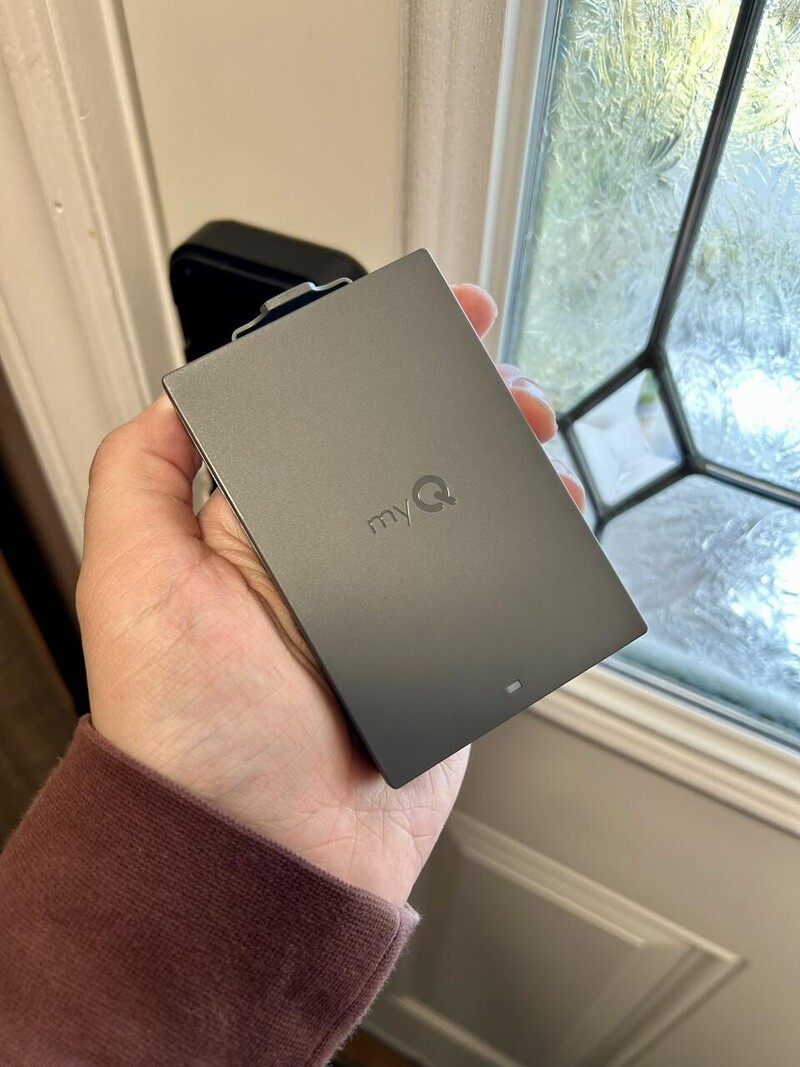
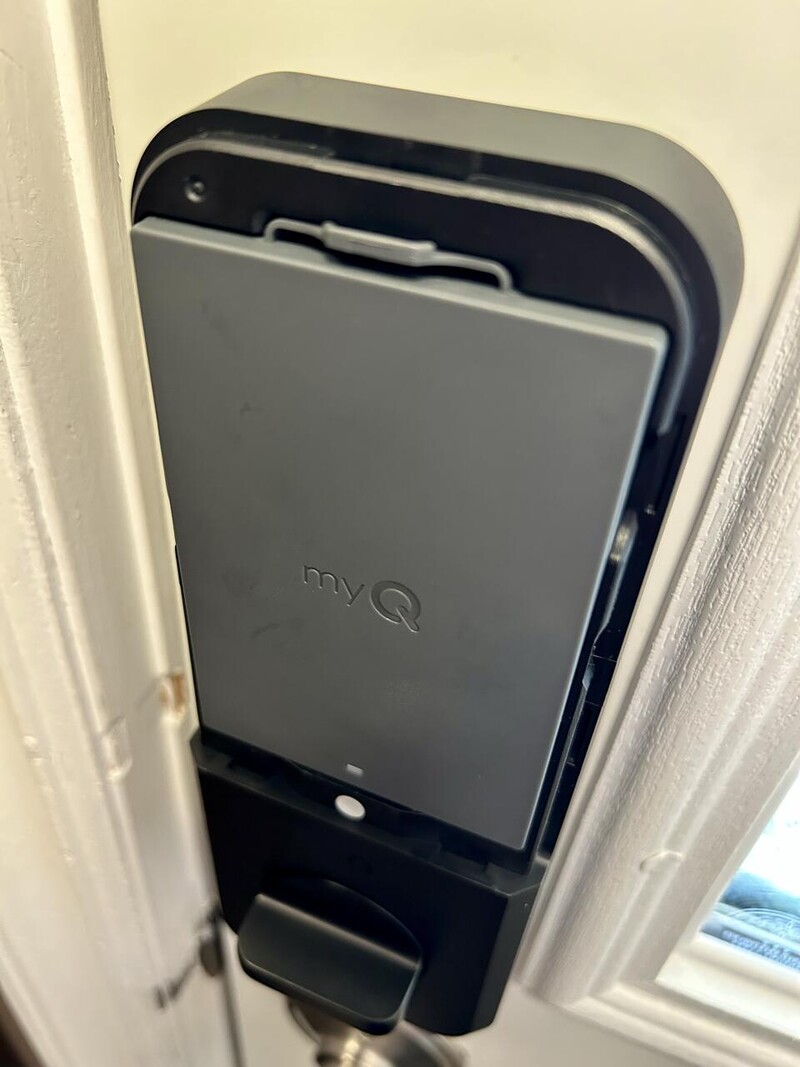
From May through October, the battery dropped from 100% to around 30%. That's roughly five months of use, and I honestly hadn't thought about charging it until Drew reminded me to check the battery level.
For something controlling access to my house, that's impressive. The last thing I want is another gadget constantly demanding attention, so the battery life has been a pleasant surprise.
I haven't experienced a Winnipeg winter with it yet, though, so we'll have to see how it handles our lovely combination of freezing temperatures and snow.
Installation Was Suspiciously Easy
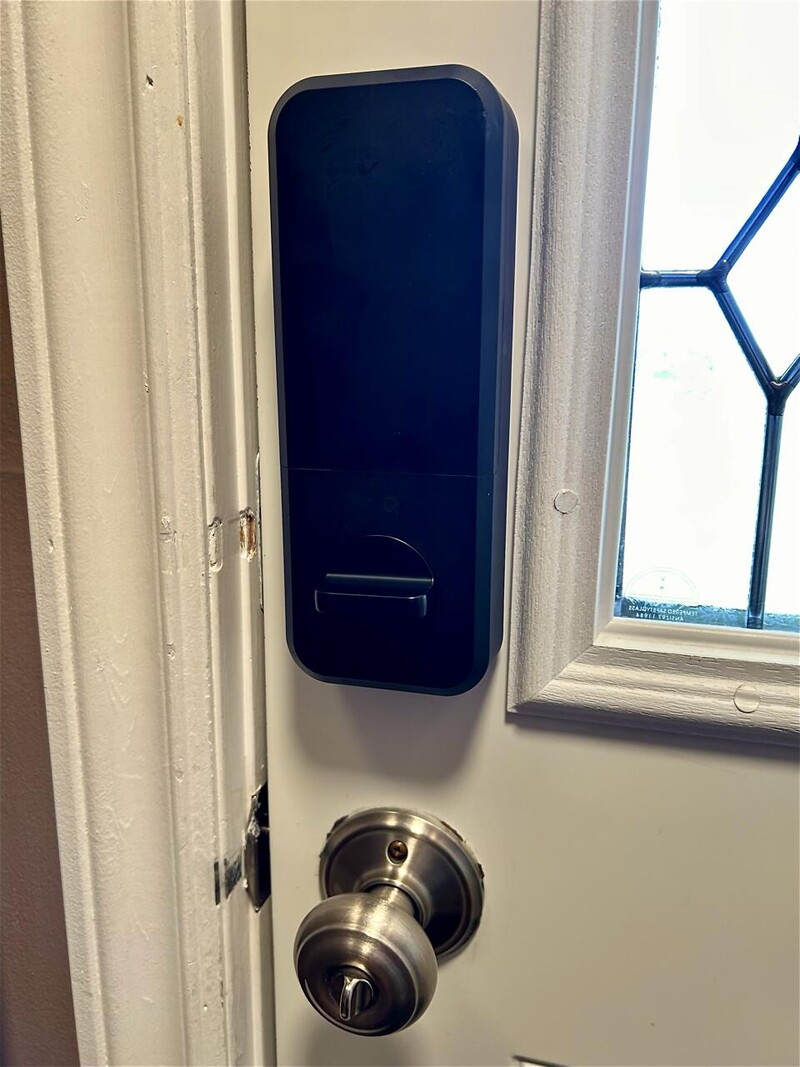
Replacing my existing door lock was incredibly straightforward. In fact, it went so smoothly that I started wondering what I was doing wrong.
You know when a project is going a little too well, and you're waiting for something to go horribly wrong?
That was me.
Turns out, it really was that easy. To be clear, I was replacing an existing lock, not installing one on a brand-new door, which would involve more measuring and drilling. But if you're replacing a compatible lock, the process is painless.
There was, however, one frustrating surprise.
After installing the lock, connecting everything, and just before setting up the app, I was hit with a warning: you need to update the firmware and the battery MUST be charged for eight to ten hours first.
Excuse me?
Wouldn't that be useful information to know before I install everything? If charging is required before updating, that should be step one in the instructions.
It's not a dealbreaker, but it's an unnecessary annoyance that could easily be avoided. I'm looking at you myQ…
Would I Go Back to a Regular Lock?
No. (seriously you thought I would say yes after everything I just said)
After six months, the myQ Secure View 3-in-1 Smart Lock has made everyday life easier. Automatic unlocking, temporary access codes, a useful camera, reliable notifications, and impressive battery life make it much more than a fancy deadbolt.
The occasional face-recognition hiccup is a minor annoyance in an otherwise excellent experience. I'd definitely recommend it to anyone considering a smart lock, especially if you want the added convenience of a camera and remote access.
The best technology is the stuff that makes life easier without giving you another thing to worry about. This lock does exactly that.
I've seen the future, and it has no keys.
Read more

From the garage door to the front door: Chamberlain launches smart lock!
Maybe you use the myQ app to control your garage door (or allow Amazon to access in-garage delivery). At CES 2026, the company announced they're expanding their product with a pretty awesome 3-in-1 smart lock solution!
Apple HomeView Review: Apple Conquers The Smart Display
Is Apple's new HomeView smart display worth a spot on your kitchen counter? Read our in-depth review on audio quality, smart home controls, and daily usability.
ECOVACS DEEBOT X12 OmniCyclone Review: Vacuum Of the Year Contender
Does the ECOVACS DEEBOT X12 OmniCyclone live up to the hype? We tested this premium robot vacuum and mop combo in a chaotic house with kids and cats.

Amazon Brings 3 New Echo Devices To Canada
Canadian homes are getting smarter and sounding better with a new line-up of Echo devices now available.