
We may earn a commission for purchases using our links. Learn more.
⚡TL;DR - The Short Version
- The Big Win: True choice right out of the box: run a completely de-Googled phone with a vetted app store, or toggle on Google Services for everyday Play Store convenience without rooting or flashing custom ROMs.
- Silicon-to-Software Security: Designed in Switzerland and manufactured in Germany, the MC03 pairs hardware-level verified boot and eFuse protection with Swiss AphyOS.
- Granular Privacy: The Data Ledger gives you simple app-by-app digital dials to control permissions, while Vault separates heavily vetted privacy apps from the "Wild Web."
- Throwback Hardware Perks: Includes a case and screen protector in the box, expandable microSD storage up to 1 TB, and a 5,200 mAh battery you can swap yourself with roughly five screws.
- The Verdict: The most approachable privacy-first smartphone available today. Camera and speakers are middle-of-the-pack, so you're buying this for control, battery life, and longevity—not flagship photography.
Have you ever been scrolling through Instagram, spotted a hyper-specific ad, and paused to ask yourself, "Wait a minute... why am I seeing this exact thing right now?"
Because tech reviewing is my full-time job, I'm not someone who can easily walk away from the Big Tech world. But, I'm acutely aware of how the digital breadcrumbs I leave from app to app and device to device get stitched together into a detailed "Digital Drew," and that this created persona of me is quite detailed. When I'm scrolling my feeds, I often wonder how much of what I'm seeing reflects the real world versus what's being curated by algorithms and data brokers trying to nudge my habits or reinforce a point of view.
"Most people close the bathroom door when they're using it. Privacy isn't about having something to hide, it's about choosing when and how you want to show yourself."
That remark, shared with me recently by Punkt.'s co-founder Petter Neby (I'm paraphrasing slightly, though the point landed hard), sums up the philosophy behind the Punkt MC03. For a long time, the conventional wisdom has been that unless you're a whistleblower or a corporate executive with state secrets, you don't "need" a private phone. The MC03 challenges that mindset by making privacy effortless, practical, and adaptable to how regular people actually use their phones.
One Paragraph Review: Punkt MC03
The Punkt MC03 delivers on a rare promise in 2026: giving everyday users genuine control over their digital lives without forcing them to become weekend software engineers. Built in Germany and running Swiss-engineered AphyOS, it locks down your device from the silicon level up while letting you decide whether to go completely Google-free or keep Google Play Services enabled for familiar convenience. Between its intuitive Data Ledger permission dials, distinct Vault and Wild Web environments, expandable microSD storage, and user-replaceable 5,200 mAh battery, it trades flagship camera thrills for unmatched peace of mind and long-term repairability.
Pros
- Choose between a fully de-Googled setup or Google Play Store access right out of the box
- App-by-app Data Ledger dials make privacy permissions clear and effortless
- User-replaceable 5,200 mAh battery (just five screws) plus microSD expansion up to 1 TB
Cons
- Camera and stereo speaker quality are merely fine to good, not flagship-grade
- 550-nit OLED display can feel a bit dim under direct midday sun
- 240 g weight and 11 mm thickness make it noticeably chunky compared to ultra-thin rivals
Punkt MC03
Designed in Switzerland and built in Germany, the Punkt MC03 pairs IP68-rated European hardware with Apostrophy OS to put you back in charge of your data. Featuring a 120 Hz OLED display, 256 GB of expandable storage, and a removable 5,200 mAh battery, it works cleanly out of the box with or without Google Services.
Choice Out of the Box: De-Googled or Familiar Android
Right now, there is a growing wave of people looking to "break up" with Google. Usually, that path means buying a specific unlocked handset, wiping it, and flashing a community-run privacy ROM like GrapheneOS. The catch? Because modern Android apps lean so heavily on Google's underlying framework, going the traditional de-Googled route often breaks basic everyday essentials like navigation maps, banking tools, or streaming apps. Plus any time a software update comes down you're potentially spending your weekend tinkering to keep your phone running.
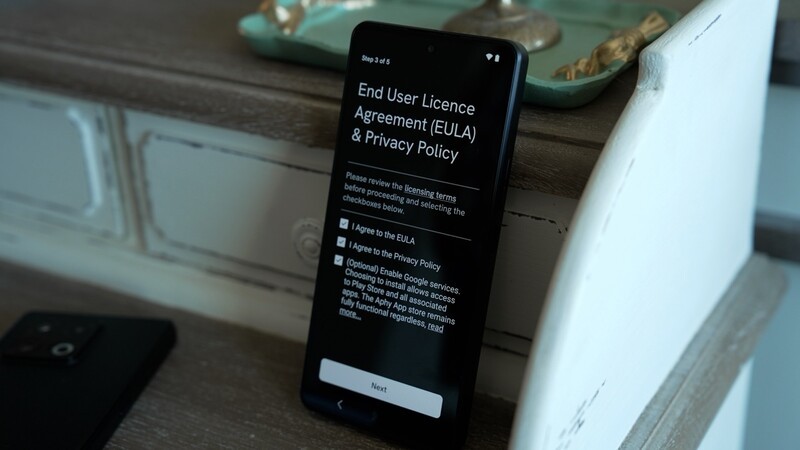
The Punkt MC03 flips that script by giving you a clean choice during initial setup:
- Go Fully De-Googled: You get a ready-to-roll, Google-free smartphone straight out of the box. Instead of the Play Store, you browse Apostrophy's curated app store, where privacy experts have personally and individually vetted every single application (you can read more about Apostrophy's verification process here).
- Allow Google Services: If you aren't ready to give up your must-have mainstream apps, you simply check a box at setup to allow Google Services. That opens the door to the Google Play Store, letting you take baby steps toward a more privacy-conscious phone without sacrificing the apps your daily routine depends on.
Underneath that flexibility sits a foundation that is virtually unheard of in the Android landscape of 2026: a single ecosystem securing both the hardware and the operating system. Using hardware-level verified boot and eFuse alongside Apostrophy OS (based on AOSP 15), the MC03 verifies right down to the silicon level that your device hasn't been tampered with by unauthorized programs quietly harvesting your data.
AphyOS, Vault, and the Wild Web
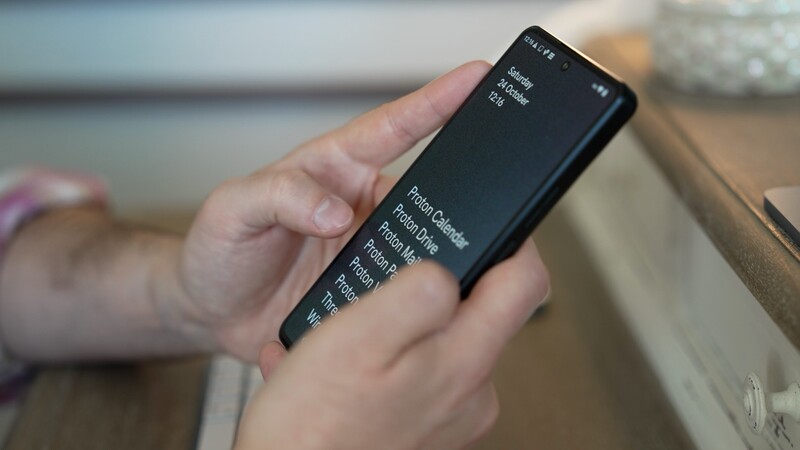
One of my favourite design decisions with Apostrophy OS (sometimes called AphyOS) is how it visually separates your digital life into two distinct spaces on the home screen: Vault and the Wild Web.
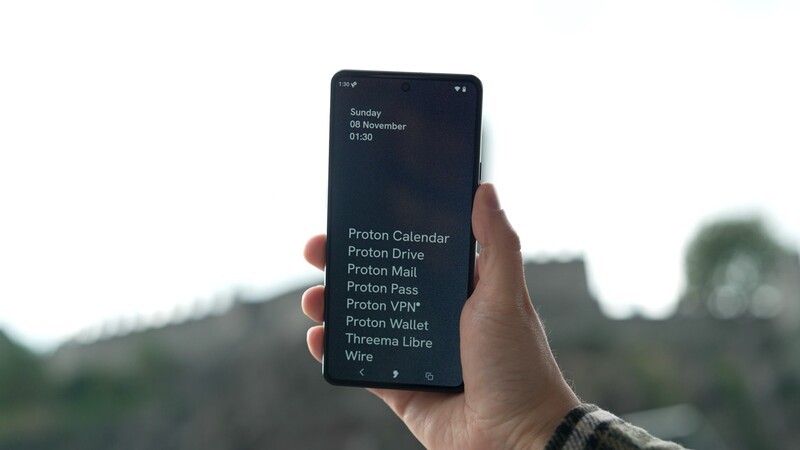
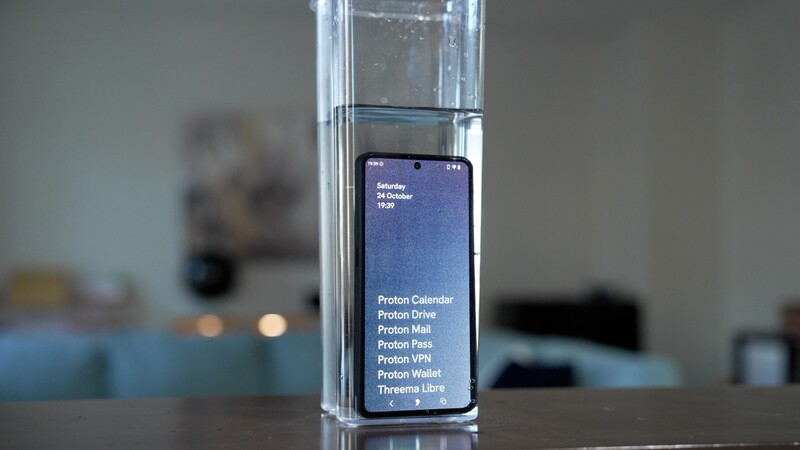
Vault is a protected enclave displaying only the most rigorously vetted apps. While every app in the Apostrophy store goes through strict screening, developers must clear even higher hurdles to appear inside Vault (proving how promptly they ship security patches and demonstrating that their software neither harvests user data nor relies on Google Mobile Services (GMS) connections). Inside Vault, you'll find essential utilities for contacts, calendar, and notes, pre-installed Threema and Wire for encrypted messaging, and support for Proton apps (Mail, Drive, Calendar, Pass, and Wallet) essentially a privacy-first productivity suite akin to Google Workspace or Microsoft 365 (note that Proton services require a separate Proton account/subscription).
Of course, not every app you need in life meets Vault's strict criteria. Swipe over, and you enter the Wild Web. This is where apps downloaded directly from developers or installed via the Google Play Store live, kept clearly compartmentalized from your trusted Vault environment.
One lingering inccorect detail about Apostrophy OS is that it requires a subscription. I first learned about the company and the OS at CES a few years back with the launch of their previous phone (read my review of the Punkt. MC02 here, and at that time, users got one free year of Apostrophy OS, and then would pay for it on an annual basis. With the release of the Punkt. MC03 earlier this summer in Europe, the company changed their approach, giving you lifetime access to the operating system when you purchased a supported device (right now the Punkt. MC03).
The Ledger: Taking Control of Your Digital Breadcrumbs
Installing an encrypted messaging app on a conventional smartphone only gets you so far if the underlying operating system is still quietly leaking your location, microphone access, or usage metadata in the background.
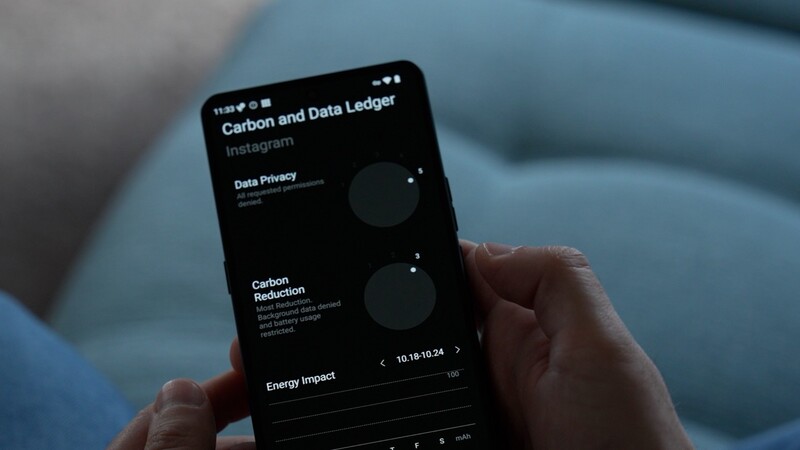
By default, the MC03 assumes you want to keep your personal data to yourself. When an app asks for more access, you use Data Ledger, a set of clean, app-by-app digital dials that let you turn permissions up or down on the fly.
It sounds simple on paper, and in daily practice, it is remarkably empowering. Instead of burying toggles four menus deep where you forget about them, the Data Ledger makes app-level data use immediately visible. You know exactly what parts of your phone each app can touch, and you can dial that access right back down the moment you're done.
Hardware, Durability, and Longevity
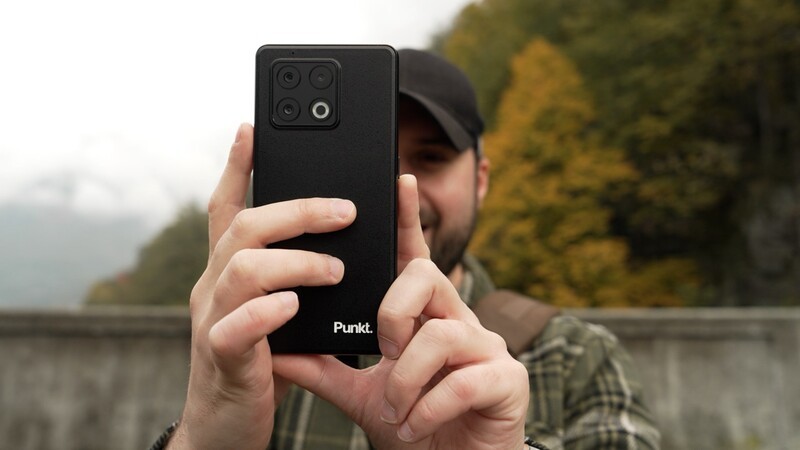
Picking up the Punkt MC03 feels like stepping into a time machine back to when phone makers actually included things in the box to help your hardware survive the real world.
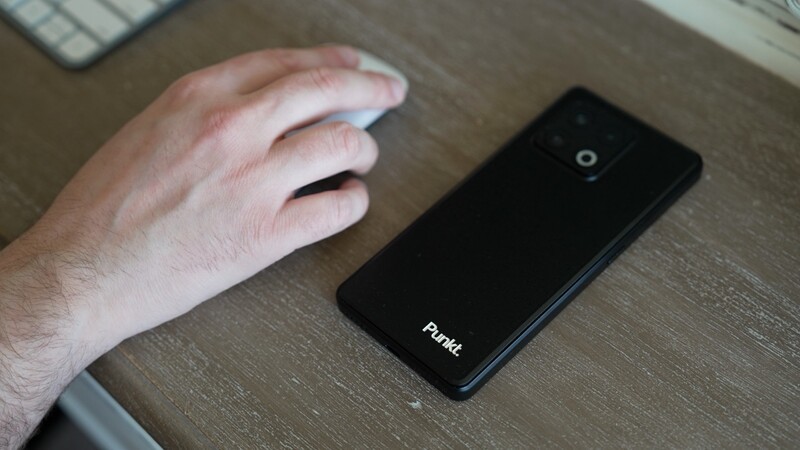
Right out of the packaging, Punkt. includes a USB-C cable, SIM tool, screen protector, and a matte transparent case. Honestly, the German-manufactured chassis feels solid enough (and carries an IP68 dust and water resistance rating, which is a bit of a magic trick since you can easily remove the back panel of the phone to change the battery) that I haven't bothered putting the case on.
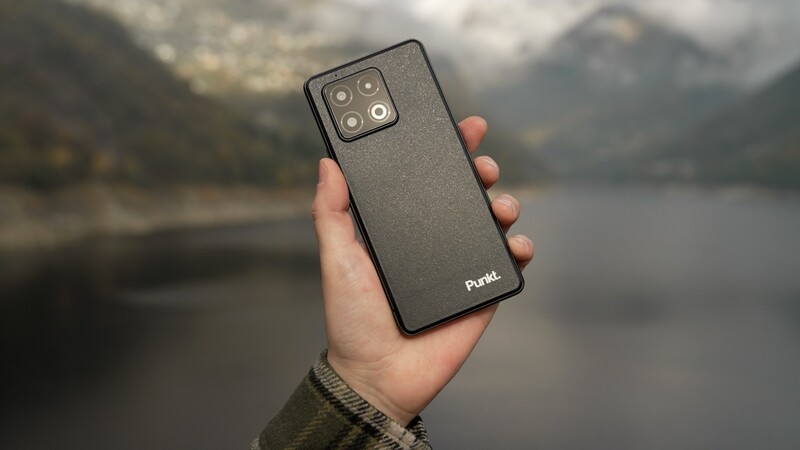
The black rear shell features a subtle splatter-paint texture that looks distinctive and hides fingerprints well, and I prefer seeing it bare. At 240 grams and 11 mm thick, it definitely has some heft in your pocket, but it feels purposeful rather than fragile.
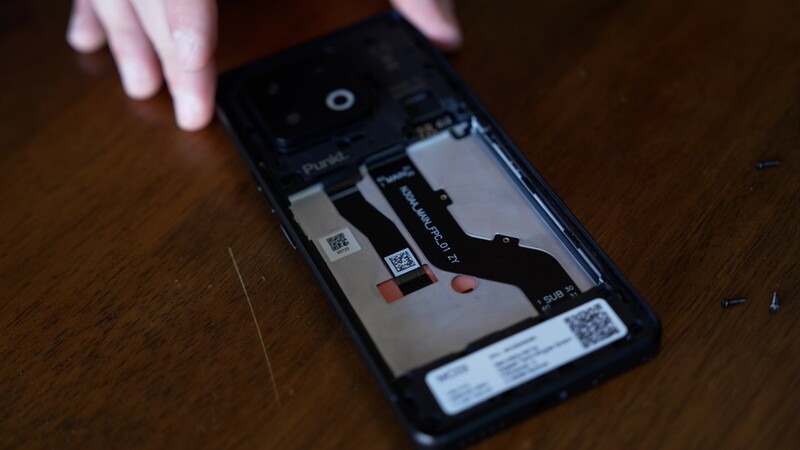
Even better, the MC03 brings back two hardware features I thought were gone for good:
- Expandable Storage: Alongside 256 GB of built-in storage, there's a microSD slot supporting cards up to 1 TB, something I've missed dearly since the Galaxy S10 era.
- User-Replaceable Battery: You can replace the 5,200 mAh battery yourself. It isn't an old-school Nokia snap-off back cover meant for swapping spares at a concert, nor would you want it to be at the expense of IP68 sealing. Instead, it means if you love this phone and want to keep it for years, you're roughly six screws away from dropping in a fresh battery and extending its lifespan instead of contributing to e-waste.
Everyday Performance: Camera, Display, and Battery
Let's set realistic expectations on the day-to-day hardware experience: the Punkt MC03 is built around sovereignty, security, and longevity, not chasing benchmark charts.

Powered by an octa-core MediaTek Dimensity 7300 processor with 8 GB of RAM, navigation through AphyOS is smooth and responsive. The 6.67-inch Full HD+ flexible OLED display runs at up to 120 Hz with HDR support, making scrolling through Vault and reading articles crisp and fluid. Its peak brightness sits at 550 nits, which is totally fine indoors and on overcast days, though you will notice reflections outdoors in bright midday glare.
Battery life from the 5,200 mAh cell is legitimately very good, easily carrying through a full day of mixed messaging, browsing, and VPN use. And it supports 30 W wired charging alongside 15 W wireless charging.

As for multimedia, the dual stereo speakers and triple rear camera array (a 64 MP main sensor with PDAF, 8 MP ultra-wide, and 2 MP macro, paired with a 32 MP front camera) land squarely in the "fine to good" category.
Daylight shots from the 64 MP main camera are clean and serviceable for everyday snaps and family moments, while the speakers handle calls and podcasts clearly without blowing you away. If mobile photography is your top priority, flagship phones still hold a clear edge—but for a privacy-first daily driver, nothing here gets in your way.

Spec Table: Punkt MC03
| Feature | Specification |
|---|---|
| Operating System | AphyOS (based on AOSP 15) with Vault & Wild Web |
| Processor & RAM | MediaTek Dimensity 7300 (Octa-core) / 8 GB RAM |
| Display | 6.67" Full HD+ flexible OLED (1080 × 2436), up to 120 Hz, 550 nits, HDR |
| Storage | 256 GB internal, expandable via microSD up to 1 TB |
| Rear Cameras | 64 MP main (PDAF), 8 MP ultra-wide (fixed focus), 2 MP macro |
| Front Camera | 32 MP (fixed focus) |
| Battery & Charging | User-replaceable 5,200 mAh Li-Po; 30 W wired (PD 3.0), 15 W wireless |
| Durability & Dimensions | IP68 certified; 163 × 76 × 11 mm; 240 g; Black (Splatter Paint finish) |
| Connectivity & SIM | 5G NR, Wi-Fi 6, Bluetooth 5.4, NFC, Dual SIM (1× Nano-SIM + 1× eSIM) |
| Update Policy | 5 years of security updates, 3 years of functionality updates |
| Origin & Pricing | Designed in Switzerland, manufactured in Germany; CHF 699 sale (CHF 745 regular) |
The Verdict: Should You Buy the Punkt MC03?

The Punkt MC03 makes digital privacy practical for everyday smartphone users.
If you are hunting for a de-Googled smartphone that works instantly out of the box (without rooting, flashing custom ROMs, or sacrificing weekend afternoons to troubleshoot broken apps) the Punkt MC03 is easily the friendliest option on the market.
But that's not how I've been using it. I've treated it like a "regular" smartphone with a few added features to protect my privacy.
So even if you aren't ready to cut ties with Big Tech completely, the appeal here is unmistakable. You get a phone that looks and feels like a familiar modern Android handset, but operates on a privacy-by-default foundation where you decide when, where, and with whom to share your data.
Geeking Out Shop
Punkt MC03
Privacy Without the Headaches
The Punkt MC03 combines German IP68-rated hardware with Swiss-engineered AphyOS to give you genuine control over your digital footprint. Choose a completely de-Googled setup with personally vetted apps or enable Google Services for familiar Play Store access, fine-tune app permissions with the Data Ledger dials, and enjoy long-term peace of mind with expandable microSD storage and a user-replaceable 5,200 mAh battery.
It isn't trying to beat flagship camera phones at low-light photography, and its 240-gram frame prioritizes durability and serviceability over paper-thin aesthetics.
But for anyone who has ever felt uneasy about their digital profile being quietly packaged and sold behind the scenes (and wants a thoughtful, durable smartphone built to last for years) the Punkt MC03 hits a sweet spot no mainstream phone manufacturer is able to touch.
Punkt MC03 FAQ
- Can you use Google Play Store apps on the Punkt MC03? Yes. During initial setup, the Punkt MC03 lets you choose whether to run the phone completely de-Googled or check a box to allow Google Services. Enabling Google Services lets you install familiar apps from the Google Play Store inside the Wild Web view while keeping your core Vault apps isolated.
- What is the difference between Vault and the Wild Web on AphyOS? Vault is a protected home screen environment that only displays strictly vetted, privacy-respecting apps (such as Threema, Proton apps, and core utilities) that do not harvest data or rely on Google Mobile Services. Swiping over takes you to the Wild Web, where standard apps installed from the Google Play Store or directly from developers live.
- How does the Data Ledger work on the Punkt MC03? The Data Ledger provides simple, app-by-app digital dials that let you turn permissions—like location, microphone, and data access—up or down individually. By default, the MC03 restricts data sharing until you explicitly dial up access for a specific app.
- Is the Punkt MC03 battery replaceable? Yes. The Punkt MC03 features a 5,200 mAh Li-Po battery that you can replace yourself by removing roughly six screws, making it easy to extend the phone's lifespan after a few years of heavy use without needing a full device upgrade.
- Where is the Punkt MC03 made? The Punkt MC03 is designed in Switzerland and manufactured in Germany, running Swiss-developed AphyOS with IP68 water and dust resistance.
Read more
Top 3 Best Phones Revealed At CES 2026
CES 2026 had so many product reveals including a large number of unique phones. These aren't your typical smartphones. These are ones that are actually encouraging you to spend less time with your devices. Here's the top 3 coolest phones we found at CES 2026.
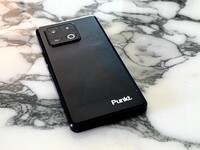
Punkt’s new MC03 prioritizes privacy while balancing compatibility
We usually have to make a tough choice with smartphones: give up our data to Big Tech for the convenience of modern apps, or use a "dumbphone" that protects our privacy but leaves us without maps, music, or ride-sharing apps. Punkt., the Swiss brand known for minimalist design, is back at CES 2026 to prove you don't have to choose. Their new MC03 smartphone is designed to give you...
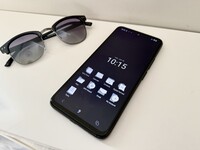
The Punkt. MC02 Puts User Privacy First
The Punkt. MC02 is about to find out whether people care enough about privacy to pay an annual fee to use their phone. At first paying for an OS might seem like a deal-breaker, but after some hands-on time with this device, it's starting to make sense.
Best Pixel 11 Pro Accessories: Top Cases, Chargers & Power Banks
This guide rounds up the best, highest-value accessories for the Google Pixel 11 and Pixel 11 Pro to keep your phone protected, charged, and performing at its best without breaking the bank.