
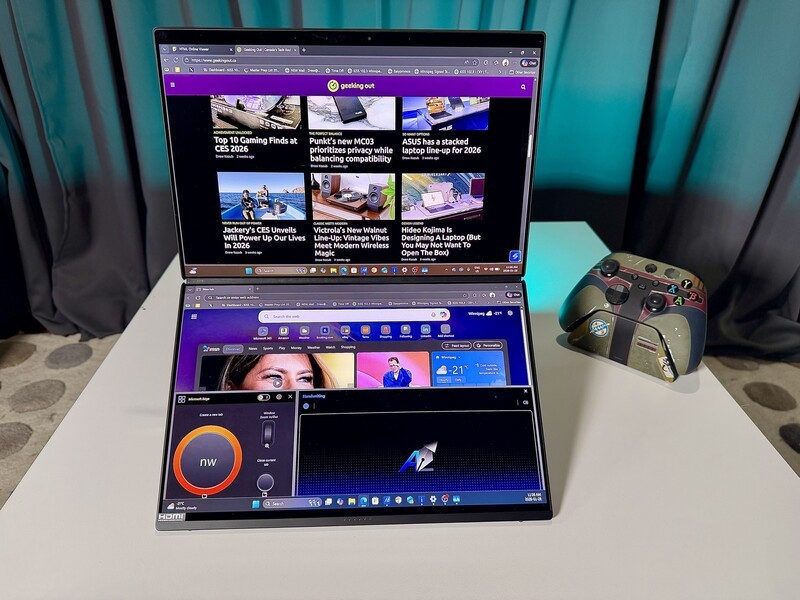
We may earn a commission for purchases using our links. Learn more.
We've all dealt with "screen claustrophobia." You're at a coffee shop or on a flight, trying to balance a document or browser on one half of your screen while squinting at a spreadsheet on the other.
Maybe it's more of a problem with elder millennials like myself, but I feel like "big work" needs to be done on "big screens" so while I love how far we've come with being able to work anywhere with our laptops, I often yearn for my dual-screen home desk setup.
At least that used to be the case.
Last year, I switched to the 2025 version of the Asus Zenbook Duo and absolutely loved how much I could get done with the dual touch-screen laptop.
TL;DR - The Short Version
- Primary Verdict: The most refined dual-screen laptop ever made; the 7.6mm hinge gap finally makes it feel like one giant display.
- Key Strength: Intel Core Ultra Series 3 "Goldilocks" chip provides 18-hour video playback—unheard of for dual OLEDs.
- Major Trade-off: Lacks Thunderbolt 5 support despite the processor natively supporting it; expect TB4 speeds only.
- Reliability: "Ceraluminum" chassis is significantly more scratch-resistant than the 2025 model's standard alloy.
- Connectivity: Features Thunderbolt Share for PC-to-PC control, plus a rare full-sized HDMI 2.1 port.
- Value Prop: A premium $2,800+ CAD investment that replaces a portable monitor and a desktop dock.
For 2026 ASUS refined the physical design and packed in Intel's most efficient chip to date in the newest model of the Zenbook Duo. I've spent the last two weeks with the flagship model, which runs the Intel Core Ultra 9 (Series 3) processor, and it has further entrenched my position that for video editors, coders, or people who are serious about getting work done anywhere that dual laptop screens aren't a novelty, they're a necessity.
Asus Zenbook Duo (2026): One Paragraph Review
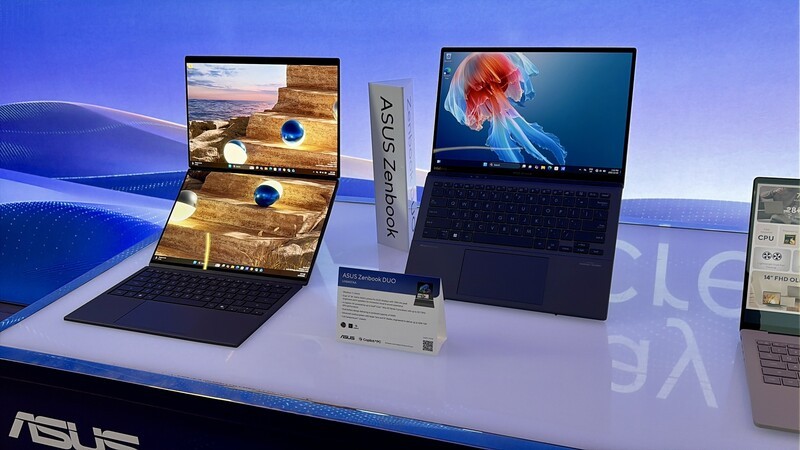
Basically everything about this laptop is great for productivity. The Intel Core Ultra Series 3 processor balances battery life while providing top-notch processing for any task you throw at it. You have an abundance of ports, so many form-factors (from a "regular" laptop to a book-style vertical screen power station), and dual, 14-inch displays. This is cutting edge technology which justifiably commands the highest price tag, and this is the only downside - so many people could benefit from this form-factor and spec set, but much fewer people have the budget for something this beefy.
Pros
- Most versatile laptop design
- No need to carry the charger on the go
Cons
- Price is justified, but expensive
- No Thunderbolt 5 (even though Intel Series 3 supports this)
Zenbook Duo (2026)
The Asus Zenbook Duo's 2026 refresh is subtle but effective in every way. With the more Powerful Intel Core Ultra Series 3, anti-reflective screen coating, and minimal bezel gap between screens, this is the premiere productivity machine for working remotely in 2026.
A More Seamless Design - Literally!
ASUS brought back Ceraluminum for this year's chassis. It's a high-tech hybrid of ceramic and aluminum that feels like a piece of polished stone. It stays matte, resists fingerprints, and handles being tossed in a backpack without picking up those annoying silver scratches you see on standard aluminum laptops.
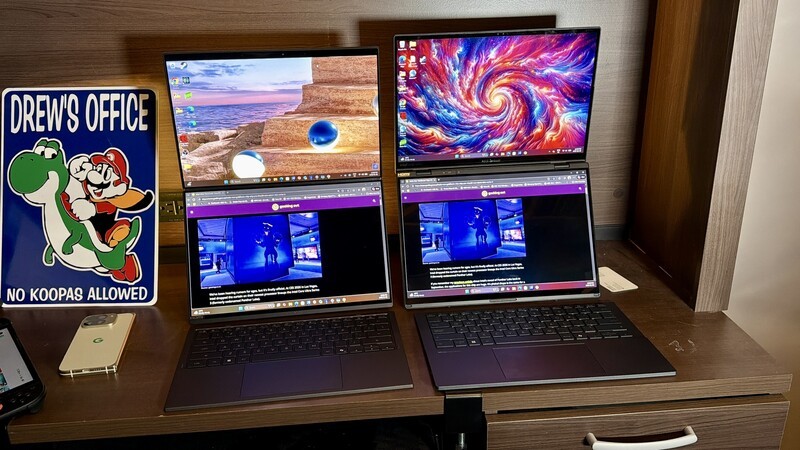
They've also added an anti-reflective coating to the display that doesn't make the display look muted or impact colour quality which can be the case with some other coatings that reduce reflections.
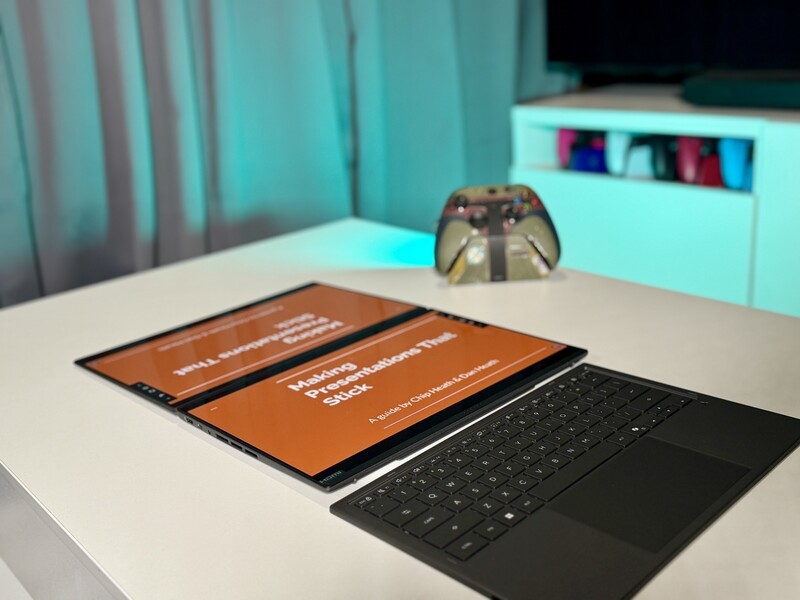
But the real engineering win for the 2026 model is the hideaway hinge. On previous versions, there was a fairly chunky 25mm gap between the two screens. ASUS managed to shrink that gap by 70%, leaving only a 7.6mm sliver between the displays.
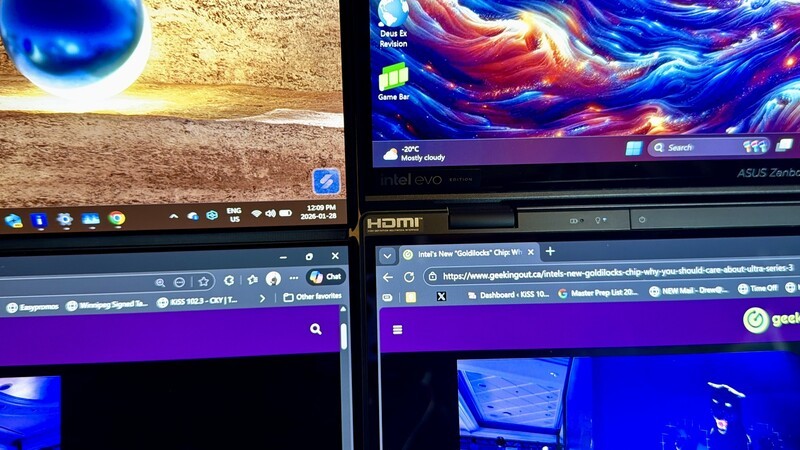
This was not something I considered an issue on my "old" (2025) Zenbook Duo, but now that I've spent so much time looking at this new display system, I do have some envy. makes a massive difference when you're spanning a single window across both screens. It feels much more like one continuous 20-inch canvas rather than two separate 14-inch boxes.
The Specs: A High-Performance Portable Studio
To handle two high-resolution OLED screens at once, you need some serious internal muscle. For this review, I was provided with the most high-end model of this laptop (on loan, by the way, I don't get to keep it). Here is the breakdown of the model I've been testing:
| Feature | Specification |
|---|---|
| Processor | Intel® Core™ Ultra 9 388H (Series 3) |
| Graphics | Built-in Intel® Arc™ Graphics |
| Memory (RAM) | 32GB LPDDR5x (The laptop's "short-term" multitasking brain) |
| Storage (SSD) | 2TB M.2 NVMe (Tons of room for 4K video and huge projects) |
| Displays | Dual 14-inch 3K (2880 x 1800) ASUS Lumina Pro OLED |
| Refresh Rate | 144Hz (Makes everything from scrolling to gaming look ultra-smooth) |
| Battery | 99Wh (The largest size allowed on most airplanes) |
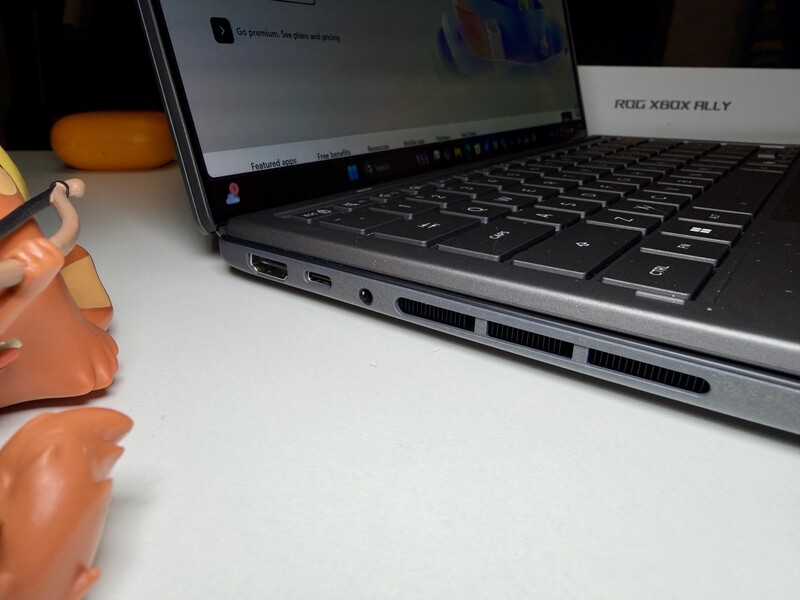
| Connectivity | 2x Thunderbolt™ 4, 1x USB 3.2 Type-A, 1x HDMI 2.1, Audio Jack |
As you can see from above, this is a super powerful version of this laptop and maybe this is why my experience with it was so positive. It's worth keeping that in mind while you're reading this review - my experience is based on basically the best possible configuration of this laptop.
First Impressions With the ZenBook Duo
Since I already have been using the 2025 version of this laptop for months I didn't expect there to be any stand-out differences from the physical design (aside from that smaller space between the screens which is super nice). But I was wrong!
Three things worth noting:
- Removable Keyboard: The keyboard on this laptop looks identical to last year's model, but I quickly discovered some meaningful changes. First, it pairs instantly. Which is what you'd expect, but I remember the initial setup on my previous model required some Googling to actually get the keyboard to work when it wasn't attached to the laptop. For the 2026 version this was a non-issue.
- Keyboard Battery Life: Battery life on the keyboard wasn't a big issue on last year's model (because it recharges when you attach it to the bottom display, which is how you'll transport the laptop). But if you're in a situation where you're leaving this out on your desk and not moving it around for a few days, the battery in the keyboard lasts 52 hours (with no backlight) or nearly 12 hours with backlight on.
- Power Button: With the 205 version of the laptop, the power button was above the keyboard. Since they shrunk the gap between the displays they've moved the power button to the right-hand side of the unit. I only bring this up because it took me longer than it should have to figure out how to turn this on after being used to the old power button.
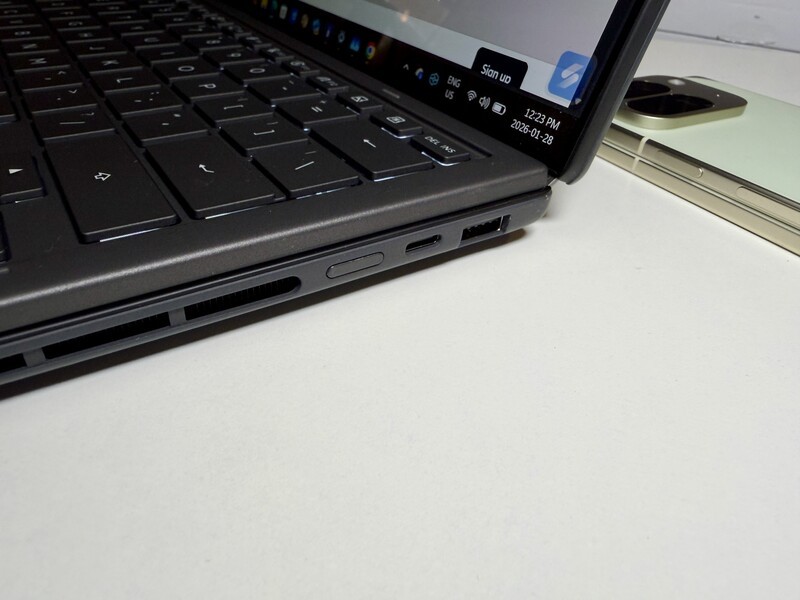
A Swiss Army knife of a laptop
The dual-screen setup provides a level of versatility that a standard laptop simply can't match. Because the Bluetooth keyboard is detachable, you can physically rearrange your workspace in seconds.
For the Business Professional If you're stuck in a cramped economy seat, you can snap the keyboard onto the bottom screen and use it in Laptop Mode. It functions as a standard 14-inch laptop, fitting perfectly on a tray table. Once you get to your hotel, you can pop the kickstand out, stack the screens, and have your email open on the bottom while you're drafting a proposal on the top. This keeps your posture better and your productivity higher.
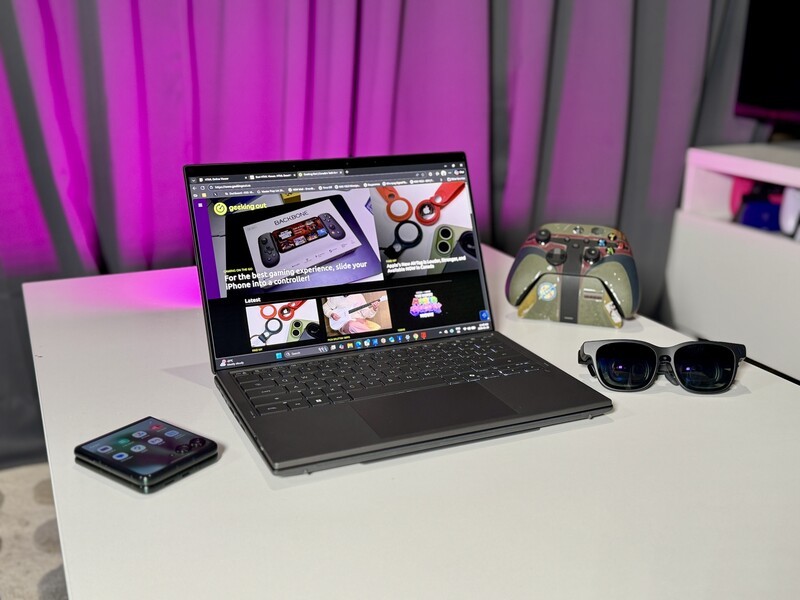
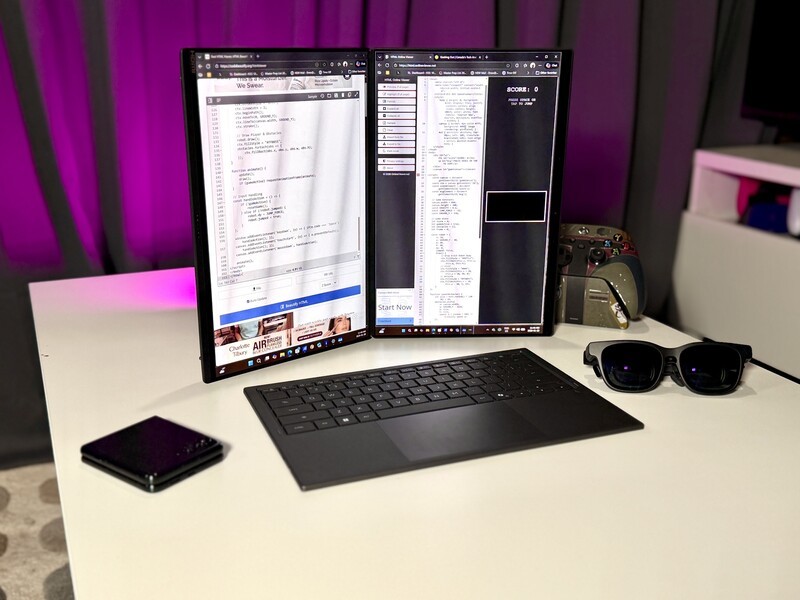
For the Coder and Writer In Desktop Mode, you turn the laptop sideways so the screens are vertical, like two open books. If you're a programmer, having your code on the left and your documentation or terminal on the right is a massive workflow boost. Writers can keep their research notes or a web browser on one side while their draft stays full-screen on the other. Having that vertical height is the "holy grail" for reading long lines of code without constant scrolling.
For the Gamer and Streamer Gamers find a lot of utility here. You can run your game on the top screen (the 144Hz refresh rate is great for fast action) and keep a Discord chat, a walkthrough, or a Spotify playlist on the bottom. Streamers will find this especially helpful. You can have your game on top and your OBS (streaming software) or your Twitch chat on the bottom screen. It eliminates the need to carry a second portable monitor just to see what your audience is saying, making your "travel stream" setup much lighter.
For Entertainment & Presentations If you're a movie buff, you can use Sharing Mode. You lay the laptop completely flat (180 degrees) on a table. This could be helpful when showing someone a YouTube video if you have a friend sitting across from you, or for showing a quick photo slideshow to a group without everyone huddling on the same side of the table.
Control: Physical vs. Digital
The way you interact with the Duo is very clever. The physical keyboard is thin, tactile, and snaps on magnetically to charge while you use it in laptop mode.
If you're using the digital display as a "sometimes keyboard", it's quite easy to pull up the typing interface.
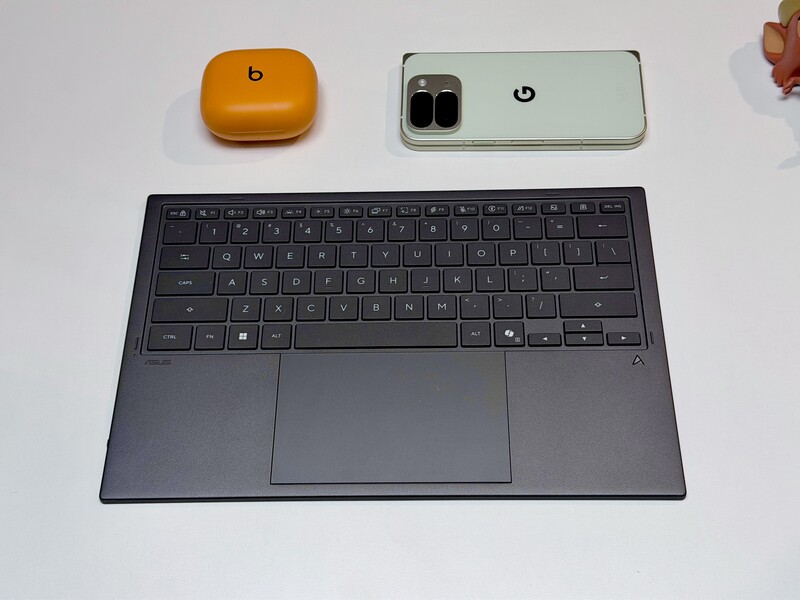
A six-finger tap on the bottom screen brings up a Virtual Keyboard. ASUS's ScreenXpert software is smart enough to turn that bottom screen into a full-sized digital keyboard and a giant touchpad. This same software allows for a few different customizations for the virtual display (even splitting it half keyboard, half mini-display). While you can easily get away without "learning" ScreenXpert, it's worth spending 3 mins in the app to at least discover some quick media controls and helpful gestures.
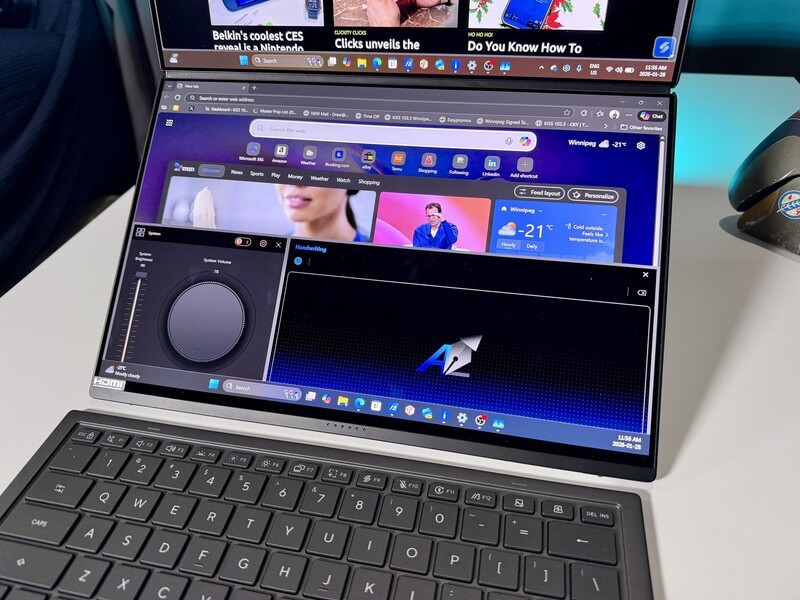
You can even use a stylus on the bottom screen, turning it into a massive drawing tablet while your reference image stays clear on the top display though this is not a feature I tried personally since I don't have the Asus Stylus, which is probably for the best because I've lost two different styluses last year alone (which I think has to do with bad tablet/case design on certain devices, but whatever).
The Power of Intel Core Ultra Series 3
This laptop is a showcase for the Intel Core Ultra 9 388H. I've called these Intel's "Goldilocks" chips because they find that perfect middle ground between high performance and long battery life.
Drew Kozub chats with Dan Rogers from Intel about the Ultra Series 3 processors.
The Series 3 architecture is roughly 50% more efficient than last year's tech. This is vital for the Zenbook Duo. Driving two 3K OLED screens normally drains a battery in a few hours, but this chip manages the power so well that I never had battery anxiety even when I was taking the laptop to my studio to work. Even with both screens running, ASUS manages to squeeze out up to 18 hours of video playback. This is huge because it means you can leave the large charger at home. If you've never had this freedom it is an absolute game-changer!
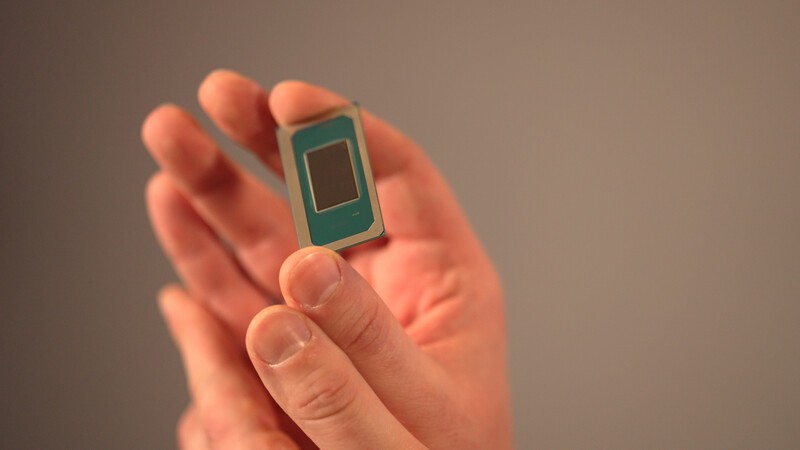
It also includes a dedicated NPU (Neural Processing Unit). Think of this as a specialized brain for AI. When you're on a video call, the NPU handles the background blurring and noise cancellation. Or in certain game it can generate AI frames to improve the fluid look of the action on screen. This frees up the main processor to keep your apps running fast, and it keeps the laptop cool and quiet. You can read more about how this tech is changing things in my look at Intel's latest roadmap.
Thunderbolt: Better Connections To Basically Everything
The Zenbook Duo includes two Thunderbolt 4 ports. While they look like standard USB-C ports, they are much faster. They allow you to plug in high-speed external hard drives, multiple 4K monitors, or high-end docking stations using a single cable.
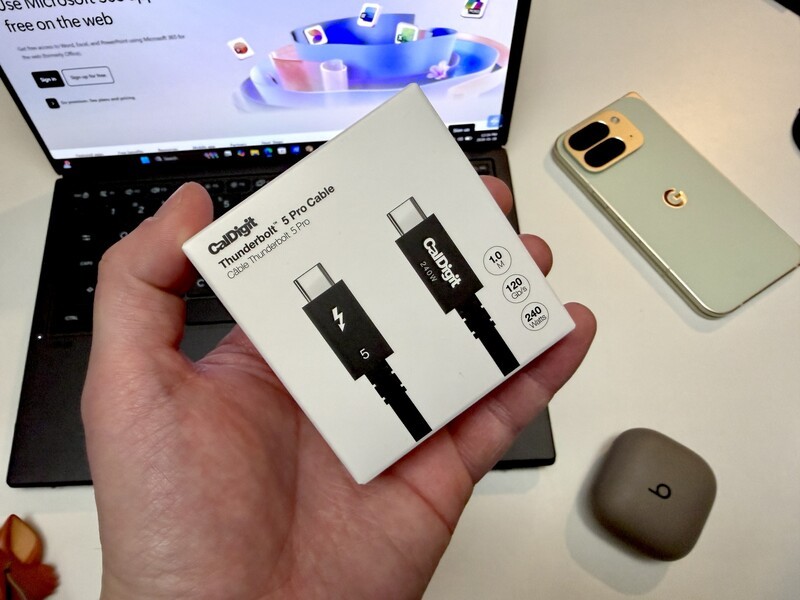
One standout feature (once you know it exists and what it does) is Thunderbolt Share. This is a tool that allows you to connect two Windows PCs together with a single Thunderbolt cable.
- Easy Transfers: You can drag and drop huge files between two different computers as if they were one machine.
- Seamless Control: You can use your Zenbook's keyboard and mouse to control your other PC.
It makes moving your life from an old laptop to this one feel effortless. With a compatible docking station (like the Kensington one we reviewed last year) you can even share a single keyboard and mouse (or other accessories across devices.
The Geeking Out Verdict
The 2026 ASUS Zenbook Duo is a refined, powerful machine that proves dual-screen laptops are here to stay. By shrinking the gap between the screens and utilizing the incredible efficiency of Intel's Series 3 chips, ASUS has created a device that feels practical for almost any type of power user.
Reading through this review, everything sounds super positive. And in this case, I really have minimal justifiable complaints about this laptop. But here's a few criticisms since everything else has been pretty positive.
Dual Screen Laptop
Asus Zenbook Duo (2026)
Geeking Out Shop
This laptop is pricey, but it is worth it if you've got the budget to justify the added cost for the enhanced productivity of dual screens everywhere you go. It is rich in ports and great in battery life. The performance is enhanced even beyond last year's model thanks to the new Intel Core Series Ultra 3 processor and overall this is a great pick for anyone looking for a computer to use for several years.
The Intel Core Series 3 chip supports Thunderbolt 5 connections in general, but with this laptop specifically "only" supports Thunderbolt 4. While TB5 accessories are less common right now, since this is an expensive laptop, I think anyone owning it would be planning on keeping it for years, so the lack of TB5 support makes this a little less future-proof considering how cutting edge everything else about this laptop is.
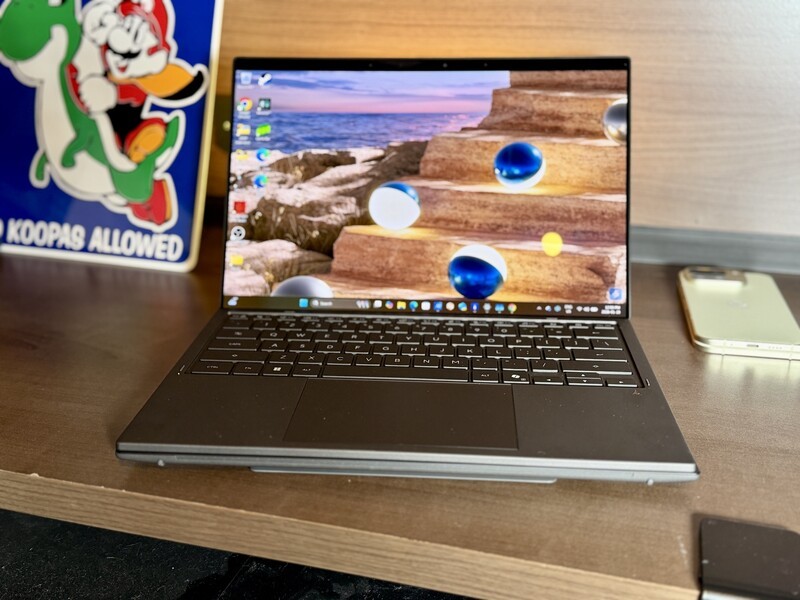
I was all ready to rip into the way the keyboard connects to the new version of the laptop (the old version had tiny feet and grooves to rest in, which were eliminated). I thought this new design would mean the keyboard was easily dislodged, but the magnetic connection is so strong, this isn't an issue.
I suppose if I was nit-picking I could complain that the chin (top bezel) is thicker on the 2026 model than the 2025 model. But arguably this tradeoff is worthwhile to bring the two screens closer together with less space between them.
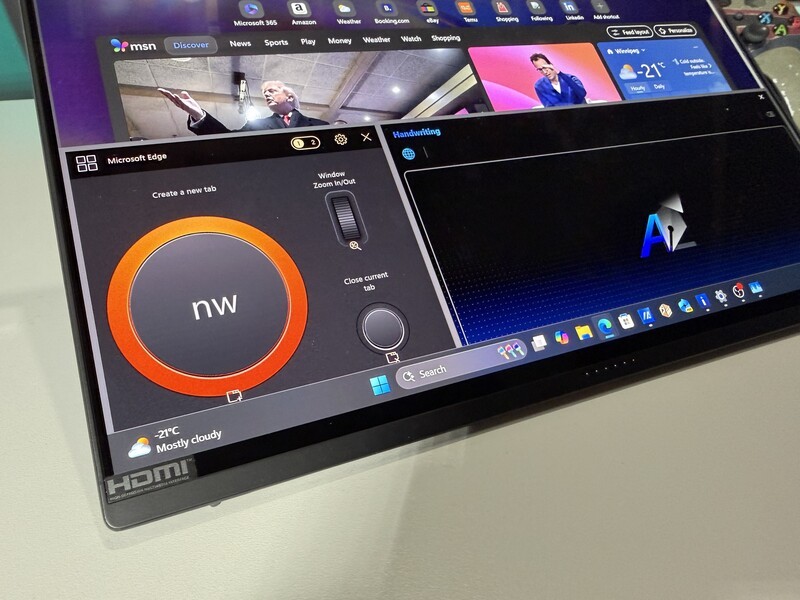
When the Zenbook Duo is closed and sandwiches in the dual displays a keyboard and a little extra girth for the kickstand it's not as sleek as a traditional laptop, so it might feel a bit chunky to some people. But that bulk is a worthwhile trade in my opinion for the versatility of two screens with a removable keyboard.
The Asus Zenbook Duo's 2026 edition powered by Intel's latest processor is an improvement in basically every aspect over the excellent 2025 version.
Whether you're a coder needing vertical space or a streamer needing to keep an eye on chat, the Duo offers a level of flexibility you just won't find anywhere else. For more on the manufacturing behind these chips that power this awesome laptop, check out my visit inside Intel's mega-factory.
Read more

Intel Gamer Days Returns: So I’m Giving Away a Dual-Screen Laptop!
The Asus Zenbook Duo was just refreshed for 2026 and you could win one for free!

Intel Execs Discuss Gaming Culture and Tech at IEM 2026
While at Intel Extreme Masters Rio, I had the chance to pull aside Corey Pforzheimer (VP of Global Communications) and Brett Hannath (Intel’s CMO) to talk about why 2026 is the year the "AI PC" actually starts making sense for regular Canadians.
New Intel Core 3 Opens Doors For Lower-Cost Laptops In Canada
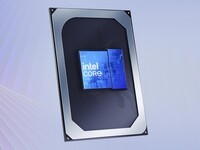
When you finally upgrade to a new laptop, you definitely don't want it to feel out of date, but you also don't want to overpay. Intel is using their most modern tech (reserved for their high end processors) but using it to create a more budget friendly line of chips that will power lower cost laptops in 2026.

Dual Screens Everywhere: The ASUS Zenbook Duo Ships To Canada April 8
The 2026 Asus Zenbook Duo refines earlier versions with better performance, usability, and better design, making it a great choice for a portable dual-screen productivity set up.