

We may earn a commission for purchases using our links. Learn more.
Previously only available for iPhone and Razr users, the Clicks Keyboard case, which brings a Blackberry-eque physical keyboard to the mobile experience, is also available to Pixel 9 and 9 Pro users!
These buttons were made for pushing, and that's just what you'll do
The Clicks Keyboard case may add a little length to your phone, but with a well-thought out design and an eye to ensuring a strong balance between functionality and form, none of that extra real estate is wasted.
Pros:
- Backlit physical keyboard
- Intuitive UI
- More screen real estate
Cons:
- Takes some practice
- Keys may be a bit small for larger hands
- More pocket real estate
So what is a Clicks Keyboard anyway?
The Clicks Keyboard is a mobile phone case that includes a 37 key physical keyboard, transforming your smartphone from a purely touchscreen experience to a more tactile one. After launching in February of last year, this case marks the first foray by Clicks into the Pixel ecosystem.
I'm a longtime Pixel user dating back to the original (with the Pixel 9 Pro XL my regular daily driver). I have an iPhone for Work, but Pixel is my personal device (and something I've used a lot for my action figure photography), so I was excited to take the Clicks Keyboard for a spin on a Pixel 9.
First impressions

Upon opening the box, you will find a quick start guide as well as an insert guiding you on how to safely install your phone inside the case without causing damage to the USB-C connector or your phone.
Installtion was a breeze and I was able to start using the keyboard in seconds! Right away I noticed that the case has cut-outs to ensure your phone speakers are not blocked.
Pass-through charging and wireless charging are both supported, so no need to remove your phone from the case to charge!
I made a point of not looking at the quick start guide to see how intuitive the keyboard would be, and honestly, other than some keyboard shortcuts I didn't know about, I didn't need the guide, I found everything very self-explanatory.
Much like an on-screen keyboard, there are buttons to toggle secondary functions on the other keys, greatly increasing the number of inputs possible. There is also a shortcut button to open your app drawer and an AI button to trigger your Gemini assistant.
The keys are backlit, which is great for using your phone in bed or other low-light situations.

What is the typing experience like?
Full disclosure, I normally use a swipe keyboard on my phone, so I'm not used to tapping individual buttons on the onscreen keyboard.
On my first day using the Clicks Keyboard case I clocked in a less-than-respectable 18 words per minute, while tapping the onscreen keyboard I scored 29 wpm; I was not able to do a speed test with the onscreen swipe keyboard as the test needs to register individual keystrokes. Two weeks later I did the test again and my Clicks speed matched my on-screen speed.
With more practice and intentionally training myself not to look at the keys, I have no doubt I could increase my speed significantly.
By using the physical keyboard instead of an onscreen one (though you can use a keyboard shortcut to summon the onscreen version at any time), you free up a lot of screen real estate. I have been frustrated in the past trying to type on some social media apps and not being able to see everything I'm typing; this was not a problem when I had the extra screen space provided by the absence of the onscreen keyboard.
Can you customize the keyboard?
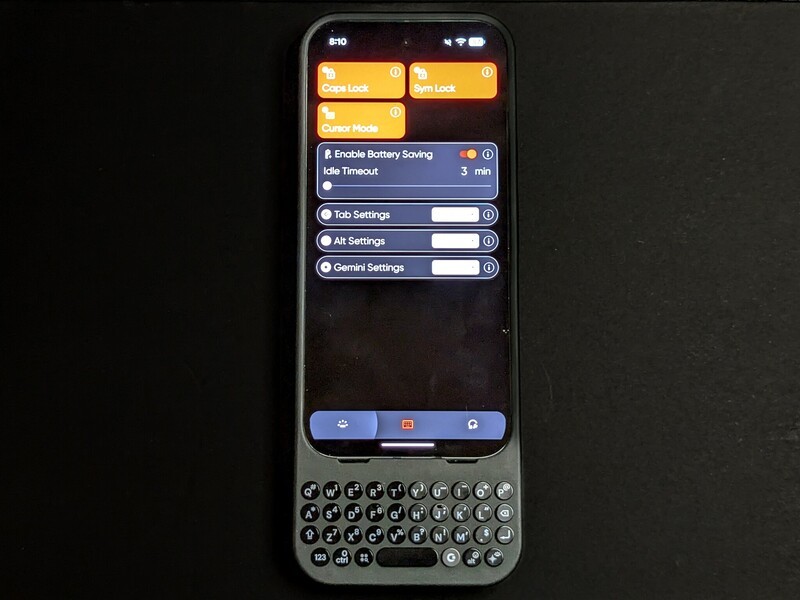
Clicks has a dedicated app that lets you take full control of your experience.
The first tab allows you to enable or disable the previously mentioned keyboard backlight. From there, you can set the brightness level and set the time limit for when the backlight times out. As someone who likes to tinker to maximize my battery life, this is a very appreciated feature.
The second tab is where you can customize your typing experience. From this screen you can enable or disable functions like the Caps Lock and Symbol Lock keys, as well as customize some of the shortcuts associated with the Tab, Alt, and Gemini keys. You can also enable battery saving mode where the keyboard will time out after a set duration of time; to awaken the keyboard you just press any button on the keyboard to wake it back up.
The third tab includes a tutorial to get started with your Clicks Keyboard case, directly reach out for support, and ensure your firmware is up to date.
How big is the case?
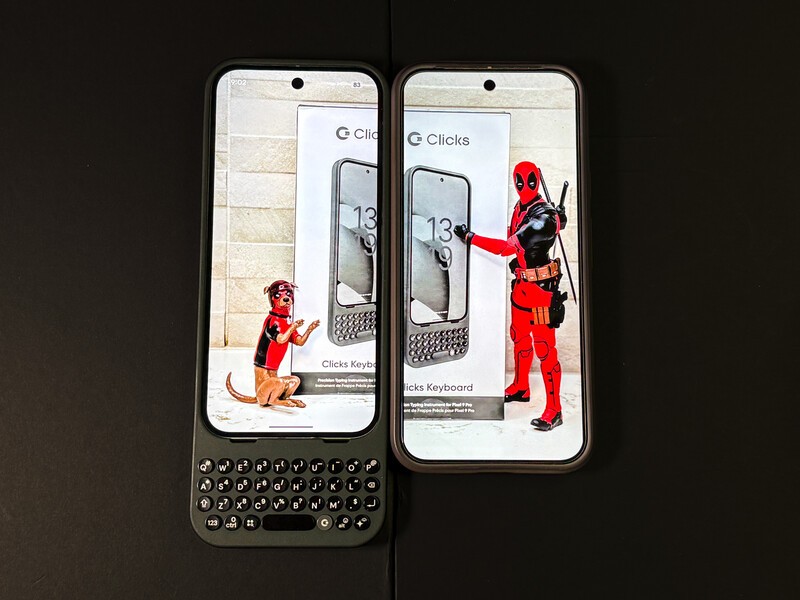
Compared to other case peripherals I've used, the Clicks Keyboard case does not add bulk or significant weight, just length
As the additional functionality provided by the case is primarily housed in the keyboard extension, the case is still snug and compact where it protects your phone. It felt very similar in that regard to my Pixel 9 Pro XL case (see above and below) and did not feel bulky at all.

There is no denying that the case adds some length to your phone, approximately 4.5 centimeters. The phone still fit in my pocket, but not by much; I imagine it would not fit easily into every pocket though.
The added length does make it tricky to try and type with one hand and then reach up to the screen, and if I tried the phone sometimes tipped forward and almost slipped out of my hand. However, I found typing with two hands the most comfortable anyway so this wasn't a big issue, I just held the phone in a centered position while using the screen, and then would shift when I used both hands to type.
Final conclusions
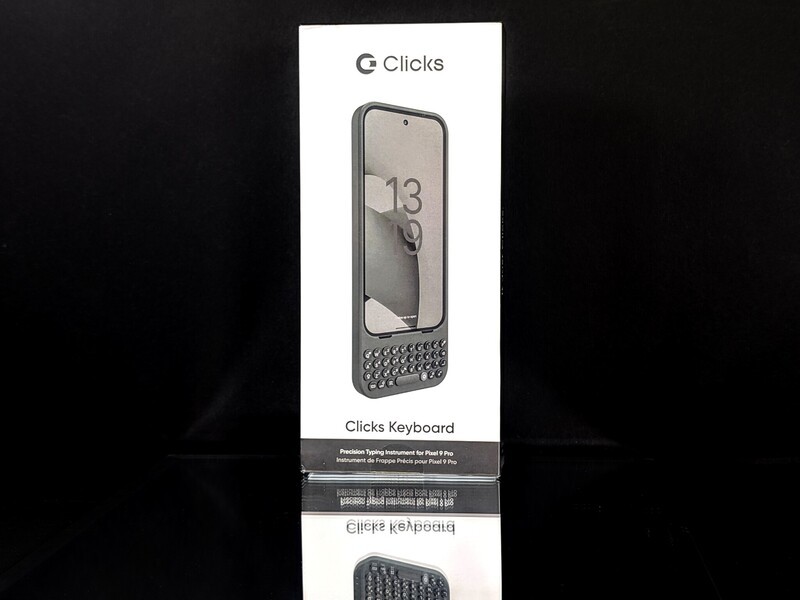
The Clicks Keyboard is a well-designed peripheral that is very easy to use and creates a tacticle experience for anyone who wants the feel and potential advantages of a physical keyboard. While I will be going back to my swipe keyboard as the Pixel 9 Pro XL is not supported (and I can appreciate that it isn't, the already large phone would be absolutely huge with an added physical keyboard), I am thinking I may need to look into the iPhone 16 model for my iPhone!
Geeking Out Shop

Clicks Keyboard for Pixel 9/9 Pro
Past meets present with the Clicks Keyboard case for Pixel 9/9 Pro, adding a Blackberry style physical keyboard to your moden Pixel experience. With backlit keys and customizable shortcuts, the Clicks Keyboard case adds a tacticle component to your mobile experience!
Read more

Clicks keyboard launches for Android & the Razr just became relevant again
Clicks keyboard with Motorola Razr. It's 2025, and somehow the Motorola Razr from 2024 just became the most interesting phone of the year! It's one of three Android phones that now works with Clicks! For a quick refresher, Clicks for iPhone is a physical keyboard for your iPhone (which we are quite fond of). Today, the company just announced support for its first Android devices:...
Clicks Communicator Goes Global with New Language Layouts
If you've been following the journey of the Clicks Communicator, you know it's one of the most talked-about smartphones of 2026. It's a device built specifically for people who actually want to talk and do rather than just scroll through social feeds all day. Today, the team at Clicks announced that this communication powerhouse is getting a lot more accessible for users around the...
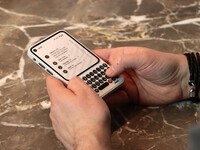
Clicks unveils the Communicator - Will this be in your pocket in 2026?
Clicks has evolved from making keyboard attachments for phones to making entire phones! The Clicks Communicator was just revealed and could change the way you work on your phone.
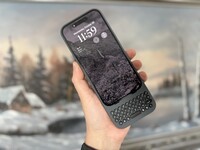
Clicks Keyboard review: World's most productive iPhone 15 accessory
I switched from the iPhone's digital keyboard to try a physical one. Typing with real buttons brings back BlackBerry nostalgia, but doing it on an iPhone is surreal and changes how you want to use your device.