
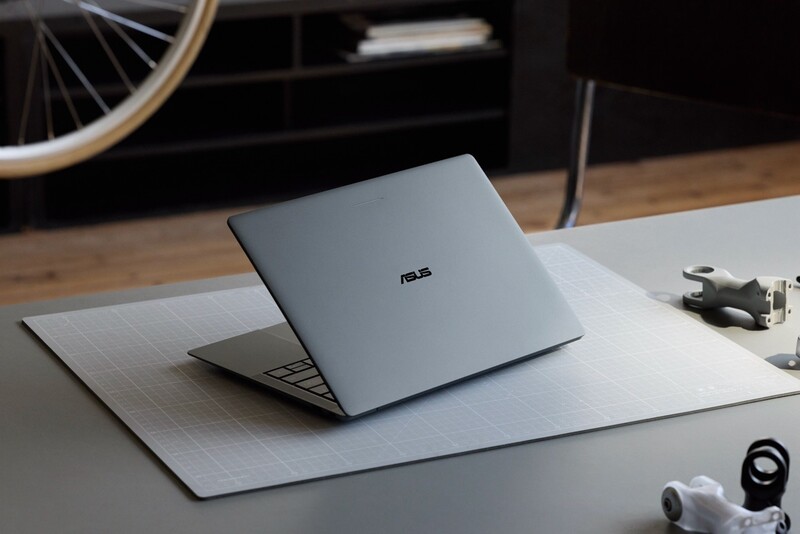
For over a decade, the pitch for Google-powered laptops has remained niche. While ChromeOS mastered lightweight, low-maintenance computing for education and enterprise, everyday users with an Android phone in their pocket still looked to MacBooks or Windows laptops for their primary computer.
That seems set to change with Googlebook. Rather than just rebranding a Chromebook with a hardware of AI refresh, Googlebook represents a distinct hardware and software platform engineered from the ground up to pair directly with modern smartphones.
By combining the compatibility of familiar Android mobile apps and leveraging the best learnings of ChomeOS for laptop uses, Google seems tohave built an ecosystem that mirrors the smooth handoff Apple users have taken for granted for years.
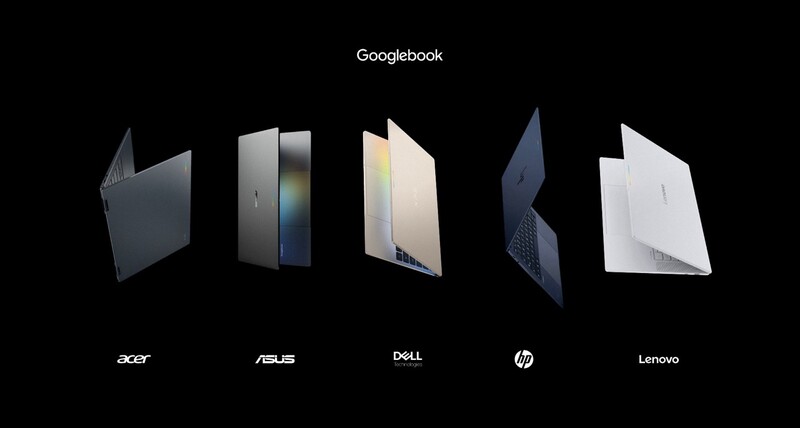
With five flagship laptops from Acer, ASUS, Dell, HP, and Lenovo launching across Canadian retailers this October, here is what Googlebook actually brings to the table, which hardware models stand out, and whether the operating system delivers real-world substance beneath the marketing buzz.
What is a Googlebook? (And Why Does It Exist?)
At its core, a Googlebook is a premium, flagship-tier laptop running a hybrid operating system that combines native Android plumbing with ChromeOS desktop foundations. Price and featurewise this isn't a MacBook neo equivalent. It's closer to a Macbook Air competitor.
To understand why the Googlebook is a big deal, we have to do a quick refresh on how Chromebooks work.
On older Chromebooks, the laptop wasn't actually built around Android, even though they ran Android apps. To pull this off an Android app, the system had to spin up a separate, walled-off mini-computer inside itself (a "sandboxed, virtualised layer").

It was essentially an emulator. Every tap, swipe, file transfer, or battery request had to pass through that translation barrier, which often caused lag, stuttery animations, weird window scaling, and higher battery drain.
On a Googlebook, the core foundation of the entire laptop is Android, running directly on the system's foundational engine (the "custom Linux kernel").
Overlaid on that mobile core is the multi-window management, full-featured desktop Chrome browser, and peripheral support originally developed for ChromeOS.

The overall experience should be a laptop that has better battery, snappier performance, and a magical/seamless fluidity with your Android smartphone.
How It Stacks Up Against Chromebooks and MacBooks
The laptop market is already pretty full. So understanding wehre the new Googlebook fits alongside Chromebooks and competitors is helpful.
- Compared to Chromebooks: Standard Chromebooks and Chromebook Plus models are not disappearing; Google confirmed that more than 35 new models are slated over the next 12 to 18 months, maintaining an entry-level and classroom focus. Googlebook, however, sits at the top of the stack with higher-grade chassis materials, 16GB baseline memory, and deep phone integration.
- Compared to MacBooks: Apple's continuity features—AirDrop, Universal Clipboard, and iPhone Mirroring—have kept iPhone owners locked into macOS. Googlebook delivers that exact cross-device symmetry for the Android ecosystem.

Best Real-World Use Cases
With the seamless-sounding experience between Android phones and these new Googlebooks and the familiar app library from your Android ecosystem there's a few standout use cases where the new Google laptop's could potentially shine:
- Mobile-First Creators: If you capture 4K video or photos on your Android phone, Googlebook eliminates delays caused by cloud uploads or the need for a nest of USB cables.
- Streamlined Productivity: Users who bounce between collaborative web apps (Figma, Google Workspace, Notion) and native mobile apps (WhatsApp, CapCut, Adobe Lightroom) can run both without friction.
- Developers & AI Tinkers: A secure, isolated Linux environment powered by a Level 5 certified pKVM hypervisor allows developers to run autonomous agents, command-line interfaces (CLIs), and code repositories safely without exposing the host operating system.

Real-World Features: Cutting Through the Software Hype
Operating system announcements are routinely filled with buzzwords. Stripping away the PR framing can tell us several features that seemingly will have a genuin impact day-to-day computing:
1. Seamless Android Continuity
Because Googlebook shares a technical foundation with your phone, device setup handles your Wi-Fi credentials, saved logins, and messaging preferences automatically via end-to-end encryption.
- Continue On: If you are working in an app like BandLab on your commute, opening your Googlebook reveals a taskbar icon that lets you resume immediately on the larger display. Because developers only need to drop a few lines of code to enable handoff over local Bluetooth or shared Wi-Fi, adoption across common applications is fast.
- Cast My Apps: Instead of picking up your handset to order lunch or grab an SMS two-factor code, you can open and stream your phone's apps in a floating desktop window without logging in again.
- Unified Files: The Files app pulls locally stored mobile documents, photos, and downloads directly into your laptop view without needing to sync through Google Drive first.
2. Built-in Gemini Intelligence
Rather than locking AI behind browser tabs or sidebars, Googlebook embeds Gemini into desktop navigation:
- Magic Pointer: A quick wiggle of your trackpad cursor or a keyboard shortcut summons Gemini to interact with on-screen content. You can circle an unformatted marathon training schedule on a webpage and have it populate your Google Calendar automatically, or hover over suspicious email threads to assess phishing markers.
- Rambler: Maybe you heard about this feature as it launched alongside the Pixel 11 series. On the Googlebook, it is socated beside the dedicated Quick Insert key. Rambler replaces rigid voice dictation. You can speak freely, and Rambler works through your alphabet soup, turning disorganized braindumps into cleaned up, well-structured text ready for emails or messages to friends.
- Create My Widget: Users can prompt the desktop to generate bespoke widgets (such as flight countdowns or project milestones) without writing code.
3. Transparent App Wayfinding
When hoping between apps that are "the same" for smarthones and laptops, it can be helpful to know which ones were actually developed for each (as you genereally get the most feature-rich experience on the platform an app was built for. To avoid confusion, Google has re-architected the Play Store on Googlebook into three clear categories:
- Designed for Googlebook: Tailored for mouse, keyboard, and dynamic multi-window sizing (e.g., CapCut, Fantastical, Adobe Photoshop).
- Standard Mobile Apps: Phone-first apps that run in clean windowed containers for convenience.
- Better on Web: Clear labels guiding users to browser-first experiences (such as Figma) when a native Android container offers reduced functionality.
For anyone who is familiar with the Xbox gaming experience on devices like the Ally, this is similar to how games are identifed clearly with the degree to which their compatible with handhelds.
The Launch Hardware: Five Distinct Flagships
Google worked directly with top PC manufacturers to produce five distinct flagship options. Every Googlebook includes at least 16GB of high-speed RAM, up to 14 hours of battery life, dedicated NPUs running over 45 TOPS for silent on-device processing, and the retro-inspired exterior Glowbar.
There's also an illuminated feature called the Glowbar. This sweeps across the chassis lid to display battery percentages, animates upon boot, and provides visual feedback during voice prompts, with Google opening API access to third-party developers down the road.
| MODEL | PROCESSOR | DISPLAY | STORAGE / RAM | WEIGHT / CHASSIS | CANADIAN PRICING |
|---|---|---|---|---|---|
| Acer Googlebook 14 | Intel Core Ultra 5/7 (Series 3 Panther Lake) | 14" 2.8K OLED Touch 500 nits |
256GB+ SSD 16GB RAM |
1.13 kg (2.5 lbs) Alum / Mag |
Starting at $1,299 CAD |
| ASUS Googlebook 14 | Intel Core Ultra 5/7 (Panther Lake) | 14" 2.8K OLED Touch 500 nits |
256GB+ SSD 16–32GB RAM |
1.00 kg (2.2 lbs) Alum / Mag |
Starting at $1,799 CAD |
| Dell XPS Googlebook | Qualcomm Snapdragon X Elite | 13.4" 2.5K Touch 500 nits |
512GB+ SSD 16–32GB RAM |
1.00 kg (2.2 lbs) Machined Alum |
Starting at $1,699 CAD |
| HP Googlebook 14 | Qualcomm Snapdragon X Elite | 14" 2.8K OLED Touch 500 nits |
256GB+ SSD 16–32GB RAM |
1.24 kg (2.74 lbs) All-Aluminum |
Starting at $1,799 CAD |
| Lenovo Googlebook 15 | Intel Core Ultra 5 (Series 3 Panther Lake) | 15.3" 2.8K OLED Touch | 256GB+ SSD 16GB RAM |
1.28 kg (2.84 lbs) Mag / Carbon Fiber |
Starting at $1,799 CAD |

Goldilocks of Googlebooks
With a large variety of launch options, there's likely a hardware configuration that's going t be just right for each individual users' needs.
All configurations include backlit keyboards, multi-touch panels, exterior Glowbar, and dedicated 40+ TOPS NPUs. But how much do the specs vary model to model? Let's dig in:
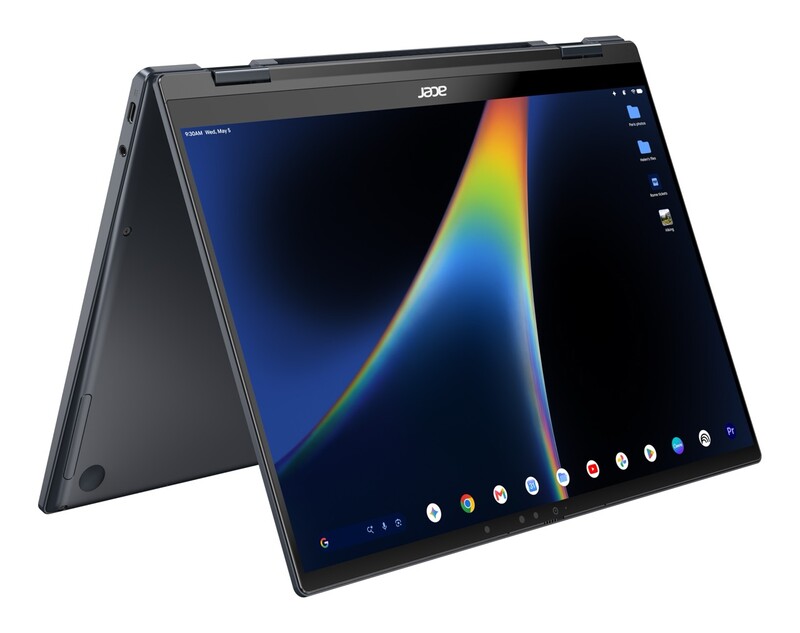
Acer Googlebook 14: The Versatile Convertible
- Price: Starting at $1,299 CAD
- Best For: Note-takers, students, and casual creators wanting 2-in-1 flexibility.
- The Lowdown: Serving as the sole 2-in-1 convertible in the launch fleet, the Acer Googlebook 14 switches from standard laptop to tablet mode without missing a beat. Packing an Intel Core Ultra Series 3 processor, 16GB of RAM, and a bright 14-inch 2.8K OLED touchscreen (500 nits), it serves as the most versatile entry point to the platform without skimping on display quality.
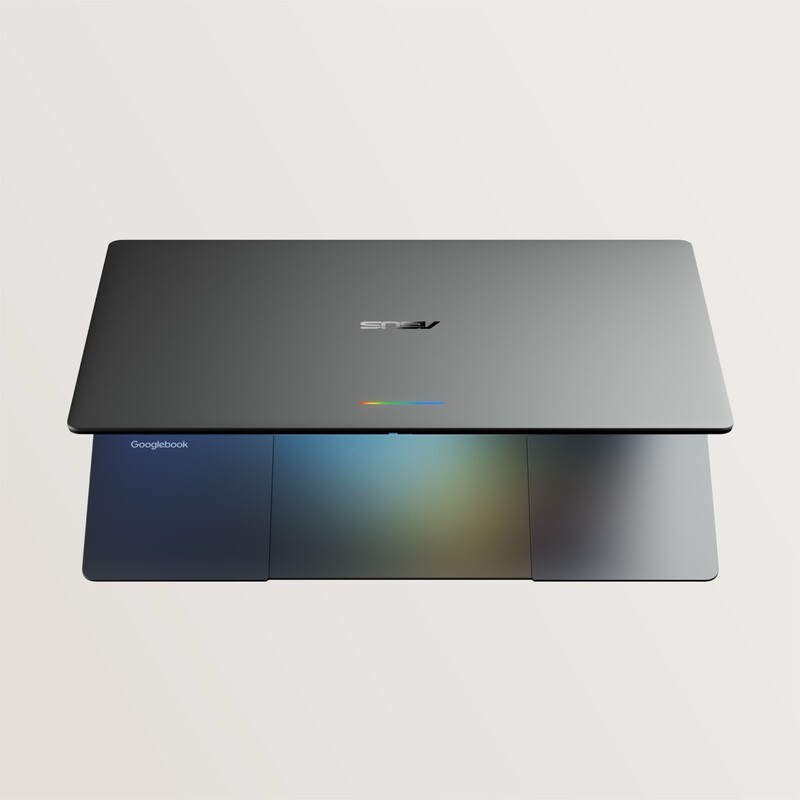
ASUS Googlebook 14: The Feather-Light Commuter
- Price: Starting at $1,799 CAD
- Best For: Frequent flyers, mobile workers, and coffee shop nomads.
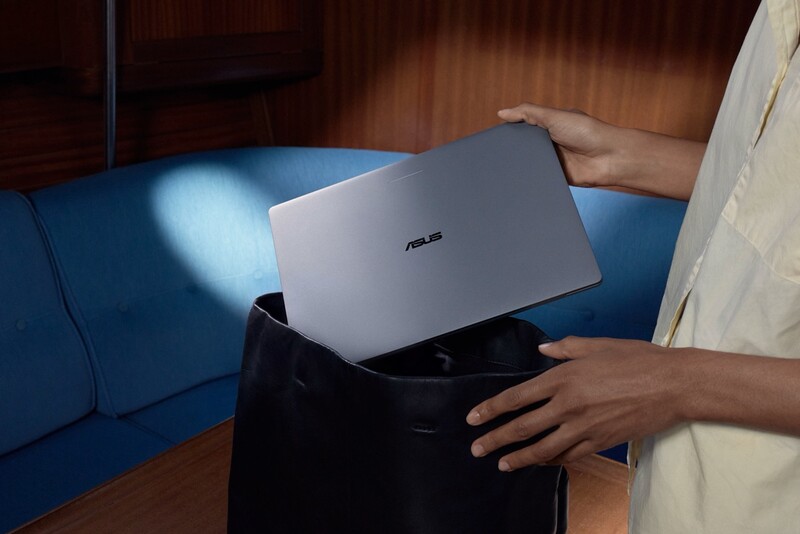
- The Lowdown: Weighing in at exactly 1.0 kg (2.2 lbs), the ASUS Googlebook 14 is astonishingly light. Constructed from an aluminum-magnesium alloy, it packs a 14-inch 2.8K OLED touchscreen, Intel Core Ultra silicon, a haptic glass touchpad, and options for up to 32GB of RAM. If portability is your primary metric, this is the machine you slip into a bag and forget you are carrying.
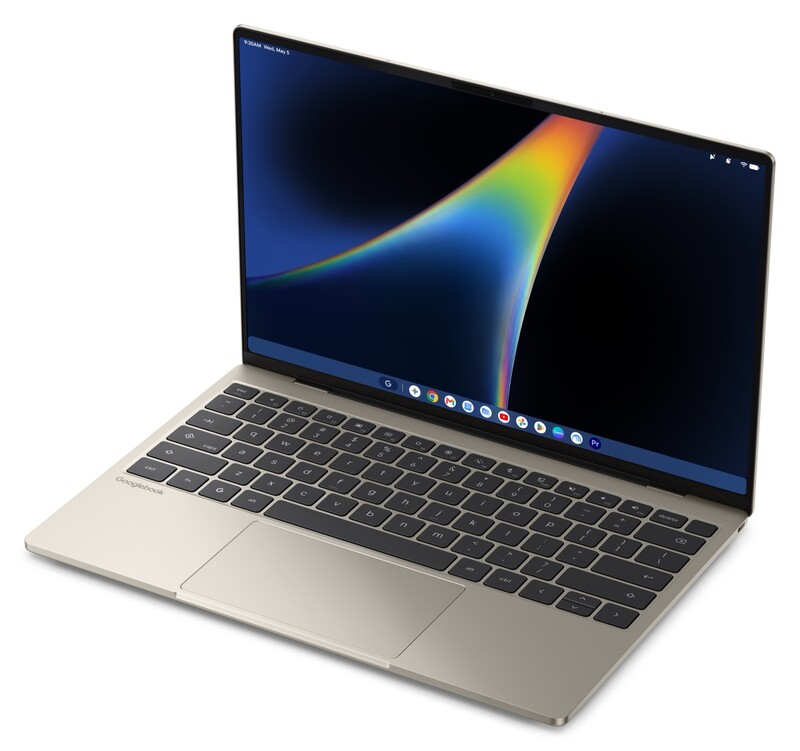
Dell XPS Googlebook: The Compact Executive
- Price: Starting at $1,699 CAD
- Best For: Minimalists who value refined industrial design and compact desk footprints.
- The Lowdown: Borrowing the acclaimed design language of Dell's premium XPS tier, this 13.4-inch clamshell sports a machined aluminum chassis that measures just 12.7mm thin. Powered by Qualcomm's Snapdragon X Elite, it features a crisp 2.5K touch display and whisper-quiet thermal efficiency, balancing high performance with exceptional battery preservation.
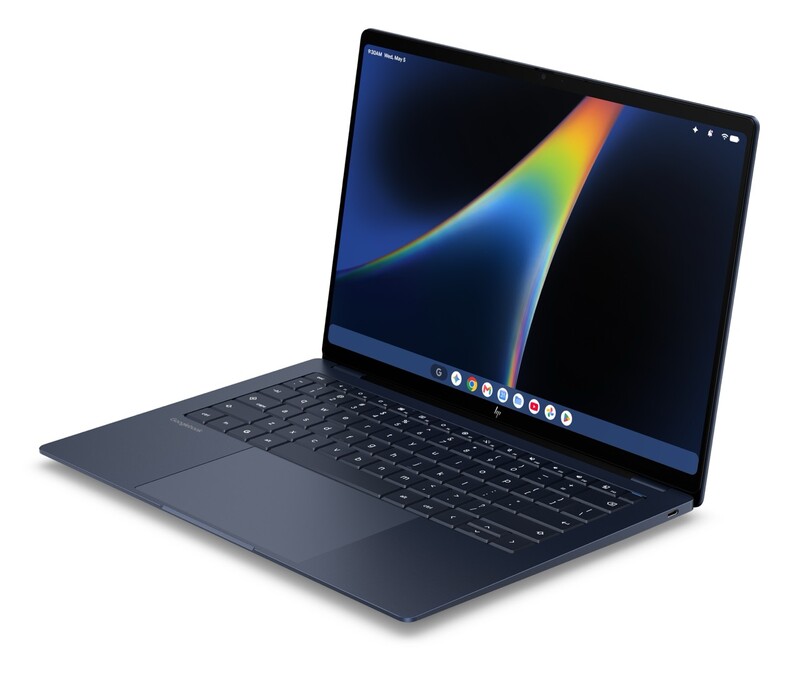
HP Googlebook 14: The Polished Design Statement
- Price: Starting at $1,799 CAD
- Best For: Media professionals wanting top-tier video call audio and clean aesthetics.
- The Lowdown: HP concentrated on tactile craftsmanship, building an all-aluminum chassis that feels as refined closed as it does open. Driven by the Snapdragon X Elite chip, the HP Googlebook 14 boasts a vivid 14-inch 2.8K OLED screen, haptic touchpad, facial recognition login, and studio-grade noise-cancelling microphones paired with multi-speaker Dolby Atmos audio.
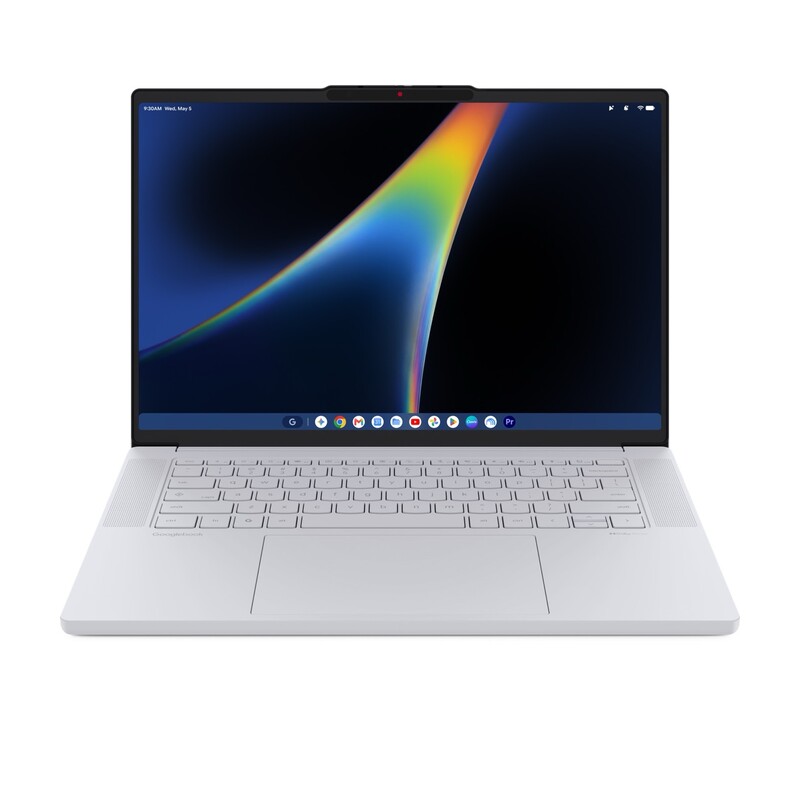
Lenovo Googlebook 15: The Desktop Replacement Workhorse
- Price: Starting at $1,799 CAD
- Best For: Heavy multitaskers, spreadsheet masters, and split-screen power users.
- The Lowdown: Boasting the largest panel in the portfolio, the Lenovo Googlebook 15 pairs a generous 15.3-inch 2.8K OLED display with a lightweight carbon-fibre and magnesium-alloy chassis. Powered by Intel's Core Ultra 5 Series 3, it offers the visual real estate necessary for complex side-by-side workflows while keeping weight down to a manageable 1.28 kg.
The Geeking Out Buyer's Guide: Which Googlebook Fits You?
- The Value & Flexibility Pick: Acer Googlebook 14 ($1,299 CAD). It offers the lowest barrier to entry while delivering an OLED touchscreen and the only 2-in-1 convertible hinge in the lineup.
- The Road Warrior Pick: ASUS Googlebook 14 ($1,799 CAD). At 1.0 kg flat with Intel Core Ultra processing and a 2.8K OLED panel, it leads the pack for pure travel convenience.
- The Battery & Style Pick: Dell XPS Googlebook ($1,699 CAD). Snapdragon X Elite efficiency in Dell's iconic, razor-thin machined aluminum chassis.
- The Productivity Pick: Lenovo Googlebook 15 ($1,799 CAD). The 15.3-inch canvas gives you true desktop-class multitasking without requiring a separate monitor.

Canadian Pricing, Perks, and Availability
Googlebook officially opens for pre-orders starting September 21. Devices will begin shipping and hitting Canadian retail shelves on Monday, October 5.
Canadian retail availability will span:
- Best Buy Canada
- Amazon Canada
- Staples Canada
- Costco Canada
- The Google Store online and direct OEM webstores
Launch Incentives & Software Support
To jump-start adoption, Google is bundling notable software perks with every new device:
- 12 Months of Google AI Pro: Includes Gemini Advanced access and 5TB of cloud storage.
- Entertainment & Creative Bundles: 3 months of YouTube Premium, alongside access to creative software including Adobe Photoshop and CapCut.
- 1 Year of NVIDIA GeForce NOW: Complimentary game streaming to enjoy PC titles on high-resolution displays without local GPU thermal throttling.
- 10 Years of OS Updates: Google is committing to a full decade of quarterly software updates and security patches, extending hardware longevity.
With premium hardware execution and a unified mobile-to-desktop operating system, the Googlebook presents the most credible alternative to Apple's ecosystem that Android power users have ever had.
Read more

Apple’s First Touch Screen MacBook Pro Arrives Nov 6
In a busy week of product launches Apple has introduced their first MacBook Pro with a touchscreen.
New iMacs With M6 Have Arrived
Apple has officially pulled the curtain back on the refreshed 24-inch iMac, dropping in its next-generation M6 silicon alongside updated connectivity and on-device AI muscle. Having covered every iteration of the iMac since Apple gave the lineup its bold, ultra-thin M-series redesign, it's always interesting to see where this hardware heads next. Unboxing the M1 iMac (also my first...

Apple’s M6 MacBook Pro Comes To Canada Nov 6
Apple’s new MacBook Pro has been revealed. It exclusively has the M6 chip and a 14 inch display. It comes to Canada Nov 6th.
Microsoft Unveils Surface Laptop Ultra (And they'll buy your MacBook Pro)
The Microsoft Surface Lineup welcomes a new Ultra Model (and a new type of USB C port) launching later this month.