
We may earn a commission for purchases using our links. Learn more.
Smart glasses have been hovering on the edge of "cool gadget" and "must-have tech" for a while now. If you've been waiting for the moment when the technology finally catches up to the sci-fi dream, this might be it.
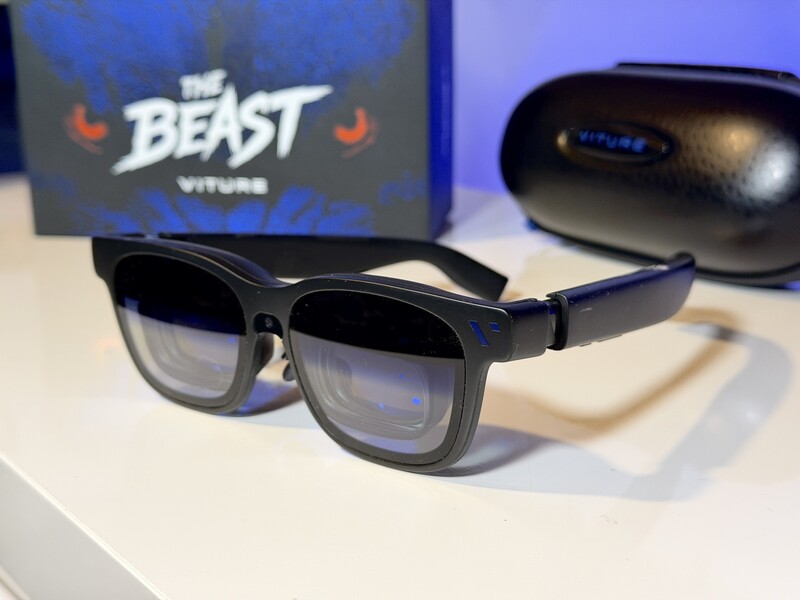
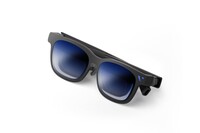
I've been testing the new flagship XR glasses from VITURE, called The Beast.

VITURE has been crushing it lately—they are actually the number one brand in the US for XR glasses shipments. And this Canadian has been testing out the various generations of glasses for two years now, most recently the VITURE Luma Ultra and the VITURE Luma Pro.
That's not a flex. That's just to establish I've seen the brand evolve, tried a variety of their products, so I actually know what I'm talking about when I tell you about the latest model.
With The Beast, they are aiming for "power users" who want the biggest and sharpest screen possible.
After spending some time with these frames (including a few long-haul flights), here is my Geeking Out review of the VITURE Beast.
VITURE Beast One Paragraph Review
These smart glasses are designed for gamers who want the absolute largest and brightest virtual display while gaming on the go. The built-in tech allows you to control more features right from the glasses than previous models. With the latest Sony micro-OLED panels, excellent 3 degrees of freedom features, and a classy look, these are an essential everyday carry item for gaming and productivity.
Pros
- Massive Screen (174 inches!)
- Incredible Brightness (1250 nits)
- On-board Controls (this is huge)
Cons
- One of VITURE's pricier models (MSRP is $549 USD)
- No myopia dials
- USB-C port is fixed to one side
VITURE Beast
Note - Thanks to a previous collaboration with VITURE, my 10 per cent discount for Geeking Out readers is still active. Use the link below and promo code DrewKozub for a discount on your entire order.
What are the VITURE Beast Glasses?
The Beast is a pair of XR (Extended Reality) glasses that look like a set of premium sunglasses (with a bit more bulk on the top). You can use these glasses for:
Gaming: They support a variety of handheld and even home consoles as well as phones and laptops.
Entertainment: Movies and TV shows look incredible whether you're at home or on the go, and they're available in "Immersive 3D" (more on that later).
Productivity: This is absolutely the unsung hero across the VITURE lineup, but thanks to the built-in controls, these are the best VITURE glasses for those who want to use them to get stuff done.
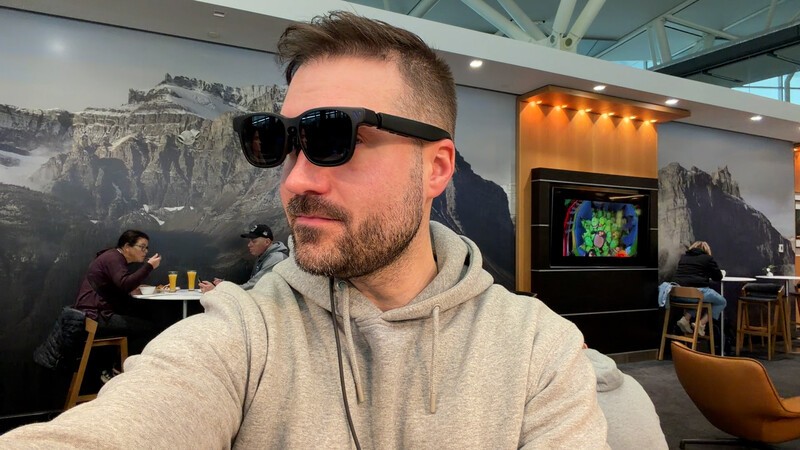
The biggest selling point with the Beast is the field of view (FOV). Most smart glasses give you a screen that feels like watching a TV across the room. The Beast bumps that Field of View up to 58°, which feels like looking at a massive 174-inch cinematic display from 4 meters away.
They feature Sony's latest micro-OLED panels which deliver a stunningly clear picture, which is most noticeable when you're reading small text on screen. Because they use micro-OLED technology, the blacks are perfect and the colours pop. Plus, they hit a peak brightness of 1250 nits, which is plenty bright enough to use even in well-lit rooms.
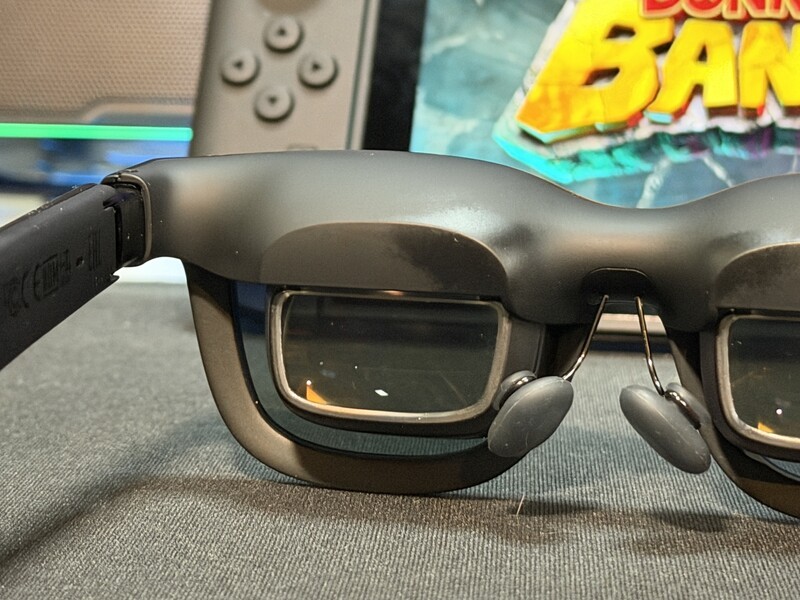
What is 3DoF and why is it a big deal?
If you look at the specs for these glasses, you'll see the term 3DoF thrown around a lot. In the world of VR and XR, this stands for 3 Degrees of Freedom.
In previous generations of smart glasses, the screen was often "stuck" to your face. If you moved your head left, the screen moved left. It can be a bit disorienting if you're trying to work or focus on a movie.
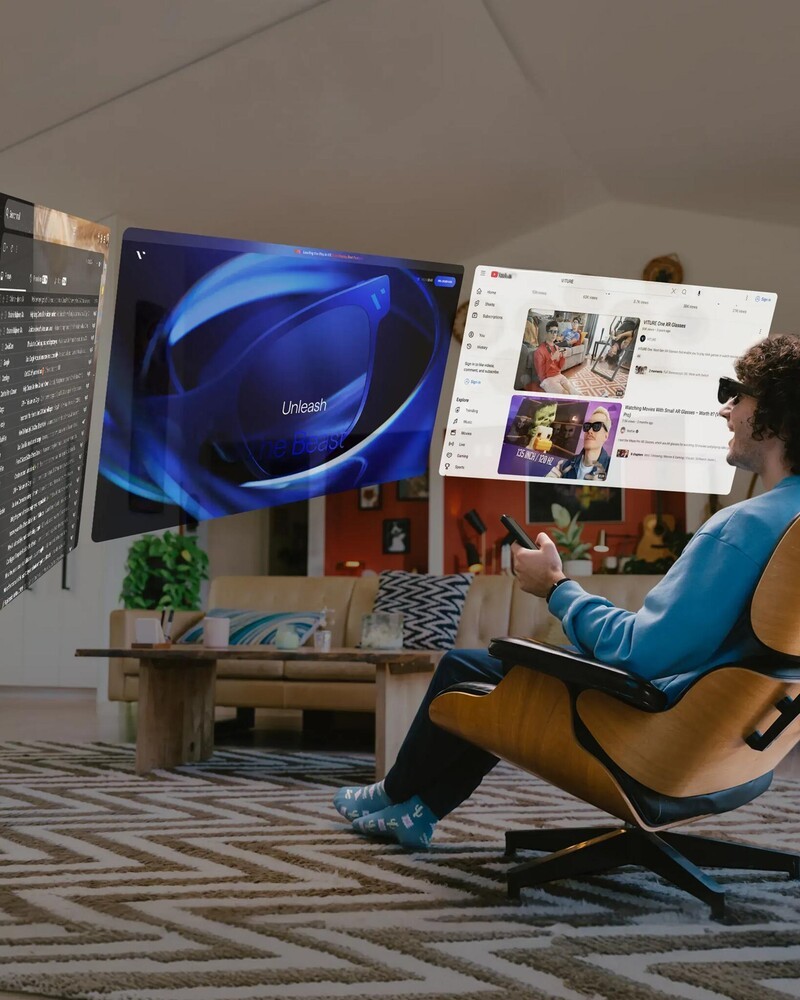
3DoF with the Beast allows for Anchor Mode. This means you can "pin" the virtual screen in the air in front of you. You can turn your head to look out the window or check your phone, and the virtual screen stays exactly where you left it.
What makes The Beast special is that this tracking is built-in directly at the hardware level. You don't need to buy a separate neckband or puck to get this feature anymore. It just works. It uses something VITURE calls "VisionPair," which keeps the screen rock-stable and fluid without lag.
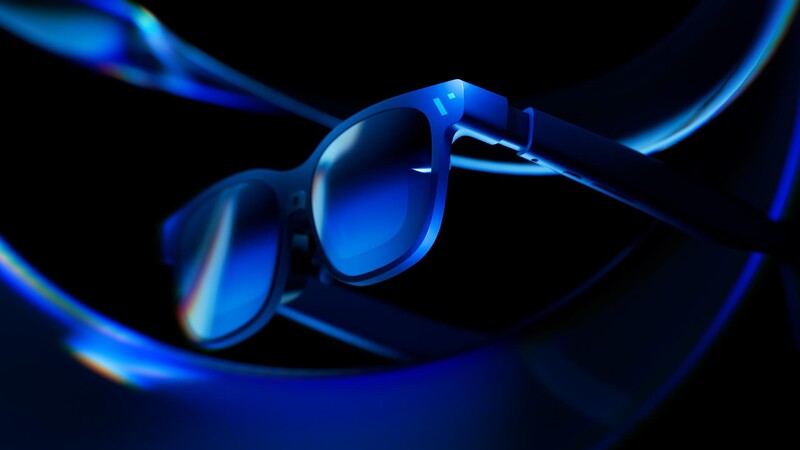
As someone who has tested out many pairs of smart glasses (VITURE and otherwise) this is HUGE. I was very sceptical that this feature could be achieved as well as what VITURE described, but it's legit.
There's also something called 6DoF which gives you an additional axis of movement (forward and back) to track your head in space or walk around virtual objects. This isn't possible with the Beast model, but unless you have a very specific reason (like 3D modelling), 3DoF is what most people would use and it is achieved so smoothly with the Beast.
Gaming on VITURE Beast 174-Inch Screen
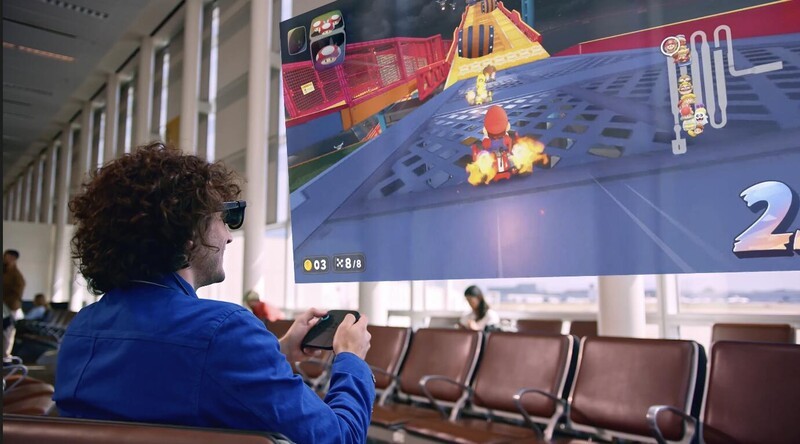
For gamers, smart glasses are arguably the coolest accessory you can buy right now.
- Massive Screen Anywhere: If you're playing on your ROG Xbox Ally X, Steam Deck, laptop, or virtually any on-the-go gaming device (including smartphones) you can enjoy a mobile gaming experience on a 174-inch screen!
- Switch 2 Ready: When paired with the VITURE Pro Dock, you can achieve an XR experience for the Nintendo Switch 2. Nintendo makes it tricky for accessories to work flawlessly because of their USB C output specs, but with the Pro Dock, there's no issues
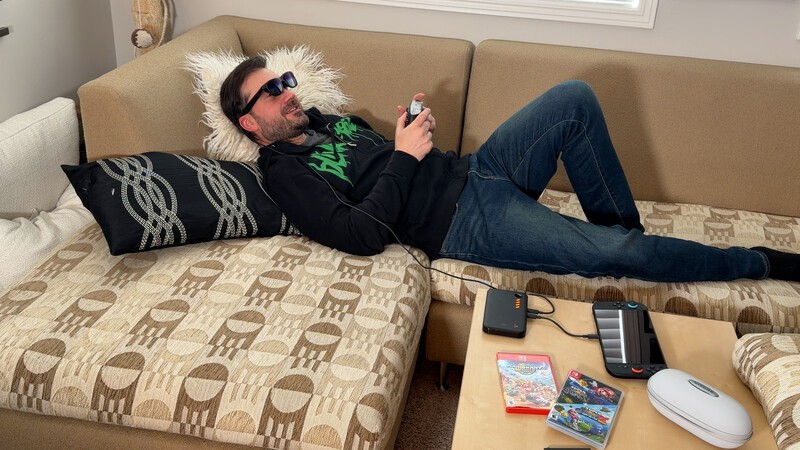
- No More Hunching: Because the screen is in front of your eyes, you can play in whatever posture is comfortable—even lying flat on your back in bed.
- Co-op Play: It actually supports co-op gaming, so you and a friend can both wear glasses and see the game.
- Controller Support: VITURE has partnered with 8BitDo to create the "Ultimate Mobile Controller," which is the first controller specifically designed to support XR glasses.
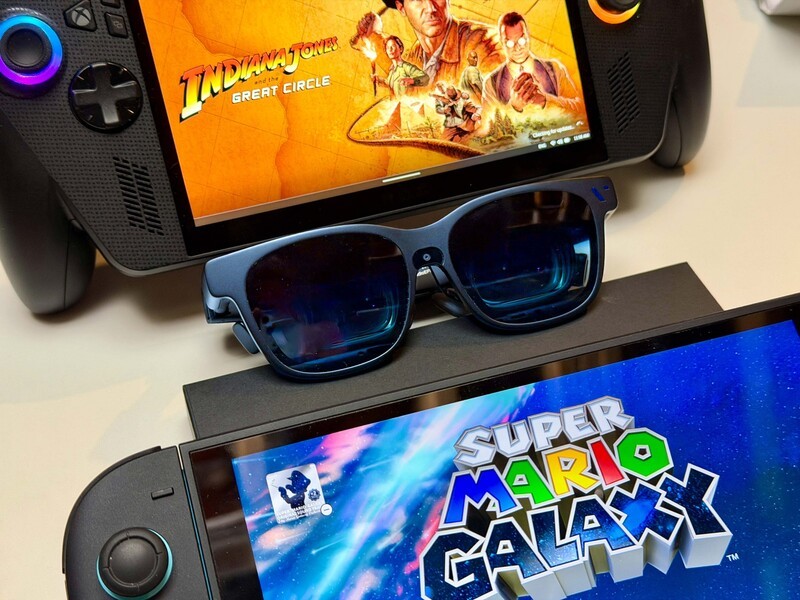
Whether you are playing Mario Kart or a high-fidelity PC game, the micro-OLED screen makes everything look crisp, and the size makes it feel incredibly immersive. Having used so many pairs of VITURE glasses at this point, I've started to take it for granted how good the gaming experience is, but whenever I pass the glasses to a travel companion to try they are always wowed!
Movies on VITURE Beast Your Own Personal 3D Theatre
We need to talk about the entertainment features, specifically the Immersive 3D mode.
The Beast has a built-in engine that performs real-time 2D-to-3D conversion. This isn't a gimmick; it actually adds significant depth to standard videos.

Everything is 3D: You can watch family videos, photos, YouTube clips, or Netflix shows (on Mac/Windows), and the glasses will convert them into 3D on the fly.
It's basically like having a private IMAX theatre strapped to your face. If for some reason you don't like the 3D effect, it's easy enough to turn off. But it's quite incredible how flawlessly the glasses can render 2D into 3D with no sync issues.
Living with The Beast
In my experience, these are some of the things that I've noticed and liked while using The Beast as my daily driver:
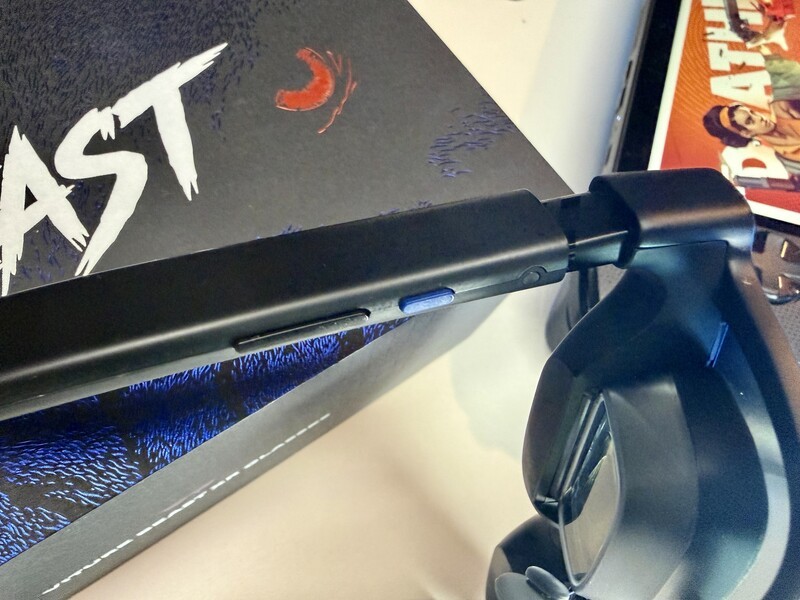
- Incredible Controls: You can control this model much easier than other models I've tried. VITURE has moved a lot of the functionality to buttons right on the frames.
- The R1 Button: A single tap switches your spatial modes (Pinning the screen or letting it follow you), while a double tap instantly switches you between 2D and 3D content.
- The L1 Button: This controls your brightness and volume, but a double tap puts you into "Side Mode," shrinking the screen and moving it off to the side so you can see the real world clearly.
It does take a day or two before you're fully fluid with the on device controls to push the screen further back or push the screen to the side and see the world around you. But once you get the hang of this feature it's absolutely incredible and a huge differentiator between the Beast and other models since the Luma series would require the app to make these kinds of changes.
Viture Beast Style and Build
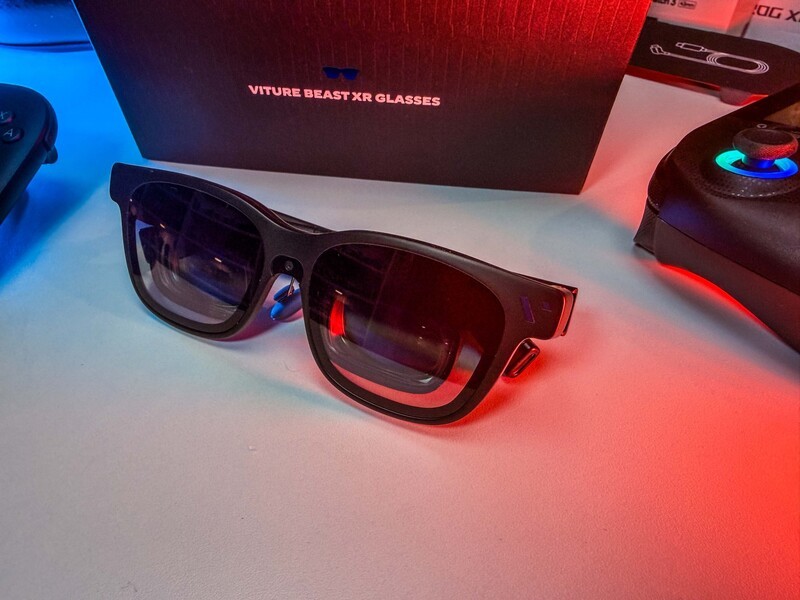
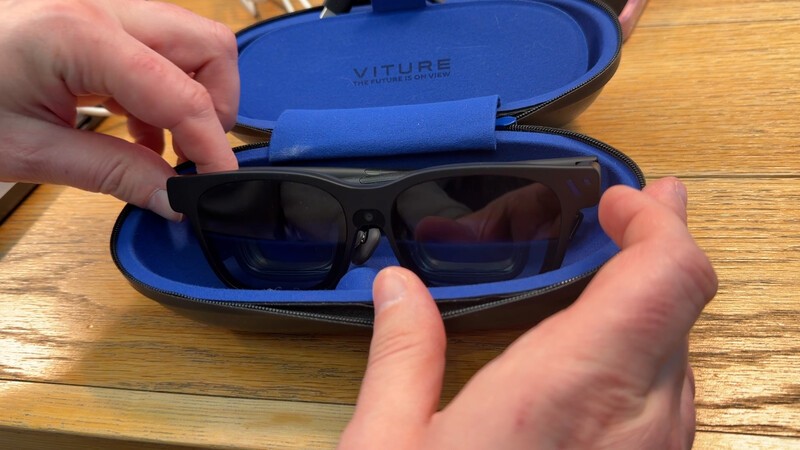
The overall style of the glasses, case, and accessories are unique and cool. The frames are made of a magnesium-aluminum alloy that feels very premium and durable. They don't feel like a cheap plastic toy; they feel like a serious piece of tech.
Unlike the Luma series (which have a translucent finish and lighting on the arms), the Beast has a classy, traditional look that does make them blend in more as regular sunglasses rather than smart glasses.
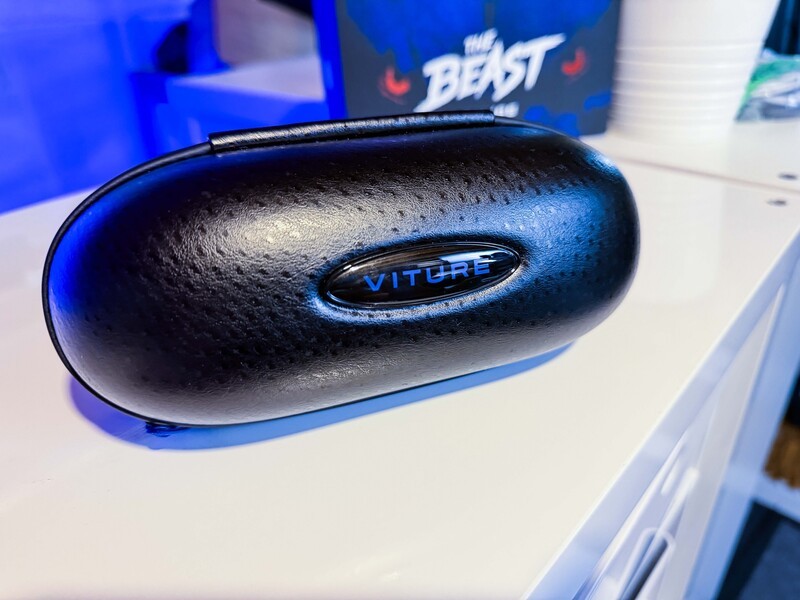
Also, the case has the ostrich style finish, which literally made me go "oooh" when I unboxed the glasses.
Viture Beast Productivity Machine?
The functionality for productivity is amazing. I used these in an airport and on an airplane to get things done, and it is impressive.
- UltraWide Monitor: With the SpaceWalker app (available for Mac and Windows), you can set up a 32:9 UltraWide virtual monitor.
- Dim the World: The glasses have a 9-level electrochromic film. You can dim the glasses with a button press to block out the world and focus on your work, or make them transparent to see your surroundings.
- Super Clear Text: What I loved about the Luma Ultra model over the Pro model was how much clearer text looked when I was working in a Google Doc or Sheet. The Beast maintains this high level of clarity, so pulling up sub menus in an editing program with tiny text is no issue to a person's workflow.

I'm going to guess 99 per cent of people are going to buy these for gaming. But once you try these glasses for productivity (especially when on an airplane) you're gonna fall in love with how justifiably practical these glasses are.
Ease of Setup
The ease of setup is great. It basically involves finding the right nose pad for your face (you get a couple and they snap in and out with magnets) and adjusting the temple tilt (three different positions on the bands of the glasses arms).
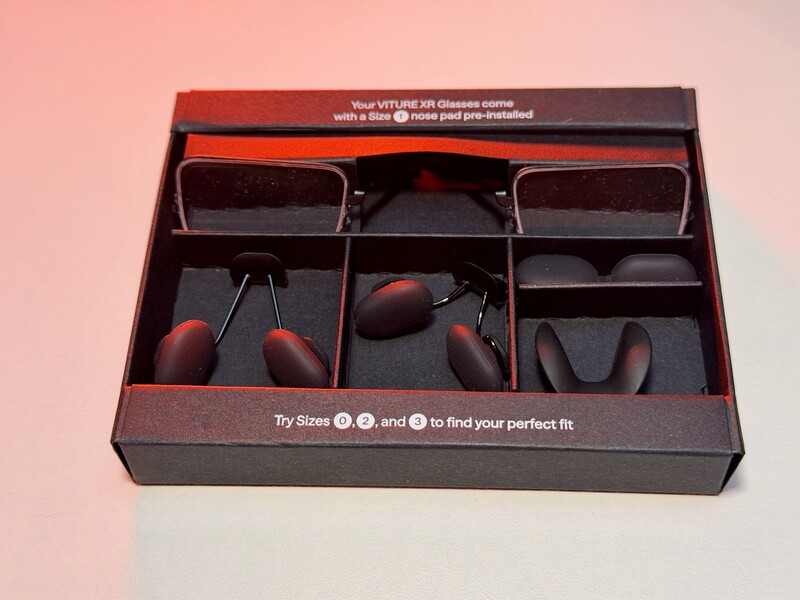
Once that's done, you plug them in to your phone, laptop, or gaming machine, and you are good to go. Also, not requiring a proprietary connector like previous models is an asset because if you forget or lose the cable it came with, you can use a USB C cable you have on hand.
It Can't ALL Be Great, Right?
As you can tell, I'm pretty impressed by these glasses so far. So I do feel kind of bad complaining, but if you're looking for the downside or wondering "what's the catch?" Here's what I wish was different:
- Connection Port Placement: The USB C port is on the right-side armband of the glasses. This was fine for my Mac, but when I was using them with an ultrathin PC, I only had ports on the left side. It would've been cool if there was USB C ports on both sides so the cable didn't drape across.
- Button Customization: Right now button customization on the physical glasses wasn't available. This is "coming soon." Getting the glasses pre-release there's often features that aren't fully ready yet. But I didn't get a chance to test out assigning specific functions to buttons, which is something that I hope will come soon after launch.
- Side Mode: This is a feature that is a distinguishing one unique to this model where you can quickly push your screen to the side, minimizing it so you can see the world.
- Occasional Bugs: Sometimes when I was switching between multiscreen window views on Mac, the glasses wouldn't display the windows properly. It required a restart of the glasses to fix. Probably won't be an issue long since there will be on-going updates, but it happened a few times when I was switching from ultrawide view to three desktop view, so I figured I'd mention.
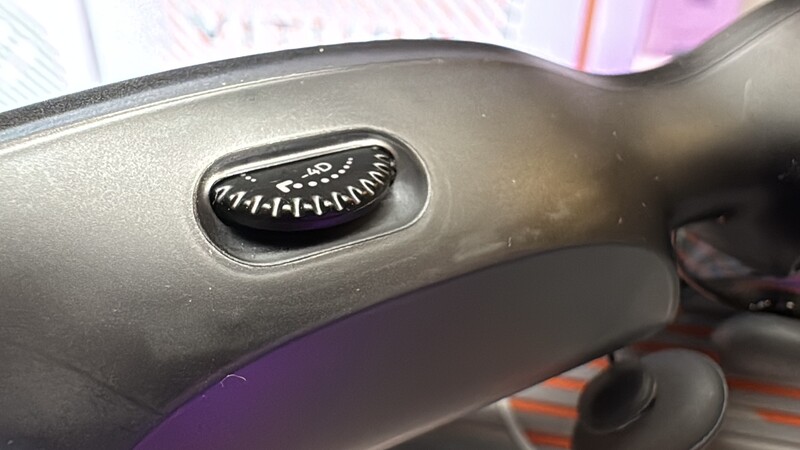
- No Myopia Dials: The Luma Pro and Ultra models have dials that allow you to adjust for myopia so the glasses are clear. If you normally wear glasses, you'll have to get the glasses insert for the Beast.
Overall, even with the pre-release software, I'm very impressed by how complete the experience with the Beast feels. I had zero issues or complaints related to gaming in my testing so far. I only ran into bumps with some features I used for productivity.
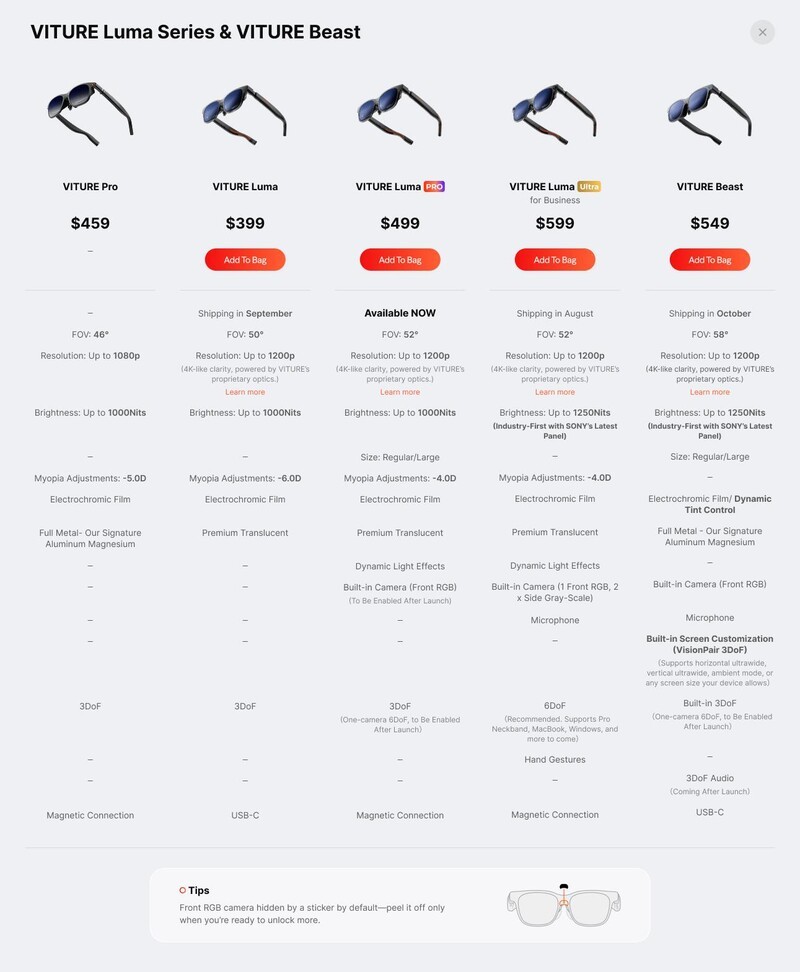
Beast vs. Luma Pro vs. Luma Ultra Quick comparison
If you're looking at VITURE's lineup, it can get confusing. Here is the simple breakdown:
- Luma Pro: Great for gamers and general productivity users who want clarity.
- Luma Ultra: Designed for enterprise users who need full 6DoF (where you can actually walk around the virtual objects) and hand-gesture tracking.
- The Beast: This is the flagship for "Power Users". It prioritizes the largest screen, the sharpest image, and that rock-solid built-in 3DoF stability.
Or for a deeper dive here's a handy chart.
VITURE Beaest Review The Verdict
The VITURE Beast lives up to its name. The sheer size of the virtual screen (174 inches!) combined with the clarity of the Sony micro-OLED panels this makes one of the best virtual displays of any smart glasses I've ever used.
XR Smart Glasses
VITURE Beast
Geeking Out Shop
For their massive, 174-inch virtual display, their high compatibility, and overall ease of use, the VITURE Beast XR glasses are a top choice for gamers. The productivity benefits may be a secondary reason to purchase, but once you test them out, they may emerge as a useful benefit. If you place an order, use promo code DrewKozub with the link below to get a 10 percent discount on your order.
If you are a frequent traveler, a gamer who wants a massive screen for your Switch 2, or someone who wants to replace a multi-monitor setup with something that fits in your pocket, these are absolutely worth a look.
Read more
Top 5 Games To Play On Your Switch 2 This Fall
Whether we're looking at exclusive Switch 2 titles, or Switch titles with enhancements for the next gen console, the library of games is getting deep!
Razer Kishi Ultra Review: The Ultimate Handheld Upgrade In 2026
The Razer Kishi Ultra is now getting old, but it's still a top choice for gamers who want to play on their smartphone or small tablet.
Get the most out of your new Switch 2 with these hot titles!
While the Switch 2 hasn't been out that long, that doesn't mean there are not a lot of great titles already out there to enjoy. Check out some of our favourites!

Mario Tennis Fever Review: Nintendo’s next great couch co-op has arrived!
One thing Nintendo does better than anyone else is creating party titles that get non-gamers into the action. Their latest demonstration of this skill is Mario Tennis Fever, a new game for the Nintendo Switch 2 that puts powered-up racquets (they spell 'em Rackets, which is apt) into the hands of Nintendo's most famous characters for solo and team play. The new game introduces never...